
WordPress vs Wix in 2026 — Which One Should You Actually Use?
I'm going to be straight with you: I use both WordPress and Wix. This blog and my client projects all run on WordPress. My wife's photography portfolio runs on Wix. And honestly? Both platforms do exactly what they're supposed to do.
The internet is full of "WordPress vs Wix" articles written by people who clearly haven't touched Wix since 2017. They'll tell you Wix is terrible for SEO, that it's only for "toy websites," and that WordPress is always the right answer. That's lazy advice. Wix has changed dramatically, and pretending otherwise doesn't help you make a good decision.
So here's what I'll actually do in this article: I'll walk you through every meaningful difference between WordPress and Wix — pricing, ease of use, SEO, eCommerce, ownership, performance, and support — based on my real experience with both. By the end, you'll know exactly which platform makes sense for your situation.
My quick verdict for the impatient: Choose WordPress if you want full control, plan to monetize your site, or need serious flexibility. Choose Wix if you want the fastest possible path to a good-looking website and don't care about owning your code. Both are legitimate choices — but they serve different people.
WordPress vs Wix: Quick Comparison Table
Before we get into the details, here's the high-level overview. I'll explain each row in depth below.
| Feature | WordPress.org | Wix |
|---|---|---|
| Price | Free software (+ hosting ~$3–35/mo) | Free plan / $17–159/mo paid plans |
| Ease of use | Moderate learning curve | Very easy, true drag-and-drop |
| Design flexibility | Unlimited (themes + full code access) | High (900+ templates, but locked after choosing) |
| Plugins / Apps | 60,000+ free plugins | 300+ apps in Wix App Market |
| SEO | Excellent (with plugins like Rank Math) | Good (improved significantly since 2020) |
| eCommerce | WooCommerce (powerful, scalable) | Wix eCommerce (simpler, faster setup) |
| Ownership | You own everything | Wix owns the platform |
| Portability | Full export, take it anywhere | Very limited export options |
| Speed | Depends on hosting + optimization | Generally fast (fully hosted) |
| Support | Community + hosting provider support | 24/7 official Wix support |
Now let's break each of these down properly.
Ease of Use — Wix Wins, and It's Not Close
I'm not going to sugarcoat this: if you've never built a website before, Wix is significantly easier to use than WordPress.
When my wife decided she needed a portfolio site for her photography business, I offered to set up WordPress for her. She tried it for about two hours, got frustrated with the block editor, couldn't figure out how to adjust image spacing the way she wanted, and said "can't I just drag things where I want them?" So I pointed her to Wix. She had a genuinely beautiful portfolio live within an afternoon. No help from me needed.
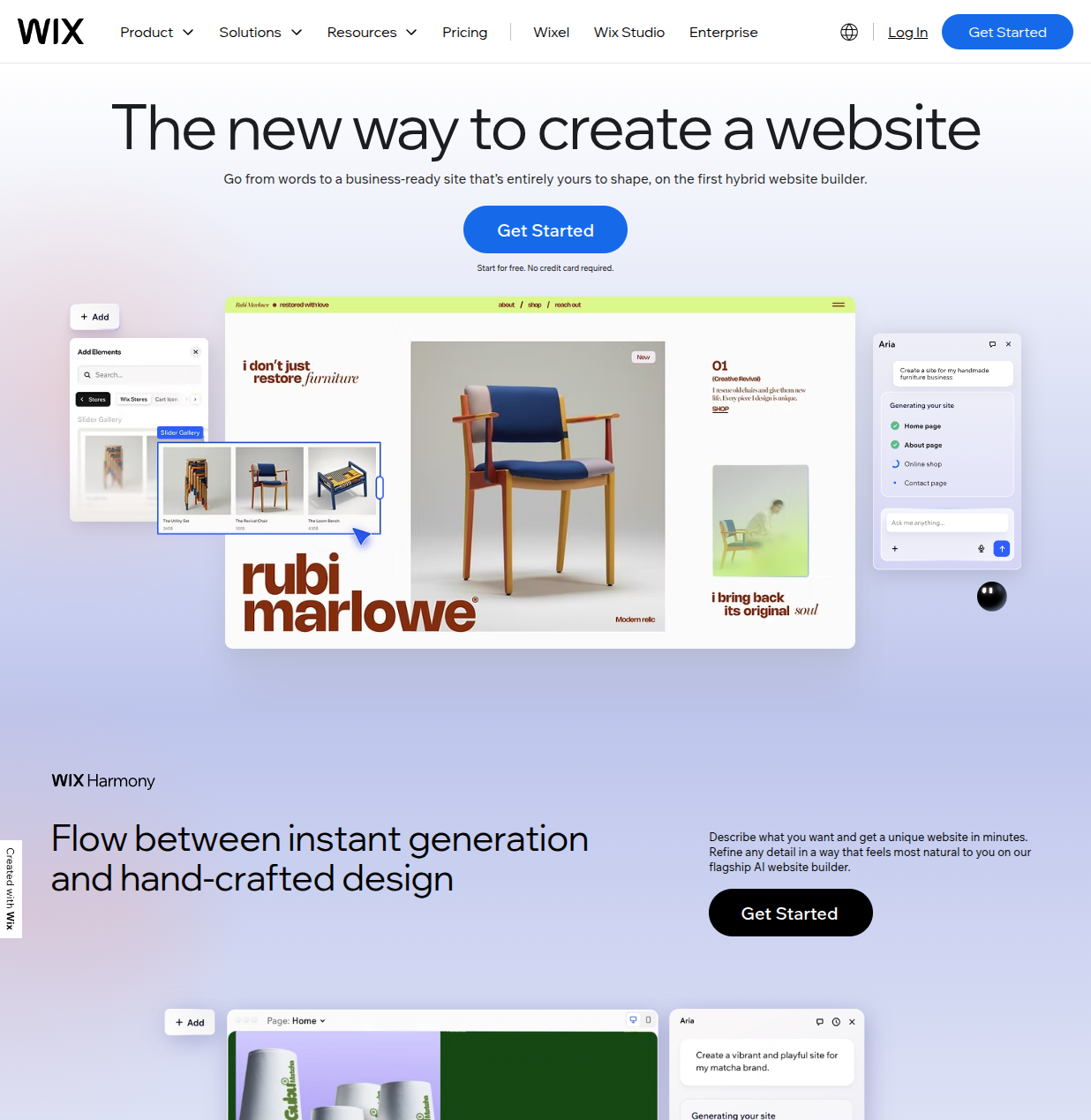
That's the Wix experience. You pick a template, you see your actual website on screen, and you literally drag elements wherever you want them. Want to move a text block two inches to the right? Just drag it. Want to resize an image? Grab the corner and pull. It behaves the way most people expect a visual editor to behave.
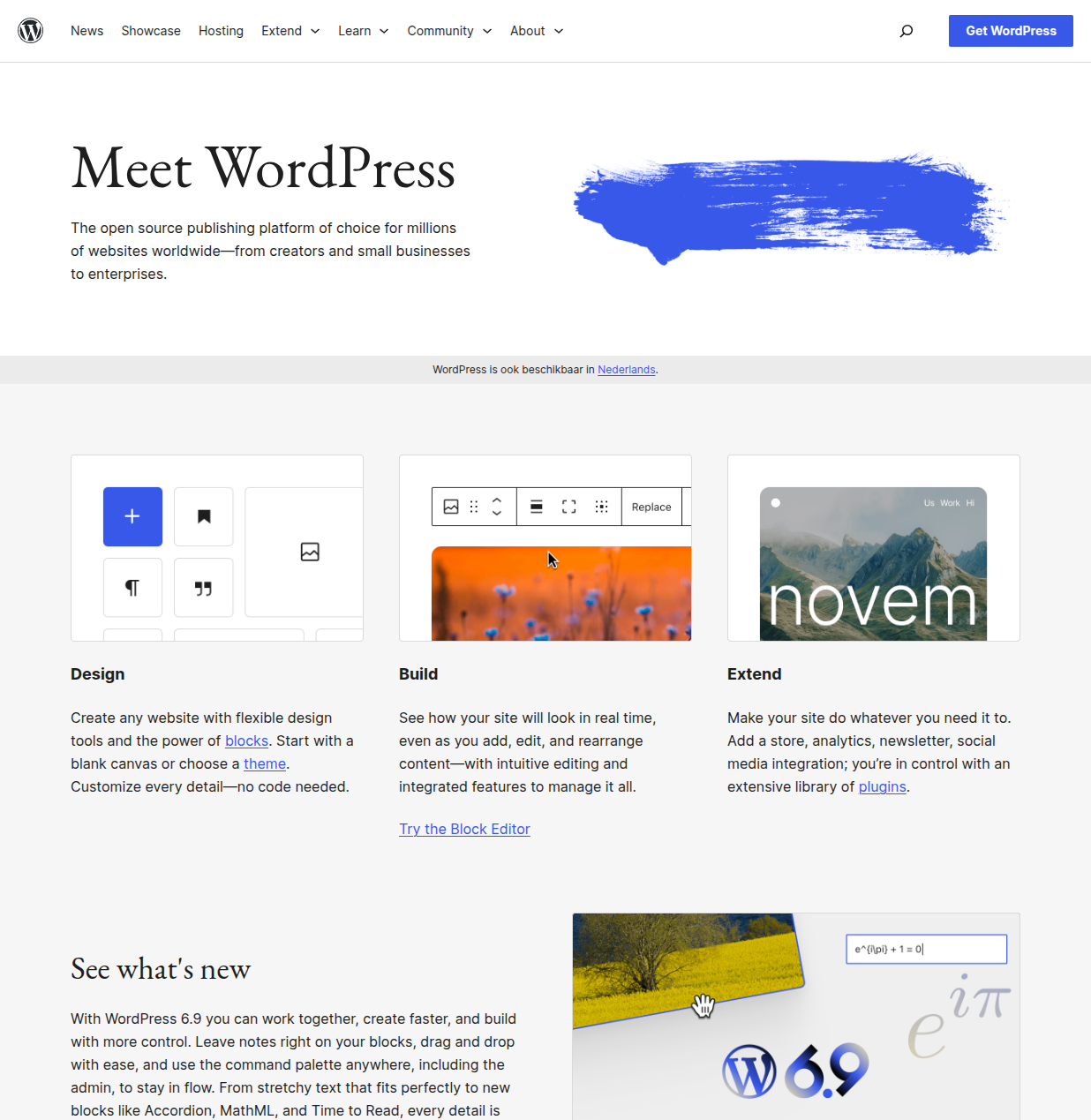
WordPress, on the other hand, has a learning curve. The block editor (Gutenberg) is a big improvement over the old classic editor, but it's still not truly drag-and-drop in the same intuitive way. You're working with blocks that snap into place within content areas. It's more structured, more powerful — but less immediately intuitive. And beyond the editor itself, you'll need to understand concepts like themes, plugins, menus, widgets (in older themes), and at least some basics of how hosting works.
Now, here's the important nuance: WordPress's learning curve exists because it gives you more power. Once you get past the initial learning phase — which realistically takes a few days to a couple of weeks — you can do things with WordPress that simply aren't possible on Wix. But you have to get through that curve first.
My take: If your priority is "I need a website today and I have zero technical experience," Wix is the better choice. If you're willing to invest a week or two in learning, WordPress rewards that investment many times over. If you're reading this site, you're probably already interested in learning WordPress — and I think that's the right call for most people. But I won't pretend the learning curve doesn't exist.
Design and Customization — More Options vs. Easier Options
Wix gives you approximately 900 templates across dozens of categories. They look modern and professional right out of the box. The drag-and-drop editor lets you customize colors, fonts, layouts, and positioning with impressive precision. For most small business websites, Wix's design capabilities are more than sufficient.
But there are two significant limitations you need to know about.
First: you cannot switch your Wix template after your site is live. This is probably the single most common complaint I hear from Wix users. If you pick a template, build your site, add content, and then decide six months later that you want a different look — you can't just swap templates. You have to rebuild from scratch, or work within the constraints of your original choice. Wix introduced some "template switching" features, but they're limited and don't preserve your customizations the way you'd expect.
Second: you can't edit the underlying code. What you see in the Wix editor is what you get. If the editor doesn't support the layout or feature you want, there's no workaround. You can add custom HTML blocks and use Velo (Wix's development platform) for some things, but your options are fundamentally limited to what Wix has built into their system.
WordPress takes the opposite approach. The WordPress theme ecosystem is enormous — thousands of free themes in the official directory, plus premium themes from developers like Elegant Themes (Divi), Themeisle (Neve), and StudioPress (Genesis). You can switch themes at any time without losing your content. And because WordPress is open source, you have full access to the underlying code. If a theme doesn't do exactly what you want, you can modify it — or hire someone who can.
With the Full Site Editor that shipped in WordPress 6.x, you can now customize nearly every part of your site visually, including headers, footers, and template parts. It's not as immediately intuitive as Wix's drag-and-drop, but it's extremely flexible. And if you use a page builder like Elementor or Beaver Builder on top of WordPress, you get Wix-style visual editing with WordPress-level power underneath.
My take: Wix templates look better out of the box with less effort. WordPress gives you more options and more long-term flexibility, but requires more time investment. The template lock-in issue on Wix is a real dealbreaker for some people — if your design needs might change significantly over time, WordPress is the safer bet.
SEO Capabilities — The Gap Has Narrowed Dramatically
Five years ago, this wouldn't have been a contest. WordPress with a plugin like Yoast or Rank Math ran circles around Wix for SEO. Wix couldn't even handle basic things like clean URLs or proper meta tags.
That's no longer the case. Wix has invested heavily in SEO since 2020, and the results are real. Here's what Wix offers today:
- Wix SEO Wiz: A step-by-step SEO setup tool that walks you through optimizing your site. It's actually pretty good for beginners who don't know where to start.
- Structured data: Wix automatically adds schema markup to your pages — something many WordPress users forget to set up.
- Server-side rendering: Wix moved to SSR in 2021, fixing the old JavaScript rendering issues that used to hurt SEO.
- Clean URLs: Fully customizable URL slugs.
- XML sitemaps: Auto-generated and submitted to search engines.
- Meta tags, alt text, canonical URLs: All editable and properly implemented.
- Core Web Vitals: Wix has made huge strides in page speed, with most Wix sites now passing Core Web Vitals.
WordPress, however, still has the edge for advanced SEO. With plugins like Rank Math or AIOSEO, you get granular control over every SEO element: advanced schema types, redirect managers, internal linking suggestions, content analysis, keyword tracking, and more. If you're doing serious content marketing or affiliate SEO — the kind where ranking improvements translate directly to revenue — WordPress gives you more levers to pull.
The real-world difference? For a local restaurant, a photographer's portfolio, or a small business with ten pages — Wix's built-in SEO tools are genuinely fine. I've seen Wix sites rank on page one for local keywords without any special SEO work beyond the basics. For a blog publishing 100+ articles targeting competitive keywords, or an affiliate site where every position matters — WordPress's deeper SEO tooling makes a meaningful difference.
My take: For most small sites, both platforms will get you ranked. Wix's SEO used to be a joke; it isn't anymore. But if SEO is a core part of your business strategy — if you're planning to write content, build topical authority, and compete for search traffic — WordPress with a good SEO plugin is still the stronger foundation. It's one of the reasons I chose WordPress for this site.
Pricing and True Cost — Not as Simple as It Looks
Pricing is where both platforms get a bit misleading if you only look at the headline numbers. Let me break down what you'll actually pay.
Wix Pricing (2026)
Wix has a free plan, but it comes with Wix branding, a Wix subdomain (yoursite.wixsite.com), and limited storage. For a real website, you'll need a paid plan:
- Light: $17/mo — custom domain, 2GB storage, no Wix branding. Fine for a basic personal site.
- Core: $29/mo — 50GB storage, Google Analytics integration, accept payments. This is where most small businesses start.
- Business: $36/mo — 100GB storage, custom roles, developer tools. Good for growing businesses.
- Business Elite: $159/mo — unlimited storage, priority support, advanced eCommerce features.
These are annual billing prices. Monthly billing is 20-30% more. And they include hosting, SSL, and a free domain for the first year (renewal is typically $15-20/year). So what you see is mostly what you pay — no hidden hosting costs.
WordPress Pricing (2026)
WordPress itself is free and open source. But "free" is a bit misleading because you need several things to actually run it:
- Web hosting: $3–35/mo depending on the provider and plan. Shared hosting (like Bluehost or Hostinger) starts around $3/mo. Managed WordPress hosting runs $15–35/mo. Check our hosting reviews for help picking the right one.
- Domain name: $10–15/year (sometimes free for the first year with your hosting plan).
- SSL certificate: Free with most hosting providers (via Let's Encrypt).
- Theme: $0 (free themes) to $60 (premium themes, one-time purchase or annual license).
- Plugins: Most essential plugins are free. Premium plugins like Rank Math Pro, WPForms Pro, or Elementor Pro run $50–200/year each.
So here's the realistic math:
Budget WordPress setup: Shared hosting ($3/mo) + free theme + free plugins = roughly $36/year + $12 domain = $48/year ($4/month).
Mid-range WordPress setup: Quality shared hosting ($8/mo) + premium theme ($50) + 2 premium plugins ($150/year total) = roughly $296/year ($25/month first year, less after since you don't rebuy the theme).
Professional WordPress setup: Managed hosting ($25/mo) + premium theme ($50) + 3-4 premium plugins ($300/year) = roughly $650/year ($54/month).
Compare that to Wix Core at $29/month = $348/year. WordPress can be cheaper or more expensive depending on your choices — but you generally get more for your money on WordPress because you're not paying a platform tax on top of everything.
My take: Wix pricing is simpler and more predictable. WordPress pricing is more flexible — you can start extremely cheap and scale up as needed. For budget-conscious beginners, WordPress on shared hosting is hard to beat at ~$4/month. But if you factor in the value of your time and don't want to manage hosting, Wix's all-inclusive pricing has real appeal.
eCommerce — Power vs. Simplicity
Both platforms can run an online store, but they approach eCommerce very differently.
Wix eCommerce
Wix's eCommerce features are built directly into the platform. On a Core plan ($29/mo) or higher, you can accept payments, manage inventory, set up shipping rules, and sell both physical and digital products. The setup is straightforward — you add products through a clean interface, configure payment providers (Stripe, PayPal, etc.), and your store is live.
Wix also handles PCI compliance and payment security automatically. You don't have to worry about SSL configuration, security plugins, or any of the technical details that come with running an online store. It just works.
The limitation? Wix eCommerce is designed for small to medium stores. If you're selling 50-500 products and processing a moderate volume of orders, it works well. If you need advanced features like complex product variations, automated tax calculations across 40 states, subscription management, wholesale pricing, or multi-vendor marketplace functionality — you'll hit walls.
WordPress + WooCommerce
WooCommerce is a free WordPress plugin that powers roughly 25% of all online stores worldwide. It's incredibly powerful and flexible, but that power comes with complexity.
Setting up WooCommerce involves installing the plugin, configuring payment gateways, setting up shipping zones and tax rules, choosing a compatible theme, and usually adding several extension plugins for features like advanced product options, email automation, and analytics. It's not difficult, but it's significantly more involved than Wix.
The upside is that WooCommerce can do essentially anything. Complex subscription products? There's an extension for that. Multi-currency stores? Yep. Wholesale pricing with tiered discounts? Done. Integration with your warehouse management system? Absolutely. The WooCommerce extension ecosystem has thousands of plugins covering virtually every eCommerce use case.
My take: For a small store selling under 100 products — especially if you're new to eCommerce — Wix is genuinely easier and perfectly capable. For a store that needs to scale, offers complex products, or requires deep customization, WooCommerce on WordPress is the better foundation. A friend of mine started her candle business on Wix, and it worked great for the first year. When she expanded to wholesale and subscription boxes, she hit Wix's limits and had to migrate everything to WooCommerce — which was painful. If you think you might need advanced eCommerce features down the road, starting on WordPress saves you a potential migration headache.
Ownership and Portability — WordPress's Biggest Advantage
This is the category where WordPress has an overwhelming, undeniable advantage — and it's the reason I recommend WordPress to anyone building something they plan to keep for years.
With WordPress, you own everything. Your files sit on a server you control. Your database is yours. Your content, your theme, your plugins, your uploads — all of it belongs to you. If you don't like your hosting provider, you can pack up your entire site and move it somewhere else. I've done this dozens of times for clients. The process typically takes less than an hour using a migration plugin.
With Wix, you own your content — but not your website. Your site exists on Wix's servers, built with Wix's proprietary technology. If you decide to leave Wix, you can export your blog posts as an XML file and download your media files. But you cannot export your design, your pages, your product listings, your forms, your integrations, or your site structure. You're essentially starting over on the new platform.
I watched a friend learn this the hard way. She built a beautiful 40-page Wix site for her consulting business. After two years, she wanted to add a membership area and advanced booking system that Wix couldn't support. The migration to WordPress took three weeks of rebuilding every single page from scratch. The blog posts transferred, but everything else — the layout, the custom sections, the contact forms, the testimonials, the image galleries — had to be recreated manually.
This isn't a knock on Wix — it's the nature of proprietary platforms. Squarespace, Shopify, and most other all-in-one builders have similar lock-in. But it's something you need to understand before you commit to a platform.
My take: If you're building a simple site and you're happy with Wix's features, the portability issue might never matter to you. My wife has no plans to leave Wix, and that's perfectly fine. But if there's any chance your site will grow, evolve, or need features that your current platform can't provide — WordPress's portability is worth its weight in gold. You're never locked in. You always have options.
Performance and Speed — A Tie with an Asterisk
This used to be another area where WordPress had a clear edge. That's no longer true — but the comparison is nuanced.
Wix performance is handled entirely by Wix. They manage the servers, the CDN, the caching, and the optimization. You don't have to think about it. And credit where it's due: Wix's infrastructure has gotten significantly faster. Most Wix sites now pass Google's Core Web Vitals, and page load times are generally under 2 seconds on their optimized plans. The catch is that you have very limited control over performance. If Wix's CDN is slow in your region, or if their platform has a hiccup, there's nothing you can do except wait for them to fix it.
WordPress performance is entirely up to you. A well-optimized WordPress site on quality hosting — with proper caching (WP Super Cache, LiteSpeed Cache), image optimization (ShortPixel, Smush), and a CDN (Cloudflare) — will load faster than almost anything Wix can deliver. But a poorly optimized WordPress site on cheap hosting with fifteen unoptimized plugins? It'll be a slow, painful experience.
I've seen WordPress sites load in under 800 milliseconds. I've also seen WordPress sites that take 8 seconds because the owner installed thirty plugins and never configured caching. The difference is entirely about how you set it up and maintain it.
My take: Wix gives you consistently good performance with zero effort. WordPress gives you the potential for better performance, but you have to earn it through proper setup and optimization. For someone who doesn't want to think about page speed, Wix's managed approach is genuinely appealing. For someone who wants maximum control, WordPress lets you squeeze out every millisecond.
Support — Official vs. Community
Wix offers official 24/7 customer support through phone, email, and chat. If something goes wrong with your Wix site, you contact Wix and they help you fix it. It's straightforward. The support quality is generally good for platform-related issues — they know their product and can help with most common problems. For more complex issues or custom design questions, the quality varies.
WordPress has no central support team. That sounds like a disadvantage, and in some ways it is — especially if you're used to calling a company when something breaks. But here's what WordPress support actually looks like in practice:
- Your hosting provider: Good WordPress hosts (SiteGround, Cloudways, Kinsta) have excellent support teams who can help with WordPress-specific issues, not just server problems.
- WordPress.org support forums: Active community forums where volunteers help with plugin issues, theme conflicts, and general WordPress questions.
- Documentation: WordPress has extensive official documentation, and most popular plugins have their own knowledge bases.
- The broader community: Tens of millions of WordPress users means virtually every problem has been solved and documented somewhere. A specific Google search usually turns up the answer within minutes.
- Professional help: If you need hands-on assistance, WordPress developers are plentiful and relatively affordable on platforms like Codeable or Upwork.
The practical difference? With Wix, you have one point of contact for everything. With WordPress, you might need to contact your host for server issues, check a plugin's documentation for a feature question, and search the community forums for a specific error. It's more fragmented, but the depth of available help is arguably greater.
My take: If "I need to be able to call someone" is important to you, Wix wins clearly. If you're comfortable searching for answers and troubleshooting with online resources, WordPress's massive community means you'll almost always find what you need. For what it's worth, I've never encountered a WordPress problem I couldn't solve with a Google search and 20 minutes of reading.
Who Should Use Wix?
Wix is genuinely the better choice for certain people. I mean this sincerely — not as a consolation prize, but as honest advice:
- Small business owners who need a site fast. If you run a restaurant, salon, or local service business and you need a professional-looking website this week, Wix will get you there faster than WordPress.
- People with zero technical interest. If the idea of installing plugins, configuring settings, and managing updates fills you with dread — and you have no interest in learning — Wix removes all of that friction.
- Portfolio sites. Photographers, designers, artists, and creatives who need a visual showcase with minimal text content. Wix's templates are genuinely excellent for portfolios.
- Simple blogs. If you want to write occasionally and share with friends and family — not build a content business — Wix's built-in blogging tools are perfectly adequate.
- People who value convenience over control. If you'd rather pay a premium for an all-in-one solution than deal with separate hosting, plugins, and maintenance, Wix is a legitimate choice.
My wife's Wix site costs $29/month. She spends zero time on maintenance, updates, or technical issues. She logs in, uploads new photos, and that's it. For her, switching to WordPress would add complexity without adding value. That's a perfectly valid calculation.
Who Should Use WordPress?
WordPress is the better choice — and often the only viable choice — for these situations:
- Anyone who wants full ownership of their site. If you're building a digital asset you want to own outright — not rent space on someone else's platform — WordPress is the only option here.
- Bloggers and content creators planning to monetize. If you want to make money through affiliate marketing, display ads, sponsored content, or selling digital products, WordPress gives you the tools and flexibility to do it properly. Building on WordPress means you control your monetization completely.
- eCommerce stores that plan to scale. If you're starting small but have ambitions to grow into hundreds or thousands of products, complex inventory management, or multiple sales channels — start on WooCommerce from day one.
- Developers and agencies. If you build websites for clients, WordPress gives you the code-level access, workflow flexibility, and ecosystem depth that simply isn't possible on Wix.
- Anyone who might want to switch hosts. This is an underrated consideration. With WordPress, if your hosting provider raises prices, degrades service, or goes out of business, you just migrate to a new host. With Wix, you're locked to their platform. Period.
- SEO-focused content sites. If search traffic is a core part of your strategy — whether you're building a niche site, a news site, or a content marketing hub — WordPress's SEO ecosystem is deeper and more powerful.
- Membership sites and online courses. WordPress plugins like LearnDash, MemberPress, and BuddyBoss give you full-featured membership and e-learning capabilities that Wix can't match.
For reference, the full cost breakdown of building a WordPress site is more detailed than what I covered in the pricing section above.
My Honest Verdict
I've been building websites since 2010. I've used WordPress, Wix, Squarespace, Shopify, custom-coded sites, and everything in between. Here's what I've learned: the best platform is the one that matches how you'll actually use it.
If you're reading this site — ZeroToWP — you're probably already leaning toward WordPress. And for most people in that position, I think WordPress is the right call. The learning curve is real but manageable. The ecosystem is unmatched. The flexibility and ownership are worth the extra effort. And the skills you build carry forward forever.
But I refuse to tell you that Wix is a bad choice. It isn't. For certain use cases, it's genuinely the smarter option. A local bakery owner who just wants a menu page, a gallery, an "about us" section, and an embedded Google Map doesn't need WordPress. They need a website that works, looks good, and doesn't require ongoing technical attention. Wix delivers that.
Here's my decision framework. Ask yourself these three questions:
- Do I want to own my site completely, or am I comfortable renting it? If ownership matters, WordPress. If convenience matters more, Wix.
- Am I building something I plan to grow and monetize, or something simple and static? Growth-oriented projects belong on WordPress. Simple, stable projects are fine on Wix.
- Am I willing to spend a week learning the basics? If yes, WordPress will reward that investment. If no, Wix will get you live today.
If you've decided WordPress is right for you, I've written a complete guide on how to make a WordPress website from scratch — no technical experience required. If you're still on the fence, that's okay too. Both platforms will be here when you're ready.
Frequently Asked Questions
Is Wix better than WordPress for beginners?
For absolute beginners who want a website live as fast as possible, yes — Wix is easier. The drag-and-drop editor is more intuitive than WordPress's block editor, and there's nothing to install or configure. However, WordPress is not as hard as people make it sound. Most beginners can build a functional WordPress site within a few days of learning. And the skills you build with WordPress are more transferable and valuable long-term.
Can I switch from Wix to WordPress?
Technically, yes — but it's not a clean migration. You can export your blog posts from Wix as an RSS feed and import them into WordPress. Your media files can be downloaded and re-uploaded. But your page designs, layouts, forms, eCommerce products, and site structure cannot be transferred. Moving from Wix to WordPress essentially means rebuilding your site's design from scratch on WordPress while preserving your written content. It's doable but time-consuming — budget at least a few days for a simple site and a few weeks for a complex one.
Is WordPress really free?
The WordPress software itself is 100% free and open source. You can download it from WordPress.org without paying anything. However, you need web hosting to run WordPress (typically $3–35/month) and a domain name ($10–15/year). Many people also purchase premium themes or plugins, though thousands of free options exist. So WordPress is free to use, but running a WordPress website has associated costs — just like Wix. The difference is that with WordPress, you choose exactly what you pay for and who you pay.
Which is better for SEO, Wix or WordPress?
For most websites, both platforms provide solid SEO foundations. Wix has improved its SEO capabilities enormously since 2020, and small-to-medium sites can absolutely rank well on Wix. WordPress has an edge for advanced SEO strategies thanks to powerful plugins like Rank Math and AIOSEO that give you granular control over schema markup, redirects, internal linking, and technical SEO elements. If SEO is your primary traffic strategy and you're competing for high-volume keywords, WordPress gives you more tools to work with. For local SEO or basic search visibility, both platforms work well.
Can I use my own domain with Wix?
Yes. All paid Wix plans allow you to connect a custom domain. The Light plan ($17/mo) and above include a free domain for the first year, with standard renewal pricing after that. On the free Wix plan, your URL will be yourname.wixsite.com/sitename, which doesn't look professional and isn't great for branding.
Is Wix good for blogging?
Wix has basic blogging capabilities — you can write posts, add categories and tags, schedule publications, and allow comments. For casual blogging, it works fine. However, it lacks the depth that serious bloggers need: there are no built-in content analysis tools, limited RSS feed options, no revision history to speak of, and the writing interface is less refined than WordPress's block editor. If blogging is your primary activity — especially if you plan to publish frequently and monetize your content — WordPress is the significantly better platform.
What about WordPress.com vs WordPress.org?
This is a common source of confusion. WordPress.org is the free, open-source software you install on your own hosting — that's what this entire article is about. WordPress.com is a separate, commercial hosting platform run by Automattic that uses WordPress software. WordPress.com has its own pricing plans ($4–45/mo) and is more comparable to Wix in terms of being an all-in-one hosted solution. When people say "WordPress," they almost always mean WordPress.org — the self-hosted version. That's the WordPress I recommend and the one I use.

Written by Marvin
Our team tests and reviews WordPress products to help beginners make confident choices.
Learn more about our team →You might also like
How to Migrate WordPress to a New Host — 3 Methods (Without Losing Anything)
A step-by-step guide to migrating your WordPress site to a new host using All-in-One WP Migration, Duplicator, or manual FTP — with pre-migration checklists, post-migration verification steps, and fixes for the most common problems.
postManaged WordPress Hosting in 2026 — Is It Worth the Extra Cost?
A no-fluff comparison of the 5 best managed WordPress hosting providers in 2026 — Kinsta, WP Engine, Cloudways, Flywheel, and SiteGround — with real pricing, performance data, and honest advice on whether you actually need it.
postBest Cheap WordPress Hosting — Quality on a Budget
The best budget WordPress hosting options that don't sacrifice performance. Real pricing, honest trade-offs, and a clear recommendation for each budget level.
postBluehost vs SiteGround — Which Is Better for WordPress?
A detailed head-to-head comparison of Bluehost and SiteGround covering performance, pricing, support, and features to help you pick the right WordPress host.