
Best WordPress SEO Plugins in 2026 — Yoast vs Rank Math vs All in One SEO
I've been building websites for over 20 years. The first decade was raw PHP and hand-coded HTML — the kind of work where you manually wrote meta tags into every single page header. Then WordPress came along and changed everything. I've been building WordPress sites for over 10 years now, and in that time, I've used pretty much every SEO plugin that exists.
I ran Yoast SEO exclusively from 2014 to 2022. Then I started experimenting with Rank Math on a few client sites. I've set up All in One SEO on projects where clients specifically requested it. I've formed some strong opinions along the way — and I'm going to share them honestly, not just regurgitate feature lists you can find on any plugin's marketing page.
This article is my genuine comparison. No affiliate bias, no diplomatic fence-sitting. I'll tell you exactly which plugin I'd choose if I were starting from scratch today, and why.
Quick Answer — Which SEO Plugin Should You Use?
I know some of you just want the answer. Here's the summary before we dive deep:
| Plugin | Best For | Price | Active Installs | My Rating |
|---|---|---|---|---|
| Yoast SEO | Most users, proven track record | Free / $99/yr | 10M+ | 4.5/5 |
| Rank Math | Power users who want more features for free | Free / $59/yr | 3M+ | 4.5/5 |
| All in One SEO | Easy setup, good beginner experience | Free / $49.60/yr | 3M+ | 4/5 |
The short version: If you're a beginner, go with Yoast. If you want more features without paying, try Rank Math. Both are excellent choices — you genuinely can't go wrong with either one. AIOSEO is solid too, but in 2026, the other two simply offer more value.
Now let me explain why I feel that way — with the kind of detail you won't find in most plugin comparison articles.
Why You Need an SEO Plugin
Before we compare plugins, let's talk about why you need one at all. I sometimes get asked: "Isn't WordPress already SEO-friendly?" And the answer is yes — sort of. WordPress handles the basics well. It generates clean URLs, it uses proper heading structures, it handles canonical tags for basic posts. But "the basics" is not enough to compete in 2026.
Without an SEO plugin, you're missing:
- Custom meta descriptions — Without one, Google just grabs the first few sentences of your post. That's rarely the most compelling snippet to show in search results.
- XML sitemaps — Search engines need a map of your site to crawl it efficiently. WordPress doesn't generate one natively.
- Schema markup — Structured data helps Google understand what your content is about and can earn you rich snippets (star ratings, FAQ dropdowns, breadcrumbs) in search results.
- Content analysis — No built-in way to check if you're using your target keywords effectively, if your content is readable, or if you've missed basic on-page SEO elements.
- Social media previews — When someone shares your post on Facebook or Twitter, what image and description shows up? Without an SEO plugin, you have no control over this.
WordPress is SEO-friendly out of the box — but an SEO plugin takes it from "good enough" to "actually competitive." If you're serious about getting organic traffic, an SEO plugin is the first thing you should install. For a deeper dive into WordPress SEO strategy beyond just plugins, check out my complete WordPress SEO guide.
#1 Yoast SEO — The Industry Standard
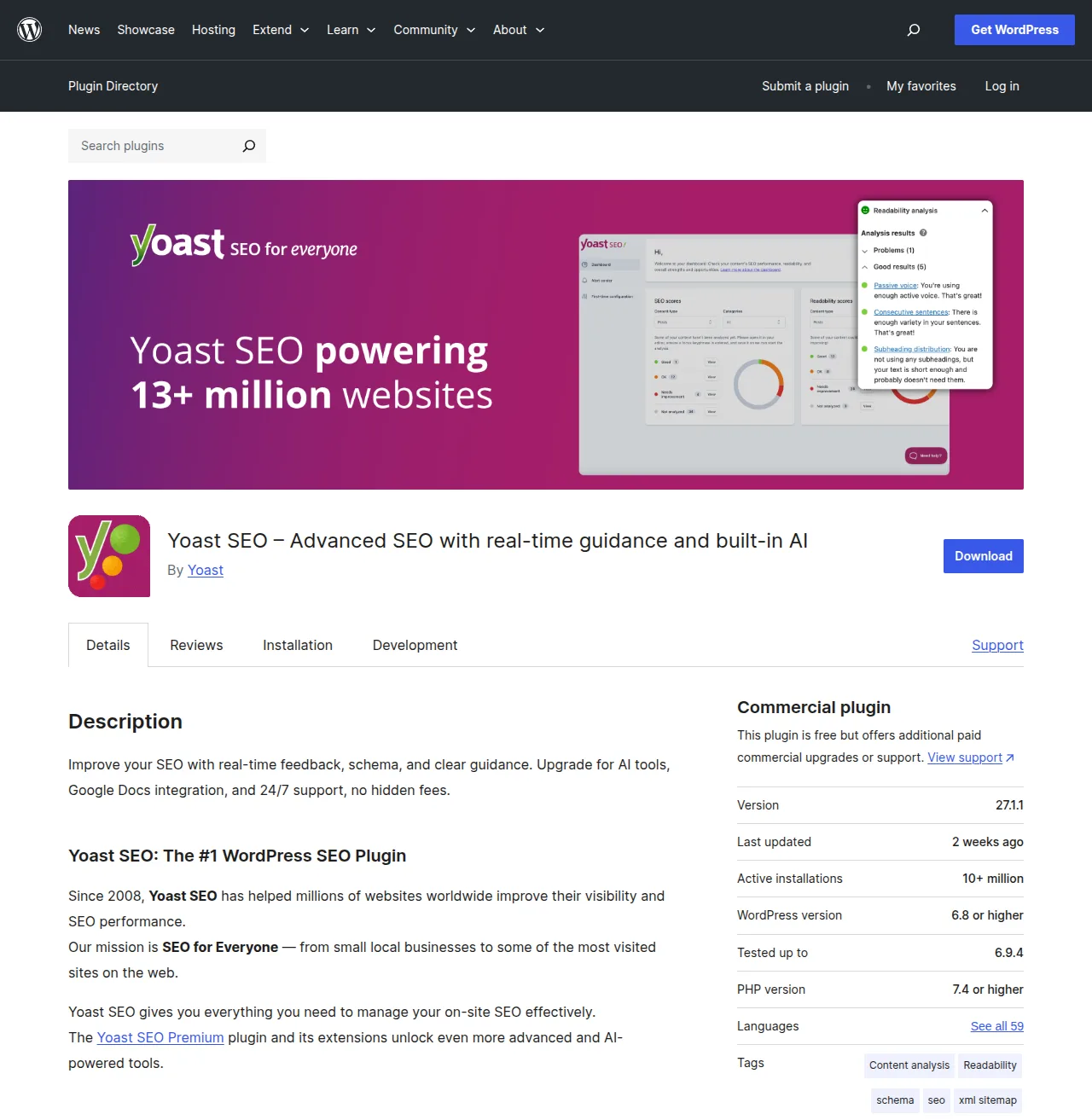
Yoast SEO is the plugin that defined WordPress SEO. It's been around since 2008, it has over 10 million active installations, and it's maintained by a dedicated team that was acquired by Newfold Digital in 2021. When people think "WordPress SEO plugin," Yoast is usually the first name that comes to mind — and for good reason.
I've been using Yoast since 2014. That's over a decade of daily use across dozens of sites — personal projects, client builds, ecommerce stores, content-heavy blogs. It's the plugin I know most intimately, and it's the one I still use on the majority of my sites.
Key Features
- Content analysis (traffic light system) — Yoast's signature feature. It analyzes your content for SEO best practices and shows green, orange, or red indicators. Is your focus keyword in the title? In the first paragraph? In enough subheadings? Yoast checks all of it.
- Readability analysis — Checks sentence length, paragraph length, passive voice usage, transition words, and Flesch reading ease score. It's surprisingly useful for writers who tend toward academic-style prose.
- Schema markup — Generates structured data for articles, pages, breadcrumbs, FAQs, and how-to content. The Premium version offers an advanced schema editor for custom types.
- XML sitemaps — Automatically generated and submitted to search engines. Includes options to exclude specific post types or taxonomies.
- Breadcrumbs — Built-in breadcrumb navigation that helps both users and search engines understand your site structure.
- Social previews — Control how your content appears when shared on Facebook, Twitter/X, and other platforms.
- Redirect manager (Premium) — Create and manage 301 redirects when you change URLs or delete pages.
- Internal linking suggestions (Premium) — Suggests relevant internal links as you write, which is genuinely helpful for large content sites.
Yoast Free vs Premium
| Feature | Yoast Free | Yoast Premium ($99/yr) |
|---|---|---|
| Focus keywords | 1 per post | Multiple per post |
| Content analysis | Yes | Yes |
| Readability analysis | Yes | Yes |
| XML sitemaps | Yes | Yes |
| Schema markup | Basic | Advanced editor |
| Redirect manager | No | Yes |
| Internal linking suggestions | No | Yes |
| IndexNow integration | No | Yes |
| Semrush integration | Limited | Full |
| Yoast SEO Academy | Limited courses | Full access |
| Support | Forums only | 24/7 email support |
My Personal Experience with Yoast
I've been using Yoast since 2014. The traffic light system is genuinely helpful for writers who aren't SEO experts — I've seen clients go from "what's a meta description?" to confidently optimizing their own content within a week, just by following Yoast's green/orange/red indicators. It gamifies SEO in a way that makes it approachable.
That said, I've watched the free version get more limited over the years. Features that used to be free — like multiple focus keywords and the redirect manager — have moved behind the paywall. I understand the business logic, but it stings when you remember getting those features for free five years ago.
Pros
- Massive community — any question you have has been answered a hundred times
- Constant updates — the team ships improvements every two weeks like clockwork
- Proven track record — 16+ years of stable, reliable performance
- Excellent integrations with Elementor, Semrush, Wincher, and more
- The Yoast SEO Academy courses are genuinely excellent for learning SEO fundamentals
Cons
- Free version has gotten more limited over the years as features move to Premium
- Premium is $99/year per site — gets expensive if you manage multiple sites
- Can feel heavy on smaller sites — the admin UI loads a lot of JavaScript
- The traffic light system can encourage over-optimization if you chase green dots blindly
Pro Tip: The Yoast SEO Academy courses are free with Premium — and honestly, they're worth the price of admission alone if you're learning SEO. Their structured data course and their content SEO course are especially good. Even if you eventually switch to another plugin, the SEO knowledge transfers.
#2 Rank Math — The Feature-Rich Alternative
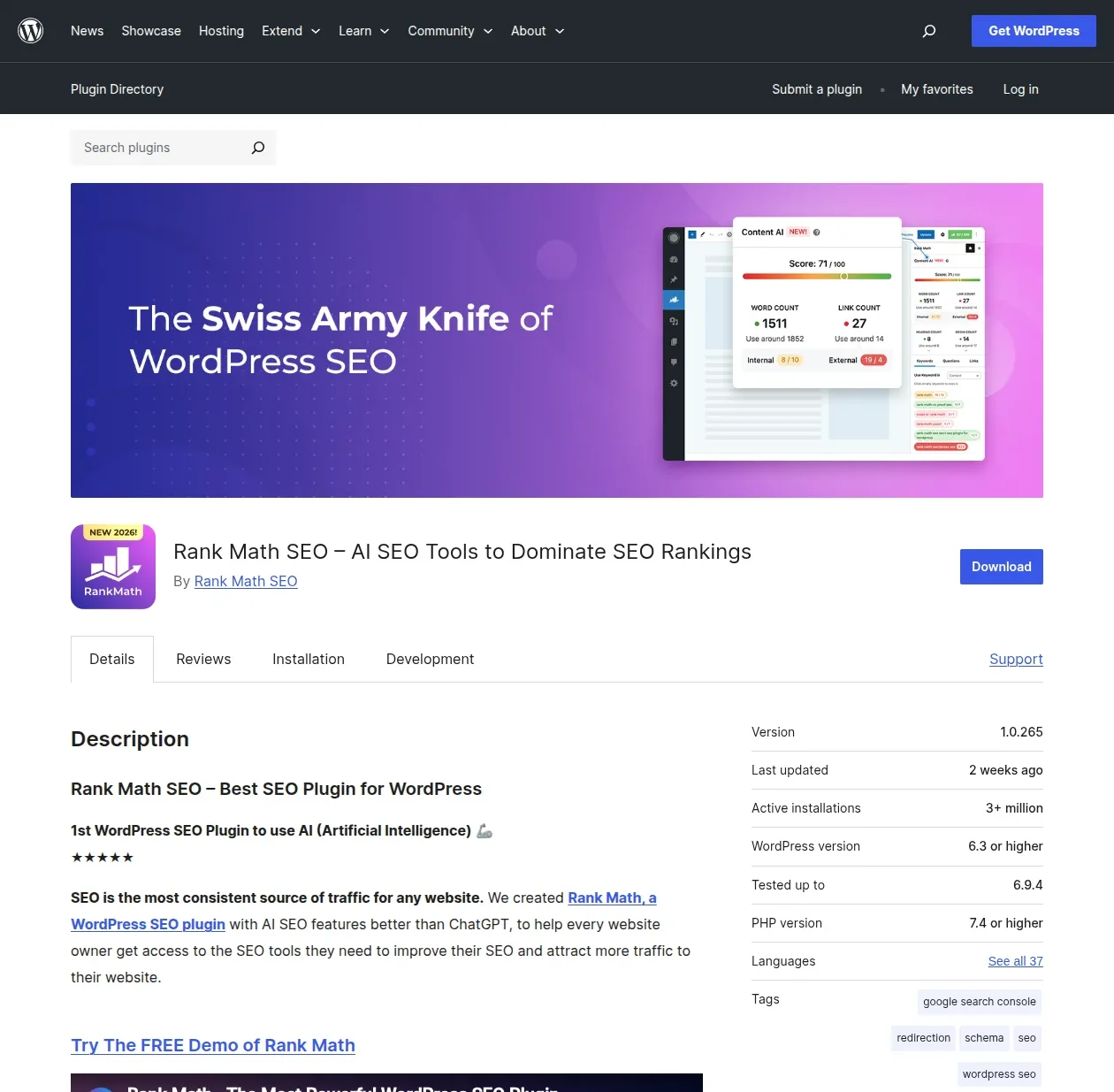
Rank Math is the new kid on the block — relatively speaking. It launched in 2018 and grew from zero to 3 million+ active installations in just a few years. That kind of growth in a space dominated by Yoast tells you something important: Rank Math is doing something right.
And what it's doing right is simple — it gives you way more features for free than any other SEO plugin. Features that Yoast charges $99/year for? Rank Math includes them in the free version. It's an aggressive strategy, and it's working.
Key Features
- Multiple focus keywords (free!) — Up to 5 focus keywords per post in the free version. Yoast charges $99/year for this.
- Advanced schema editor (free!) — Full schema markup editor with 20+ schema types, built right into the free version.
- 404 monitor (free!) — Automatically detects and logs 404 errors so you can fix or redirect them. Yoast doesn't offer this at all.
- Redirect manager (free!) — Create 301, 302, and 307 redirects. This is a paid feature in Yoast.
- Google Analytics integration (free!) — View basic Google Analytics data right in your WordPress dashboard.
- WooCommerce SEO (free!) — Product schema, product sitemaps, and WooCommerce-specific SEO features. Yoast charges for this as an addon.
- IndexNow support (free!) — Instantly notify search engines when you publish or update content. Yoast Premium only.
- AI-powered content suggestions (Pro) — Uses AI to help you optimize content, suggest related keywords, and improve readability.
- Advanced analytics (Pro) — Detailed keyword tracking and rank monitoring integrated into WordPress.
Rank Math Free vs Pro
| Feature | Rank Math Free | Rank Math Pro ($59/yr) |
|---|---|---|
| Focus keywords | 5 per post | Unlimited |
| Content analysis | Yes | Yes + AI suggestions |
| Schema markup | Advanced (20+ types) | Advanced + custom |
| Redirect manager | Yes | Yes |
| 404 monitor | Yes | Yes |
| Google Analytics | Yes | Yes + advanced |
| WooCommerce SEO | Yes | Yes |
| IndexNow | Yes | Yes |
| Keyword rank tracking | No | Yes |
| Advanced analytics | No | Yes |
| Support | Forums | Priority support |
My Personal Experience with Rank Math
I switched a few client sites to Rank Math in 2022 to test it properly — not just kick the tires, but actually live with it for months. The free version genuinely offers more than Yoast Premium. Let that sink in: a free plugin with more features than one that costs $99/year.
The migration from Yoast was seamless. Rank Math has a built-in migration wizard that imports all your Yoast SEO data — meta titles, descriptions, focus keywords, redirects, everything. I didn't lose a single piece of SEO data on any of the sites I migrated. Not one.
The interface is more modern than Yoast's, with a clean dashboard that shows your SEO health score at a glance. But — and this is where I have to be honest — it can feel overwhelming for beginners. There are more options, more settings, more toggles. Power users will love that. Complete beginners might feel like they've walked into a cockpit.
Pros
- Incredible free version — genuinely more features than Yoast Premium
- Lightweight and fast — noticeably less performance impact than Yoast in my testing
- Modern, clean UI with helpful setup wizard
- AI-powered content suggestions in the Pro version are actually useful
- Cheaper Pro pricing — $59/year vs Yoast's $99/year
- Excellent migration tools for switching from Yoast or AIOSEO
Cons
- Younger than Yoast — smaller ecosystem, fewer third-party integrations
- Some advanced features have a steeper learning curve
- Occasional UI complexity — lots of settings can overwhelm new users
- Smaller community means fewer tutorials and Stack Overflow answers (though this is improving rapidly)
What Rank Math Free Gives You That Yoast Free Doesn't
This is the comparison that matters most to budget-conscious site owners. Here's what you get in Rank Math's free version that requires Yoast Premium ($99/year) or isn't available in Yoast at all:
- Multiple focus keywords — 5 in Rank Math Free vs. 1 in Yoast Free
- Redirect manager — Included free vs. Yoast Premium only
- 404 monitor — Included free vs. not available in any Yoast tier
- Advanced schema editor — 20+ types free vs. basic in Yoast Free
- Local SEO basics — Included free vs. $99/year Yoast addon
- WooCommerce SEO — Included free vs. $99/year Yoast addon
- Google Analytics integration — Included free vs. not available in Yoast
- IndexNow support — Included free vs. Yoast Premium only
When you line them up like that, Rank Math's free version is borderline absurd. I genuinely don't understand how they sustain it as a business model — but as a user, I'm not complaining.
#3 All in One SEO (AIOSEO) — The Original
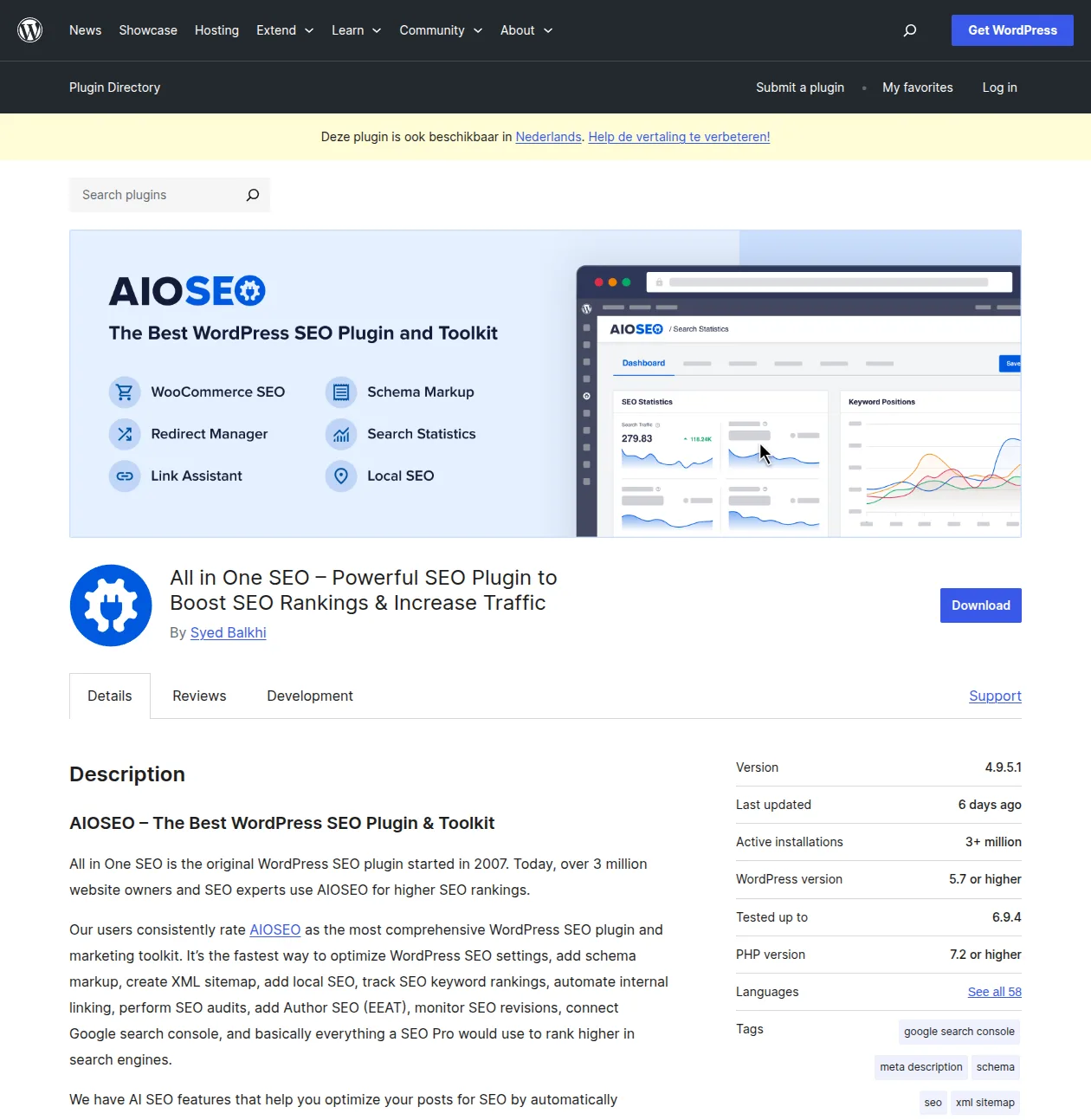
All in One SEO deserves respect. It's been around since 2007 — a year before Yoast SEO — making it one of the oldest WordPress SEO plugins in existence. It has over 3 million active installations and a solid reputation, especially among users who've been in the WordPress ecosystem for a long time.
Key Features
- Setup wizard — One of the smoothest setup experiences of any SEO plugin. It walks you through everything step by step, making smart choices based on your site type.
- TruSEO score — Their version of content analysis, with actionable recommendations for improving your on-page SEO.
- Rich snippet schema — Support for articles, products, recipes, FAQ, and more.
- Social media integration — Control how your content appears on Facebook, Twitter, Pinterest, and LinkedIn.
- XML and video sitemaps — Automatically generated, with granular control over what's included.
- Link assistant (Pro) — Helps you build internal links across your content.
- Local SEO (Pro) — NAP consistency, local business schema, Google Maps integration.
My Honest Take on AIOSEO
AIOSEO is a solid plugin. I've set it up on a handful of client sites where they specifically requested it, and it works well. The setup wizard is genuinely the best of the three — it asks smart questions and configures sensible defaults based on your answers.
But here's the thing: in 2026, both Yoast and Rank Math offer more for the same price or less. AIOSEO's free version is more limited than both competitors, and its Pro pricing ($49.60/year) puts it in the same ballpark as Rank Math Pro ($59/year) — which offers significantly more. AIOSEO isn't bad by any stretch, but it's no longer the leader it once was.
If you've been using AIOSEO for years and you're happy with it, there's no urgent reason to switch. It does everything it needs to do. But if you're choosing a plugin for the first time? Yoast or Rank Math will serve you better.
The Full Comparison — Yoast vs Rank Math vs AIOSEO
Here's the side-by-side comparison I wish someone had made for me years ago. Every cell in this table is based on my actual hands-on experience with each plugin, not copied from marketing pages.
| Feature | Yoast Free | Yoast Premium | Rank Math Free | Rank Math Pro | AIOSEO Free | AIOSEO Pro |
|---|---|---|---|---|---|---|
| Focus keywords | 1 | 1+ | 5 | Unlimited | 1 | Unlimited |
| Content analysis | Yes | Yes | Yes | Yes + AI | Yes | Yes |
| Readability analysis | Yes | Yes | Yes | Yes | Yes | Yes |
| Schema markup | Basic | Advanced | Advanced | Advanced | Basic | Advanced |
| XML sitemaps | Yes | Yes | Yes | Yes | Yes | Yes |
| Redirect manager | No | Yes | Yes (free!) | Yes | No | Yes |
| 404 monitor | No | No | Yes (free!) | Yes | No | Yes |
| Local SEO | No | $99/yr addon | No | $59/yr | No | $49.60/yr |
| WooCommerce SEO | No | $99/yr addon | Yes (free!) | Yes | No | $49.60/yr |
| Google Analytics | No | No | Yes (free!) | Yes | No | No |
| Social previews | Basic | Yes | Yes | Yes | Basic | Yes |
| Breadcrumbs | Yes | Yes | Yes | Yes | Yes | Yes |
| IndexNow | No | Yes | Yes (free!) | Yes | No | No |
| Internal linking | No | Yes | No | Yes | No | Yes |
| Price (1 site/yr) | Free | $99 | Free | $59 | Free | $49.60 |
Look at that table and tell me Rank Math's free version doesn't jump out at you. Redirect manager, 404 monitor, WooCommerce SEO, Google Analytics, IndexNow — all free. Yoast charges $99/year for some of those features, and doesn't even offer others.
Does that mean Rank Math is definitively "better"? Not necessarily. Feature count isn't everything. Yoast's decade-plus track record, massive community, and bulletproof stability count for a lot. But on pure feature-to-dollar value? Rank Math is hard to beat.
Which One Should You Choose?
After years of using all three, here's my decision framework:
Choose Yoast if:
- You want the safest, most proven choice with the longest track record
- You appreciate the traffic light system — it makes SEO intuitive and approachable
- You don't mind paying $99/year for premium features like the redirect manager and internal linking suggestions
- You value the massive community — any problem you encounter has been solved before
- You want access to Yoast SEO Academy's courses (included with Premium)
Choose Rank Math if:
- You want the most features for free — period, full stop, no contest
- You're comfortable with a slightly more complex interface (it's not hard, just more options)
- You want multiple focus keywords per post without paying anything
- You need WooCommerce SEO without buying a separate addon
- You want built-in redirect management and 404 monitoring at zero cost
Choose AIOSEO if:
- You want the smoothest, most guided setup experience of the three
- You've been using it for years and everything is working well — no reason to switch
- You value simplicity over feature breadth
My honest take: If I were starting from scratch in 2026, I'd probably choose Rank Math for the free features alone. The redirect manager, 404 monitor, and multiple focus keywords — all free — are just too valuable to ignore. But I still use Yoast on most of my existing sites because it's what I know, it's what I trust, and switching 15+ sites to a different plugin isn't worth the migration effort when everything is working fine.
Here's the most important thing I can tell you: both Yoast and Rank Math are excellent. The difference between them matters far less than actually using whichever one you choose. The best SEO plugin is the one you'll actually use to optimize every post before hitting publish. Pick one, learn it, use it consistently. That matters infinitely more than which one you pick.
Can You Switch Between SEO Plugins?
Yes — and it's surprisingly painless. All three major SEO plugins include migration tools specifically designed to import data from their competitors.
How migration works:
- Install your new SEO plugin (it will detect the old one automatically)
- Run the built-in migration wizard — it imports meta titles, descriptions, focus keywords, redirects, and schema settings
- Verify a few posts to make sure everything transferred correctly
- Deactivate and delete the old SEO plugin
I've migrated sites from Yoast to Rank Math and back without losing any SEO data. The process takes about 10 minutes for a typical site. Both Rank Math and AIOSEO have excellent import tools that handle Yoast data perfectly. Yoast also imports from both competitors, though I've found Rank Math's importer to be the most thorough.
One critical warning: Never run two SEO plugins simultaneously. Not even for testing. Deactivate the old one as soon as the migration is complete. Running two SEO plugins creates duplicate meta tags, conflicting sitemaps, and duplicate schema markup — all of which can confuse search engines and hurt your rankings.
If you're worried about losing SEO data during migration, take a full backup with a backup plugin like UpdraftPlus before starting. I've never needed to restore from backup after a migration, but the peace of mind is worth it.
Plugins to Avoid for SEO
Just as important as choosing the right SEO plugin is avoiding the wrong ones. Here's what to watch out for:
Never use multiple SEO plugins simultaneously. I can't stress this enough. I had a client who once installed Yoast, Rank Math, and All in One SEO because they thought more plugins meant more SEO power. The conflicting schema markup and duplicate meta tags actually got them a manual penalty from Google. It took two weeks to clean up the mess. One SEO plugin. Just one. Ever.
Avoid outdated SEO plugins. If a plugin hasn't been updated in over a year, don't use it regardless of how many positive reviews it has. SEO best practices change constantly — Google updates its algorithms hundreds of times per year. An outdated SEO plugin might be generating schema markup that no longer follows Google's guidelines, or implementing practices that Google now considers spam.
Stay away from "SEO booster" plugins that promise instant rankings. Any plugin that promises to "boost your rankings overnight" or "get you to page 1 instantly" is either lying or using techniques that will get your site penalized. Real SEO takes time, good content, and consistent optimization. There are no shortcuts — and plugins that promise shortcuts are usually implementing link schemes, keyword stuffing, or other black-hat techniques that Google actively penalizes.
Don't use generic "all-in-one" plugins for SEO. I'm not talking about AIOSEO here — that's a dedicated SEO plugin and it's fine. I'm talking about Swiss Army knife plugins like Jetpack that claim to handle SEO, security, performance, social sharing, and 20 other things. For SEO, use a dedicated SEO plugin. Jack-of-all-trades plugins are masters of none.
Frequently Asked Questions
Can I use Yoast and Rank Math together?
No — never use two SEO plugins at the same time. This is the number one SEO plugin mistake I see. Running two SEO plugins creates duplicate meta tags, conflicting XML sitemaps, and duplicate schema markup. Search engines get confused, and your rankings suffer. Pick one, use it exclusively, and deactivate any others. If you want to try a different plugin, migrate your data using the built-in import tool, then deactivate the old one.
Is Yoast SEO Premium worth $99/year?
It depends on your needs. If you need the redirect manager, internal linking suggestions, and multiple focus keywords, then yes — Yoast Premium is worth it. The Yoast SEO Academy courses alone provide significant value. However, if budget is a concern, know that Rank Math's free version includes redirect management and multiple focus keywords at zero cost. I'd recommend starting with Yoast Free, and only upgrading to Premium if you specifically need a feature it offers.
Is Rank Math really free?
Yes, the free version is genuinely excellent — no catch, no artificial limitations designed to force an upgrade. You get 5 focus keywords per post, a redirect manager, a 404 monitor, advanced schema markup, WooCommerce SEO, Google Analytics integration, and IndexNow support. All free. The Pro version ($59/year) adds unlimited keywords, AI content suggestions, advanced analytics, and keyword rank tracking — but the free version is more than enough for most sites.
Will switching SEO plugins hurt my rankings?
No, not if you use the built-in migration tool. All three major plugins (Yoast, Rank Math, AIOSEO) include migration wizards that transfer your meta titles, descriptions, focus keywords, redirects, and schema settings from the old plugin to the new one. I've migrated multiple sites between plugins without any noticeable ranking changes. The key is to run the migration, verify your data transferred, and then immediately deactivate the old plugin — never run both simultaneously.
Do I need an SEO plugin if my hosting provider has built-in SEO?
Yes. Hosting-level SEO features are extremely basic — usually just adding a meta description field and maybe a simple sitemap. They don't offer content analysis, schema markup, readability checking, redirect management, social previews, or any of the advanced features that a dedicated SEO plugin provides. Think of hosting SEO features as training wheels and a proper SEO plugin as the full bicycle. You need the bicycle.
What's the best SEO plugin for WooCommerce?
Rank Math, and it's not even close — for one reason: Rank Math's free version includes WooCommerce SEO features (product schema, product sitemaps, WooCommerce-specific optimizations). With Yoast, you need the $99/year WooCommerce SEO addon on top of Yoast Premium. With AIOSEO, WooCommerce features require the Pro plan. If you're running an ecommerce store on a budget, Rank Math saves you real money while giving you everything you need.
Final Thoughts
I've spent over a decade using WordPress SEO plugins, and here's what I've learned: the plugin you choose matters less than how consistently you use it. A site owner who diligently optimizes every post with Yoast Free will outrank someone who installed Rank Math Pro and never touches the SEO settings.
That said, if I'm being totally honest — and that's the point of this article — the feature gap between Rank Math Free and Yoast Free has gotten too large to ignore. Rank Math gives you redirect management, 404 monitoring, multiple focus keywords, WooCommerce SEO, and Google Analytics integration, all at zero cost. That's remarkable.
But Yoast's track record, community, and stability are equally remarkable. It's the Toyota Camry of SEO plugins — not the flashiest option, but reliable, well-supported, and battle-tested over millions of installations.
My recommendation: try both. Install Rank Math on a staging site or a new project. Install Yoast on another. Use them both for a month and see which interface clicks with you. Then commit to one and learn it deeply. SEO is a long game, and the best tool is the one you'll actually use consistently.
For more on WordPress plugins, check out these guides:
- Best WordPress Plugins — My complete plugin roundup across every category
- 12 Must-Have Plugins for New Sites — The exact plugins I install on every new WordPress site
- WordPress SEO Guide — Beyond plugins: full SEO strategy for WordPress
- Best AI Plugins for WordPress in 2026 — My roundup of the AI plugins worth installing, not just buzzwords
- Optimize WordPress for AI Search (GEO) — How to make your content visible to ChatGPT, Claude, and Google AI answers
- WordPress Plugins Hub — All my plugin guides in one place
- How to Make a WordPress Website — Start from scratch
- Start Here — My complete WordPress roadmap
- WordPress Speed Optimization — Make your site fast
- WordPress Security Guide — Keep your site safe
- WordPress Hosting Guide — Choose the right foundation
- How to Install WordPress — Step-by-step installation
Happy optimizing!

Written by Marvin
Our team tests and reviews WordPress products to help beginners make confident choices.
Learn more about our team →You might also like
15 Best WordPress Plugins in 2026 — My Essential Picks After 10+ Years
After 10+ years of building WordPress sites, these are the 15 plugins I install on every project. Real recommendations with alternatives for every budget.
postBest WordPress AI Chatbot Plugins in 2026 — 5 Options Compared
I checked the current WordPress AI chatbot plugin landscape and narrowed it to 5 realistic options: AI Engine, Tidio, Chatway, WPBot, and Smartsupp.
postBest WordPress Lead Generation Plugins in 2026 — 5 Tools Worth Using
I researched the current WordPress lead generation plugin landscape and narrowed it to 5 tools that actually make sense: WPForms, OptinMonster, Thrive Leads, Hustle, and Fluent Forms.
post7 Best SEO Plugins for WordPress in 2026 (Tested & Compared)
We tested 12+ WordPress SEO plugins to find the best. Compare Rank Math, Yoast, AIOSEO, SEOPress & more with real performance data and feature comparisons.