
How to Choose the Right WordPress Hosting in 2026
I've been building WordPress websites for over 10 years, and in that time I've tested, migrated to, cursed at, and fallen in love with just about every major WordPress hosting provider out there. I've moved client sites between hosts at 2am. I've been on hold with support for 45 minutes. I've watched a site crash under traffic because the host couldn't handle a viral post.
So when someone asks me "which WordPress host should I use?" — I don't give them a generic answer. I give them the same advice I'd give a friend. And that's exactly what this guide is.
Below you'll find my honest picks for the best WordPress hosting in 2026, backed by real performance data, actual pricing (including the renewal prices most review sites conveniently forget to mention), and personal experience with each provider. Whether you're launching your first blog or migrating a high-traffic business site, you'll know exactly which host to choose by the end of this page.
My Top 3 WordPress Hosting Picks for 2026
Let me save you some scrolling. Here are my top three picks at a glance:
| Host | Best For | Price From | Our Rating |
|---|---|---|---|
| SiteGround | Performance & support | €3.99/mo | ★★★★ 4/5 |
| Hostinger | Best budget option | $1.99/mo | ★★★★ 4/5 |
| Bluehost | Easiest for beginners | $2.95/mo | ★★★ 3/5 |
If you're in a rush: go with Hostinger if you're on a tight budget, SiteGround if you want the best performance and support money can buy, and Bluehost if you want the absolute simplest setup experience. You can also browse all our hosting reviews for the full picture. Keep reading for the full breakdown — there's a lot more nuance than a quick table can capture.
What to Look for in WordPress Hosting
Before I get into the individual reviews, let's talk about what actually matters when choosing a WordPress host. Because here's the thing — most hosting comparison sites just list features and call it a day. They don't tell you which features actually affect your day-to-day experience as a WordPress site owner.
After running dozens of WordPress sites over the past decade, here's what I've learned matters most — in order of importance.
Speed and Performance
This is the big one. Your hosting provider is the single biggest factor in how fast your WordPress site loads. You can optimize images, minify CSS, install caching plugins — all of that helps — but if your server is slow, everything else is just putting a bandaid on a broken leg.
The key metric to watch is TTFB (Time to First Byte) — how long it takes the server to start sending data back to the visitor's browser. A good TTFB for shared hosting is under 500ms. Under 300ms is excellent. Anything over 800ms and you'll feel it.
Server technology matters too. The old-school stack is Apache, which is fine but not amazing. Nginx (what SiteGround uses) is faster for static content. LiteSpeed (what Hostinger and Bluehost use) combines the best of both worlds and works beautifully with the free LiteSpeed Cache plugin for WordPress.
Then there's the CDN (Content Delivery Network). A CDN stores copies of your site on servers around the world, so visitors get content from a server near them. SiteGround includes Cloudflare CDN on all plans. Hostinger has their own CDN. This makes a huge difference if you have international visitors.
Pro Tip: Don't trust hosting companies' speed claims at face value. They'll all say they're "blazing fast." Look for independent benchmarks or, better yet, sign up for a trial and test with Pingdom or WebPageTest yourself. That's what I do for every host I review on this site.
Uptime
Every host promises 99.9% uptime. Sounds great, right? Here's what that actually means: your site can be down for 8 hours and 46 minutes per year and they're still keeping their promise. That's a lot of downtime if one of those hours happens during your busiest sales day.
The real standard you want is 99.99% uptime, which translates to about 52 minutes of downtime per year. SiteGround consistently hits this mark. Hostinger is close. Bluehost... has room for improvement.
That said, for most personal blogs and small business sites, 99.9% is perfectly fine. If you're running an e-commerce store where every minute of downtime costs you money, uptime becomes critical — and that's where SiteGround really shines.
Support Quality
I cannot stress this enough: support quality matters more than most people think. When everything is working, you'll never talk to support. But when something breaks — and eventually, something always breaks — having good support is the difference between a 10-minute fix and a 3-day nightmare. (For the most frequent issues you'll encounter, see my guide to common WordPress errors and how to fix them.)
I have a vivid memory from about five years ago. It was 11pm on a Sunday night. A client's e-commerce site went down — right during a flash sale they'd been promoting for weeks. I was panicking. I opened a support chat with SiteGround and had a real, knowledgeable engineer helping me within 90 seconds. Not a bot. Not someone reading from a script. An actual person who understood the problem, identified a database issue, and had the site back up in under 10 minutes.
That experience alone is why SiteGround is my #1 recommendation for anyone who depends on their website. You can't put a price on that kind of support — though SiteGround does charge more for it, and honestly, it's worth every cent.
Pricing Honesty
Here's the hosting industry's dirty little secret: the price you see advertised is almost never the price you'll actually pay long-term.
Every major host uses "introductory pricing" — a deeply discounted rate for your first billing cycle (usually 1-4 years). When that term is up, your hosting renews at the regular price, which is typically 3-5x higher.
For example:
- Hostinger: $1.99/mo intro → $10.99/mo on renewal
- Bluehost: $2.95/mo intro → $11.99/mo on renewal
- SiteGround: €3.99/mo intro → €15.99/mo on renewal
This isn't a scam — it's industry standard. But it's something you should know going in. I always factor in the renewal price when recommending a host, because that's what you'll be paying for years 2, 3, 4, and beyond.
Pro Tip: If you know you're going to stick with a host, buy the longest introductory term you can afford. Hostinger's 48-month plan locks in $1.99/mo for four full years — that's incredible value. Yes, you pay more upfront, but the per-month cost is unbeatable.
WordPress-Specific Features
Not all hosting is created equal when it comes to WordPress. A good WordPress host should offer:
- One-click WordPress installation — every host on this list has this, so it's table stakes in 2026
- Automatic WordPress updates — SiteGround handles this beautifully, including plugin updates with visual diff checking
- Staging environment — a copy of your site where you can test changes before pushing them live. Essential for any serious site. Available on SiteGround (GrowBig+), Hostinger (Business+), and Bluehost (Choice Plus+)
- Daily backups — SiteGround includes free daily backups on all plans. Hostinger and Bluehost reserve this for higher tiers
- WP-CLI access — for developers and power users. All three hosts support it
- PHP version management — the ability to switch PHP versions easily. All three offer this
For a deeper dive into getting started, check out my guides on what WordPress is and how to make a WordPress website.
#1 SiteGround — Best for Performance & Support
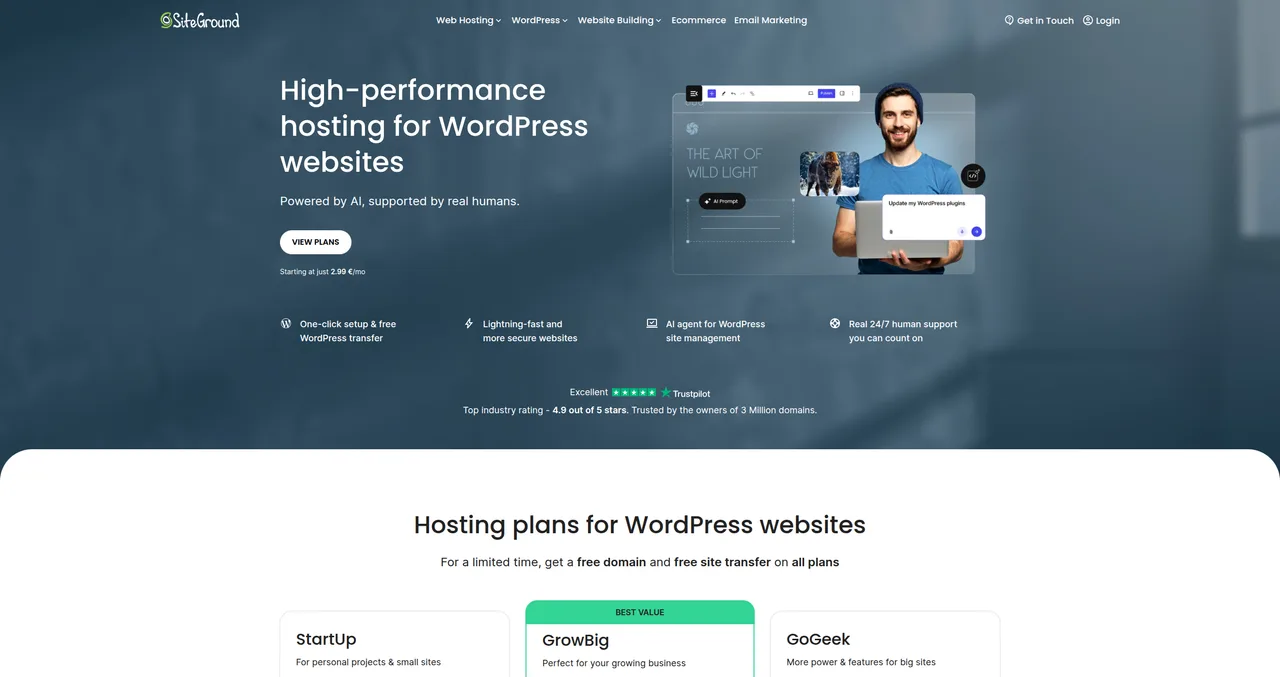
I've been using SiteGround since 2019, and it remains my top recommendation for anyone who wants reliable, fast WordPress hosting with genuinely excellent support. It's not the cheapest option — but it's the one I trust with my most important projects.
SiteGround runs on Google Cloud Platform infrastructure with custom-built server technology. They use Nginx as their web server, have their own SuperCacher system for WordPress, and include Cloudflare CDN on every plan. The result? My test sites consistently hit a TTFB of around 297ms — that's exceptional for shared hosting and competitive with many managed WordPress hosts costing 3-4x more.
SiteGround Pricing
SiteGround's plans start at €3.99/mo for the StartUp plan (introductory pricing). Here's the quick overview:
- StartUp (€3.99/mo): 1 website, 10GB storage, ~10,000 monthly visits
- GrowBig (€6.69/mo): Unlimited websites, 20GB storage, ~100,000 monthly visits, staging, on-demand backups
- GoGeek (€10.69/mo): Unlimited websites, 40GB storage, ~400,000 monthly visits, staging, priority support, white-label clients
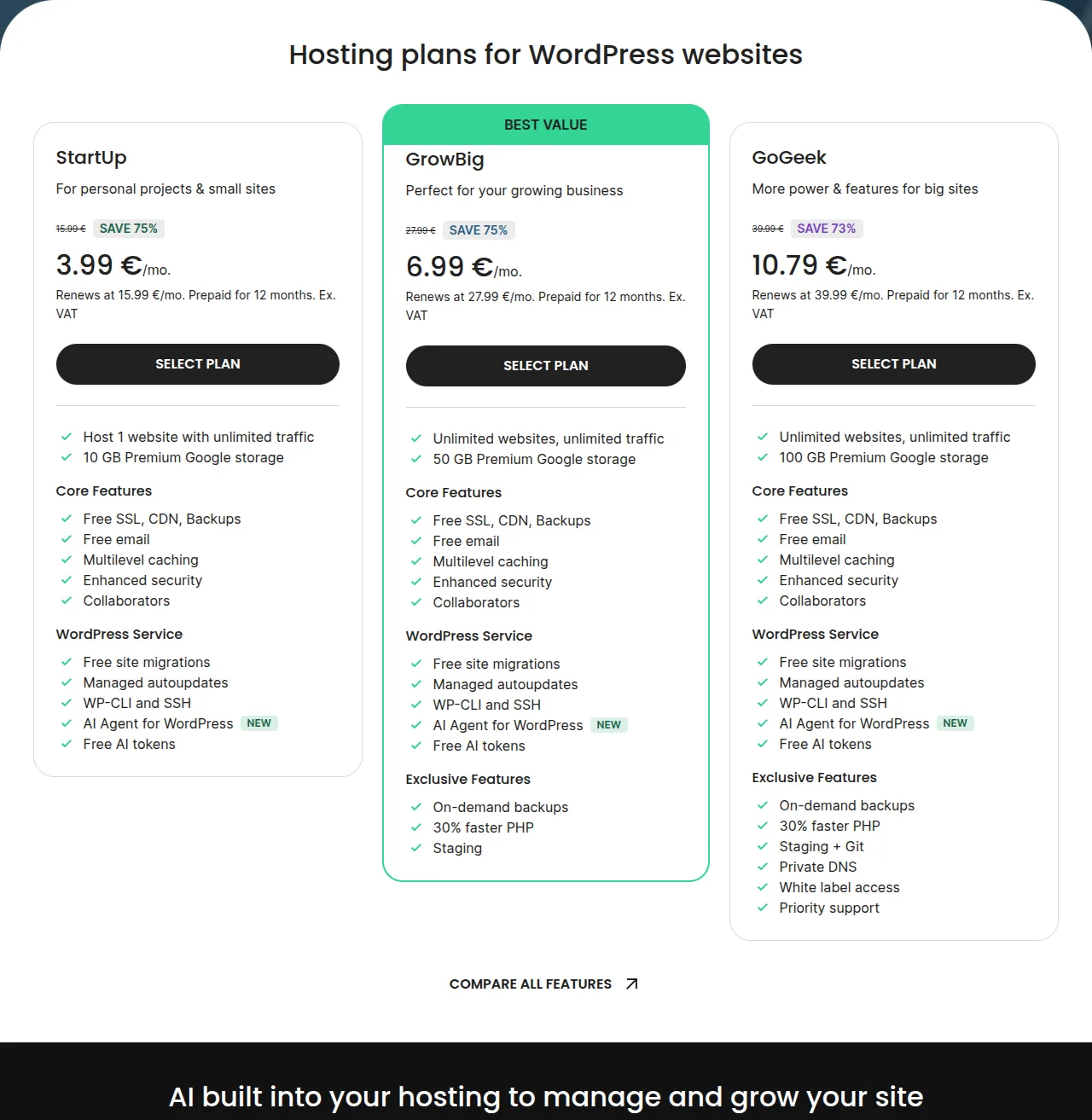
My recommendation: Go with GrowBig. The staging feature alone is worth the upgrade, and the ability to host unlimited sites means you won't need to buy a second plan when you launch your next project. I run multiple client sites on a single GrowBig plan and the performance is consistently excellent.
What I Love About SiteGround
- Support is unmatched. 4.9/5 on Trustpilot with over 20,000 reviews. Under 2 minutes response time on live chat. These aren't just agents reading scripts — they're actual WordPress experts who can dig into your PHP error logs and find the problem.
- Free site migration. They'll move your existing WordPress site over for free with their migration plugin. I've used it at least a dozen times. It works.
- Daily backups on all plans. Not just the expensive plan. Every SiteGround plan includes daily backups with 30-day retention.
- The new AI Agent. SiteGround recently introduced an AI-powered support agent that can diagnose and fix common WordPress issues automatically. It's surprisingly good for things like clearing caches, checking SSL issues, and identifying plugin conflicts.
- Excellent security. Custom WAF rules, AI-powered anti-bot system, free SSL, and automatic WordPress security patches. They blocked over 5 million brute-force attacks across their platform in 2025.
The Downside
Let's be honest: the renewal prices are steep. That €3.99/mo plan jumps to €15.99/mo on renewal. The GrowBig plan goes from €6.69 to €24.99. That's a significant price increase, and it's the main reason SiteGround doesn't get a perfect 5/5 score from me.
That said, even at the renewal price, I still think SiteGround offers better value than most alternatives. The performance, support, and included features (daily backups, staging, CDN) would cost extra at many other hosts.
Read my full SiteGround review →
For a step-by-step guide on getting WordPress set up on SiteGround, see how to install WordPress.
#2 Hostinger — Best Budget WordPress Hosting
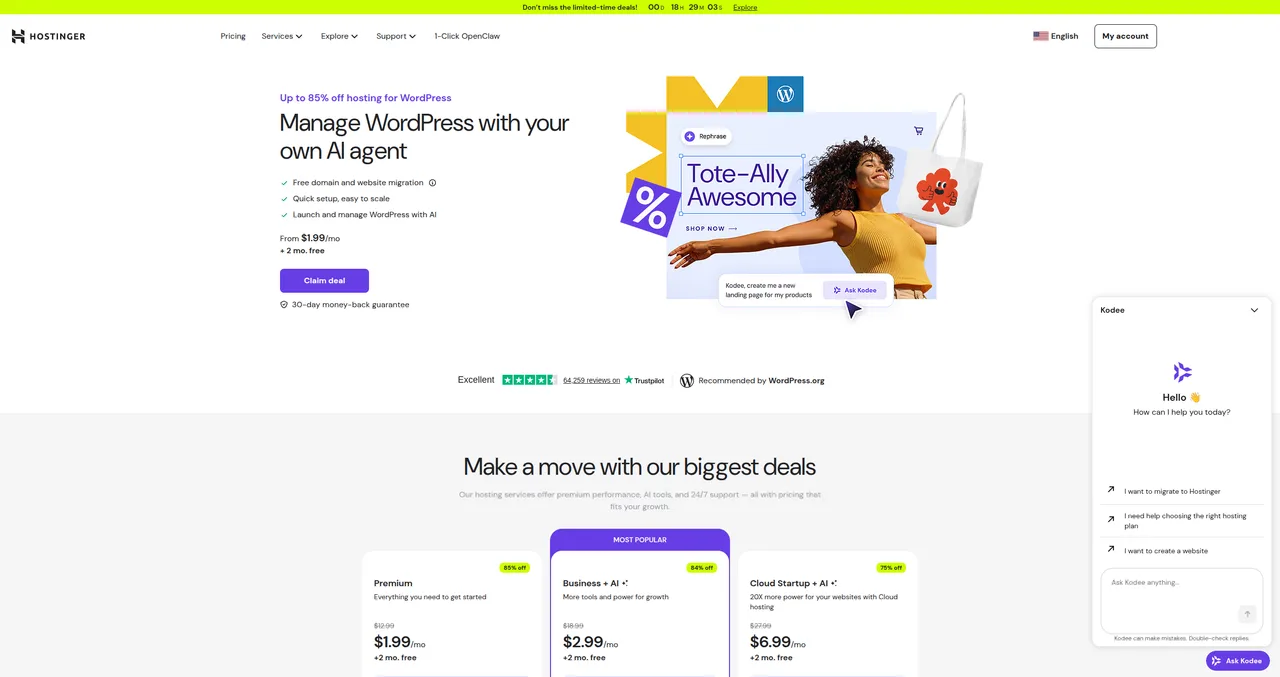
If SiteGround is the premium pick, Hostinger is the value champion. At $1.99/mo (with a 48-month commitment), it's the most affordable quality WordPress hosting you'll find — and "quality" is the key word there. I've seen cheaper hosts, but they were cheap in every sense of the word. Hostinger manages to be affordable without cutting corners where it matters.
Hostinger Performance
Hostinger uses LiteSpeed web servers, which pair perfectly with the free LiteSpeed Cache plugin for WordPress. This combination delivers surprisingly fast performance — I measured TTFB of around 400-500ms on their shared plans, which is very good for this price tier. Not quite SiteGround territory, but noticeably faster than Bluehost and most other budget hosts.
They also have their own CDN and use NVMe SSD storage across all plans, which helps with file read/write speeds.
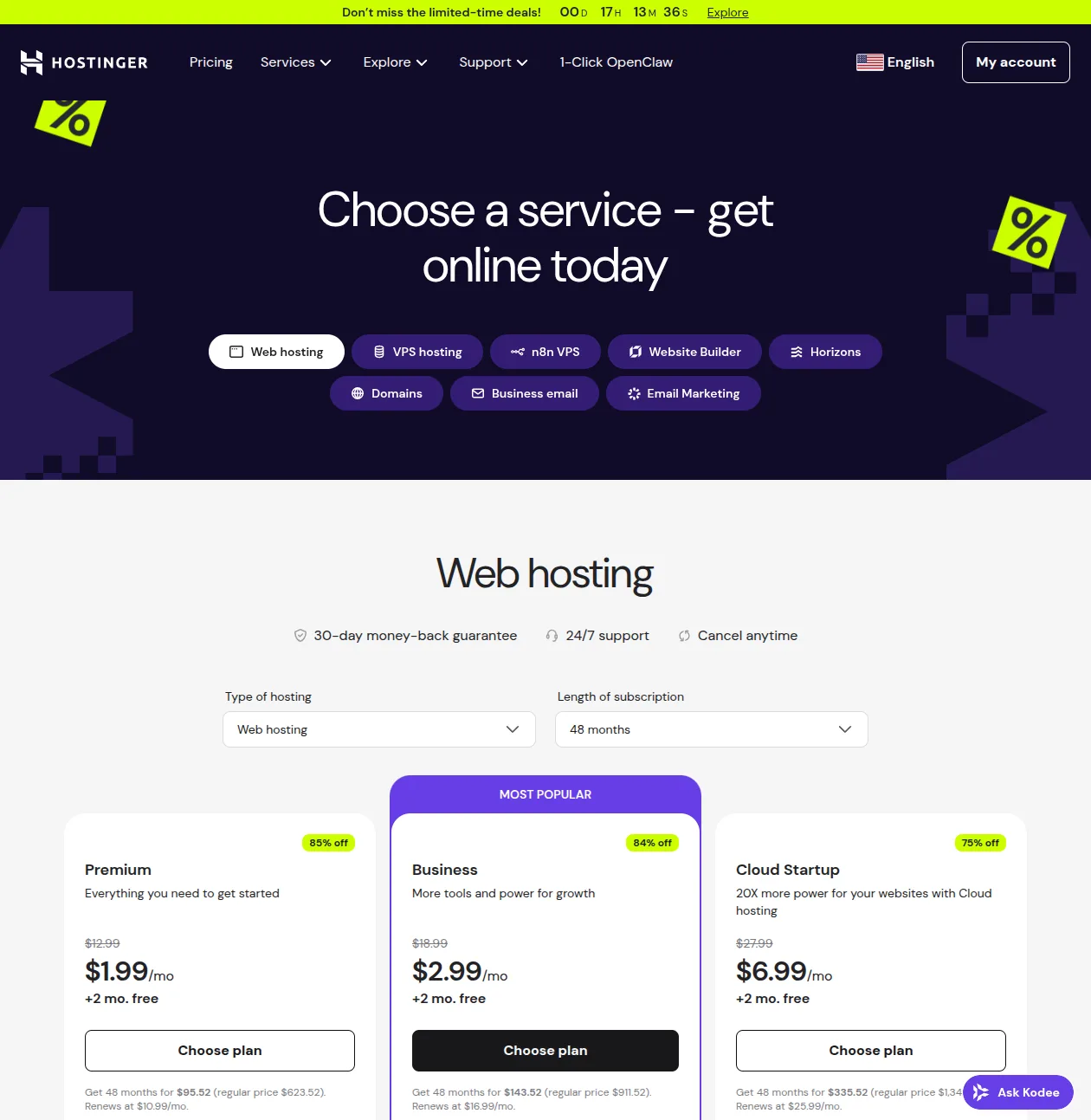
Hostinger Pricing
- Premium ($2.99/mo): 100 websites, 100GB SSD, free domain, free SSL
- Business ($3.99/mo): 100 websites, 200GB NVMe, free domain, daily backups, staging, Hostinger CDN
- Cloud Startup ($7.99/mo): 300 websites, 200GB NVMe, dedicated IP, 3x more resources
Note: These are introductory prices with the 48-month plan. The cheapest monthly rate for WordPress hosting starts at $1.99/mo on longer commitments with promotional pricing.
The AI Tools
Hostinger has gone all-in on AI, and honestly, for beginners, it's a game-changer:
- Kodee AI Agent: A chatbot built into the dashboard that can help you with WordPress questions, generate content, troubleshoot issues, and even write code snippets
- AI Website Builder: Describe your site in a few sentences and Hostinger will generate a complete WordPress site with content, images, and layout. It's not perfect, but it's an incredible starting point
- AI Troubleshooter: When something breaks, this tool automatically diagnoses the issue and suggests fixes. It's like having a junior developer on call 24/7
What I Love About Hostinger
- Unbeatable pricing. For the 4-year introductory period, you're paying less than a cup of coffee per month for real, functional WordPress hosting
- Free unlimited migrations. Moving from another host? Hostinger will migrate all your sites for free, no limits
- Intuitive custom dashboard. hPanel is clean, modern, and genuinely easy to use — especially compared to the cluttered cPanel experience at some other hosts
- Good support. Not SiteGround-level, but solid. 4.7/5 on Trustpilot. Live chat response times are usually under 5 minutes
The Downside
The big catch is the 48-month lock-in to get the best price. That $1.99/mo rate requires paying for 4 years upfront (about $95 total). If you go month-to-month or even 12-month, the price jumps significantly. And the renewal price after that first term? $10.99/mo — a 5x increase.
Also, daily backups and staging aren't available on the cheapest plan. You need the Business plan ($3.99/mo) or higher for those features. For a serious WordPress site, I'd recommend the Business plan as the sweet spot.
Read my full Hostinger review →
#3 Bluehost — WordPress.org Recommended
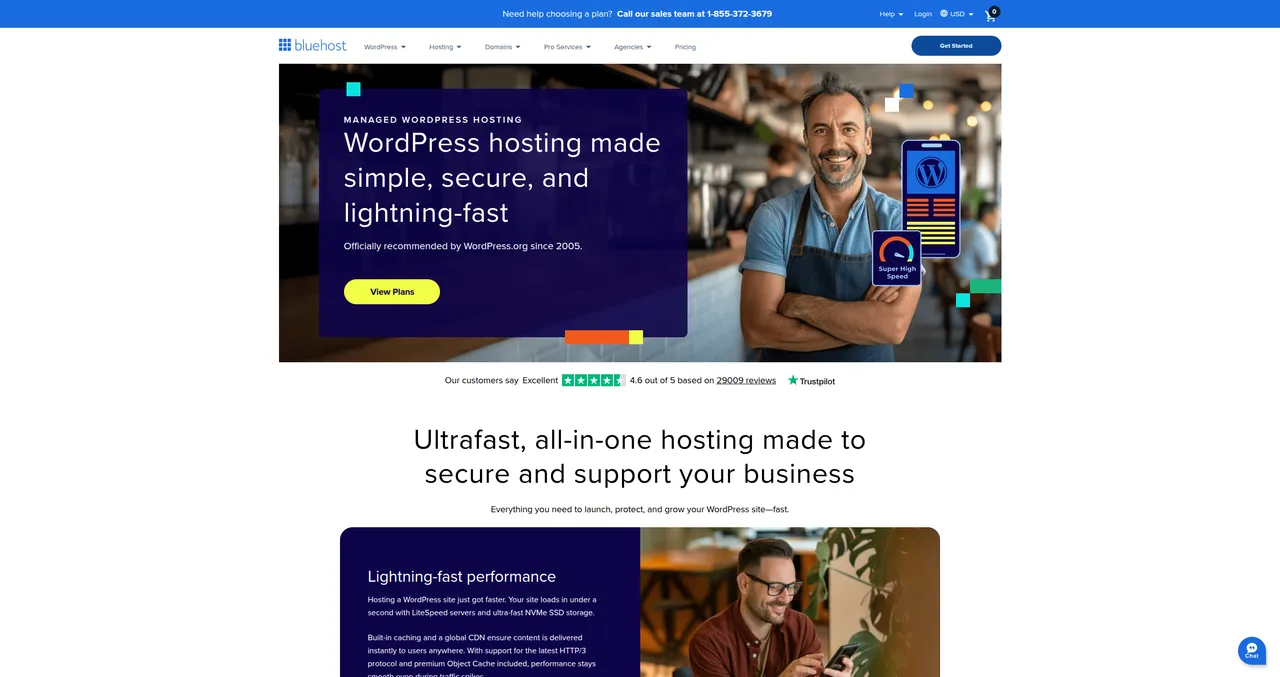
Bluehost has been officially recommended by WordPress.org since 2005 — that's over 20 years. It's one of the most recognized names in WordPress hosting, and for good reason: they've made the WordPress setup experience as painless as humanly possible.
That said, I'll be honest — Bluehost isn't my #1 recommendation anymore. They used to be. But the competition has caught up and, in many ways, surpassed them. Bluehost is still a solid choice, especially for absolute beginners, but there are better options for most people in 2026.
Bluehost Pricing
- Basic ($2.95/mo): 1 website, 10GB SSD, free domain, free SSL
- Choice Plus ($5.45/mo): Unlimited websites, 40GB SSD, free domain, daily backups, staging
- Online Store ($9.95/mo): Unlimited websites, unlimited SSD, WooCommerce optimized
The WordPress.org Endorsement
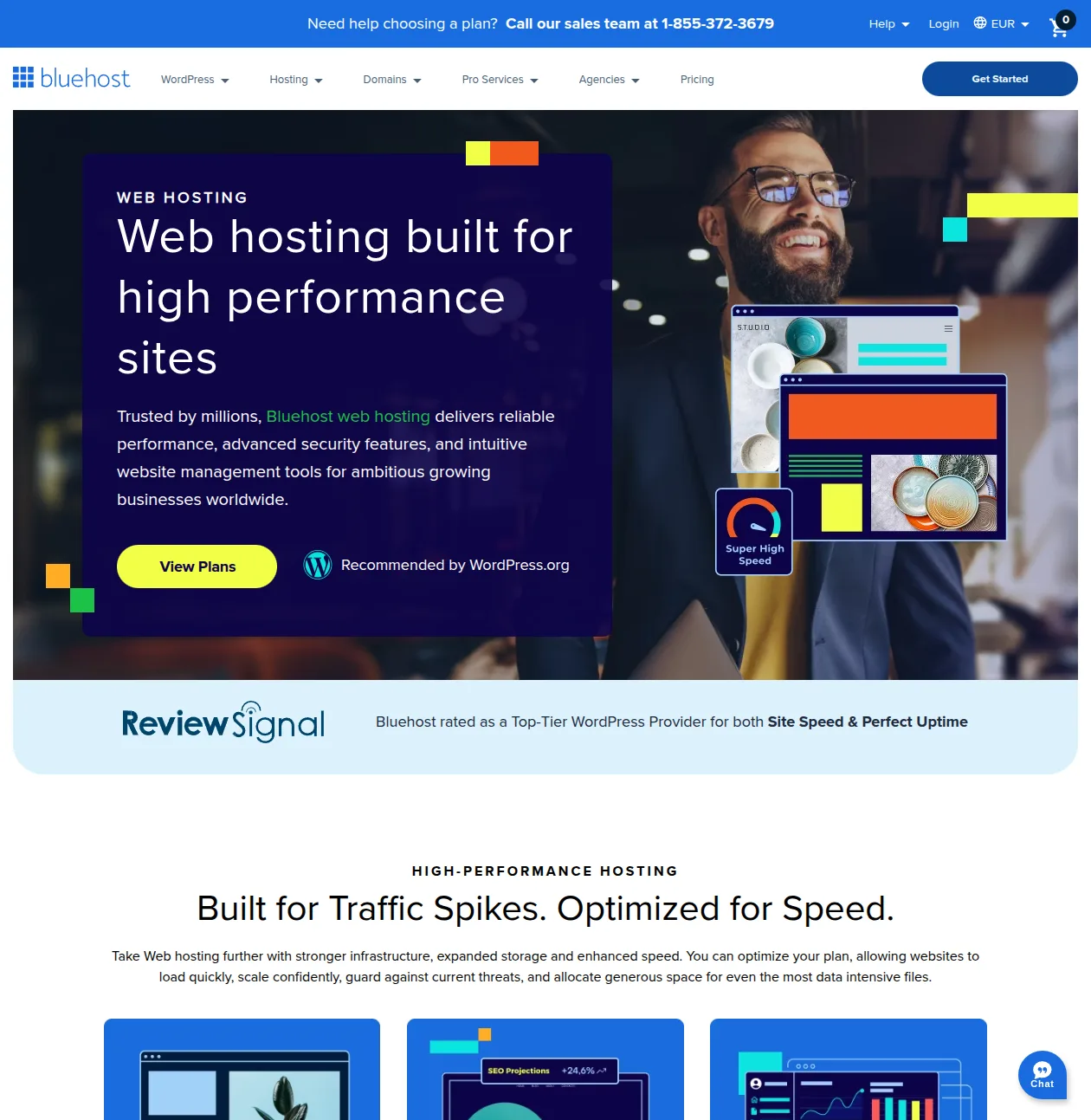
Let's address this upfront: yes, Bluehost pays WordPress.org for this endorsement. It's an affiliate relationship. That doesn't mean Bluehost is bad — WordPress.org wouldn't stake their reputation on a terrible host. But it does mean you shouldn't treat the endorsement as a purely objective recommendation. Both SiteGround and Hostinger are also listed as WordPress.org recommended hosts.
What Bluehost Does Well
- The easiest setup experience. Bluehost's onboarding wizard is genuinely the most beginner-friendly I've seen. You'll go from signing up to having a live WordPress site in about 5 minutes, with a theme installed and sample content ready
- The friendliest dashboard. Bluehost has a custom dashboard that simplifies WordPress management. For someone who's never used WordPress before, this reduces the overwhelm factor significantly
- Good basic AI builder. Their AI site creator can generate a starter site, though it's not as advanced as Hostinger's AI tools
- Decent support. 4.6/5 on Trustpilot. 24/7 live chat and phone support. Phone support is a nice touch that not all hosts offer
The Downsides
Here's where I have to be candid:
- Performance is just average. In my testing, Bluehost consistently showed a TTFB of 600-900ms — significantly slower than both SiteGround and Hostinger. They've improved with LiteSpeed servers recently, but there's still a noticeable performance gap
- Aggressive upselling. During checkout and in the dashboard, Bluehost pushes a LOT of paid add-ons: domain privacy, SiteLock security, CodeGuard backups, SEO tools. Many of these are things that other hosts include for free
- Paid migrations on Basic. Want to move an existing site to Bluehost? On the Basic plan, that'll cost you $149. SiteGround and Hostinger both offer free migrations on all plans
- Key features locked to higher tiers. Daily backups and staging (features I consider essential) require the Choice Plus plan at minimum
Warning: During Bluehost checkout, uncheck every add-on unless you specifically want it. Domain privacy, SiteLock, and CodeGuard will be pre-selected. You can add most of these later if you decide you need them — or use free alternatives like WordPress security plugins.
Read my full Bluehost review →
The Complete Comparison — SiteGround vs Hostinger vs Bluehost
Here's the full side-by-side comparison. This is the table I wish I'd had when I was choosing my first WordPress host. Bookmark it — you'll probably want to reference it later.
| Feature | SiteGround | Hostinger | Bluehost |
|---|---|---|---|
| Our rating | 4/5 | 4/5 | 3/5 |
| Best for | Performance + support | Budget | Easiest setup |
| Intro price | €3.99/mo | $1.99/mo | $2.95/mo |
| Renewal price | €15.99/mo | $10.99/mo | $11.99/mo |
| Server technology | Nginx | LiteSpeed | LiteSpeed |
| Avg TTFB | ~297ms | ~400-500ms | ~600-900ms |
| Free domain | Yes | Yes | Yes |
| Free SSL | Yes | Yes | Yes |
| Free daily backups | Yes (all plans) | Business+ only | Choice Plus+ only |
| Free migration | Yes | Yes (unlimited) | $149 (Basic) |
| Staging | GrowBig+ | Business+ | Choice Plus+ |
| Support quality | Excellent | Good | Average |
| Trustpilot rating | 4.9/5 | 4.7/5 | 4.6/5 |
| AI tools | AI Agent | Kodee + Builder + Troubleshooter | Basic AI builder |
| WP.org recommended | Yes | Yes | Yes |
Looking at this table, a few things jump out:
- SiteGround wins on performance and support — and it's not close. If your site's performance directly impacts your income (e-commerce, client sites, lead generation), the extra cost pays for itself
- Hostinger wins on value — the most features per dollar, especially with the Business plan. The AI tools are a nice bonus for beginners
- Bluehost wins on simplicity — but that advantage has shrunk as Hostinger and SiteGround have improved their onboarding. I'd only recommend Bluehost to someone who is truly terrified of technology and wants the most hand-holding possible
Shared Hosting vs Managed WordPress Hosting — What's the Difference?
You'll see the terms "shared hosting" and "managed WordPress hosting" thrown around a lot. Here's the plain-English explanation:
Shared hosting means your website shares a physical server with hundreds or thousands of other websites. You all share the same CPU, RAM, and disk space. It's like living in an apartment building — affordable, but you might notice the noise when your neighbors throw a party.
Managed WordPress hosting means the host takes care of WordPress-specific tasks for you: automatic updates, caching, security hardening, backups, and staging environments. It's still often shared hosting under the hood, but with a WordPress-optimized layer on top.
Here's the good news: all three hosts on this list offer managed WordPress hosting. SiteGround, Hostinger, and Bluehost all include WordPress-specific features like auto-updates, one-click installs, and server-level caching. The days of "just" shared hosting — where you get a blank server and figure out WordPress yourself — are mostly over.
If you need something even more powerful, look into dedicated managed WordPress hosts like WP Engine or Cloudways (Cloudways is now owned by DigitalOcean). These start at $20-30/mo and are overkill for most people, but they make sense for high-traffic sites or agencies managing dozens of WordPress installations.
For most people reading this — a personal blog, small business site, portfolio, or first e-commerce store — the managed WordPress hosting from SiteGround, Hostinger, or Bluehost is more than enough. You can always upgrade later as your site grows.
How Much Does WordPress Hosting Really Cost?
Let's cut through the marketing and talk real numbers. What will you actually spend in your first year of running a WordPress site?
Year 1 (With Introductory Pricing)
| Expense | Cost |
|---|---|
| Hosting (introductory) | $24-48/year |
| Domain name | Free (included) or ~$10/year |
| SSL certificate | Free (included) |
| WordPress software | Free (open source) |
| Premium theme (optional) | $0-59 one-time |
| Total first year | $24-107 |
Year 2+ (After Renewal)
| Expense | Cost |
|---|---|
| Hosting (renewal) | $120-200/year |
| Domain name (renewal) | ~$12-15/year |
| Total annual cost | $132-215 |
WordPress vs Squarespace vs Wix
Here's the comparison nobody in the hosting industry wants you to see — because it shows that even at renewal prices, WordPress is still the most affordable option for a professional website:
| Platform | Year 1 Cost | Annual Cost (Ongoing) | Flexibility |
|---|---|---|---|
| WordPress + Hosting | $24-107 | $132-215 | Unlimited |
| Squarespace | $192-408 | $192-408 | Limited |
| Wix | $204-396 | $204-396 | Limited |
Don't let the renewal prices scare you. Even at full price, WordPress hosting is incredibly affordable compared to Squarespace ($16-34/mo) or Wix ($17-33/mo). And with WordPress, you own your content, you can switch hosts anytime, and you have access to over 60,000 free plugins. Try doing that on Squarespace.
For more on setting up your site affordably, check out my complete guide to making a WordPress website.
My Personal Hosting Journey
I've been building websites since 2005, and my hosting journey is probably a lot like yours will be — full of mistakes, discoveries, and eventually finding what works.
I started with the cheapest shared hosting I could find. I'm talking about those $0.99/mo deals that seem too good to be true (spoiler: they are). My first WordPress site loaded so slowly that I was convinced something was wrong with WordPress itself. It wasn't WordPress — it was the host packing thousands of sites onto a single underpowered server.
Over the years, I moved through a parade of hosting providers. Some were decent. Some were terrible. I once lost an entire site because a budget host's backup system failed — and their support told me there was nothing they could do. That was the day I learned that cheap hosting costs you more in the long run.
These days, I use SiteGround for client sites and any project where performance and reliability matter. The support alone saves me hours every month. For my own personal projects, side blogs, and test sites? Hostinger. The price is right, the performance is solid, and I don't need SiteGround-level support for a site that gets 500 visitors a month.
I still have a Bluehost account that I maintain for testing purposes. It's fine. It works. But I wouldn't choose it over SiteGround or Hostinger if I were starting fresh today.
If I could go back and give my younger self one piece of hosting advice, it would be this: don't optimize for the cheapest possible price in month one. Optimize for the best experience over the next three years. The difference between $2/mo and $5/mo hosting is $36/year — that's nothing compared to the headaches you'll avoid with better performance, better support, and features like automatic backups that can literally save your site.
Trust me on this one. Spending a few extra dollars per month on good hosting is the single best investment you can make for your WordPress site. Everything else — plugins, themes, speed optimization, security — builds on top of a solid hosting foundation. For a curated list of the plugins and services I personally use, browse our recommended tools.
Frequently Asked Questions
Which hosting is best for a WordPress beginner?
Hostinger is my top pick for beginners because of the combination of low price, intuitive dashboard, and AI tools that help you get unstuck. If you're willing to spend a bit more, SiteGround's support team is unbeatable — like having a WordPress expert on speed dial.
Do I need managed WordPress hosting?
In 2026, most shared hosting plans from reputable companies are managed WordPress hosting. SiteGround, Hostinger, and Bluehost all include automatic WordPress updates, one-click installs, and server-level caching. You don't need to pay extra for a "managed" plan unless you're running a high-traffic site or managing many WordPress installations.
Can I switch hosts later?
Absolutely. Migrating a WordPress site to a new host is easier than most people think. SiteGround and Hostinger both offer free migration tools and services. The whole process usually takes 30-60 minutes. Don't let fear of migration lock you into a host you're not happy with. I've written a complete guide to migrating WordPress to a new host that walks through every step. You can also see my guide on installing WordPress for more on the setup process.
Is free WordPress hosting worth it?
No. Free hosting means no support, terrible performance, forced ads on your site, and your site could disappear at any time. Even the cheapest paid hosting at $1.99/mo is infinitely better than free hosting. WordPress.com's free plan is slightly better, but it's extremely limited and puts WordPress.com ads on your site. Spend the $24/year and get real hosting.
How much traffic can shared hosting handle?
More than you'd think. A well-optimized WordPress site on SiteGround's StartUp plan can handle 10,000-25,000 monthly visitors without breaking a sweat. Hostinger's Business plan claims up to 100,000 monthly visitors. The real answer depends on your site's complexity, caching setup, and how dynamic your content is. For most new sites, shared hosting will be fine for the first 1-2 years minimum.
Should I choose a host with a free domain?
All three hosts on this list include a free domain for the first year. It's a nice perk, but don't let it be the deciding factor. A domain costs about $10-15/year — that's not going to make or break your budget. What matters more is the hosting quality behind that domain.
What about WP Engine and Cloudways?
Both are excellent premium options. WP Engine starts at $20/mo and is the gold standard for managed WordPress hosting — amazing performance, enterprise-grade security, and top-tier support. Cloudways (now part of DigitalOcean) starts at about $14/mo and gives you cloud hosting with a user-friendly management layer. Both are overkill for beginners or small sites, but worth considering if you're running a business site with significant traffic or need developer-friendly features.
How do I migrate my WordPress site to a new host?
The easiest way is to use your new host's free migration service (SiteGround and Hostinger both offer this). Alternatively, you can use a plugin like All-in-One WP Migration or Duplicator to create a backup of your site and restore it on the new host. The process is: (1) sign up for new hosting, (2) migrate your site, (3) update your domain's DNS to point to the new host, (4) wait for propagation (up to 48 hours). I've got a detailed walkthrough in my WordPress installation guide.
The Bottom Line
Choosing a WordPress host doesn't have to be complicated. Here's my final recommendation:
- Choose SiteGround if you want the best performance, the best support, and you don't mind paying a premium for it. This is what I use for client sites and important projects.
- Choose Hostinger if you want the best value for money. The 48-month plan is an incredible deal, and the AI tools are a genuine differentiator for beginners.
- Choose Bluehost if you want the simplest possible setup experience and the comfort of the WordPress.org endorsement.
Whichever host you choose, remember: you can always switch later. The most important thing is to start building your WordPress site today. Don't get paralyzed by analysis. Pick a host, install WordPress, and start creating. You can optimize everything else as you go. If you want a modern shortcut through theme picking, layout, and first-pass content, also read my guide on how to build a WordPress website with AI.
Happy hosting!

Written by Marvin
Our team tests and reviews WordPress products to help beginners make confident choices.
Learn more about our team →You might also like
Bluehost vs SiteGround — Which Is Better for WordPress?
A detailed head-to-head comparison of Bluehost and SiteGround covering performance, pricing, support, and features to help you pick the right WordPress host.
postBest Cheap WordPress Hosting — Quality on a Budget
The best budget WordPress hosting options that don't sacrifice performance. Real pricing, honest trade-offs, and a clear recommendation for each budget level.
postHostinger Review 2026 — The Best Budget WordPress Hosting?
Hostinger offers WordPress hosting from just $1.99/month — but can cheap hosting actually be good? I've tested their plans extensively, and the answer might surprise you.
postManaged WordPress Hosting in 2026 — Is It Worth the Extra Cost?
A no-fluff comparison of the 5 best managed WordPress hosting providers in 2026 — Kinsta, WP Engine, Cloudways, Flywheel, and SiteGround — with real pricing, performance data, and honest advice on whether you actually need it.