
Hostinger
Hostinger Review 2026 — The Best Budget WordPress Hosting?
Pros
- ✓Incredibly affordable — starting at just $1.99/mo for 48 months
- ✓LiteSpeed servers deliver genuinely fast performance
- ✓AI-powered tools included (website builder, WordPress agent Kodee, troubleshooter)
- ✓hPanel dashboard is clean and beginner-friendly
- ✓Free domain, SSL, and weekly backups on all plans
- ✓Free unlimited site migrations
- ✓WordPress.org officially recommended
- ✓Global data centers for low latency worldwide
- ✓30-day money-back guarantee
Cons
- ✗Must commit to 48-month plan for best pricing
- ✗Renewal prices are 5-6x higher ($10.99/mo for Premium)
- ✗Support quality varies — sometimes great, sometimes scripted
- ✗Premium plan limited to 3 websites and 20GB SSD (not NVMe)
- ✗No phone support — chat and email only
- ✗Daily backups only on Business plan and above
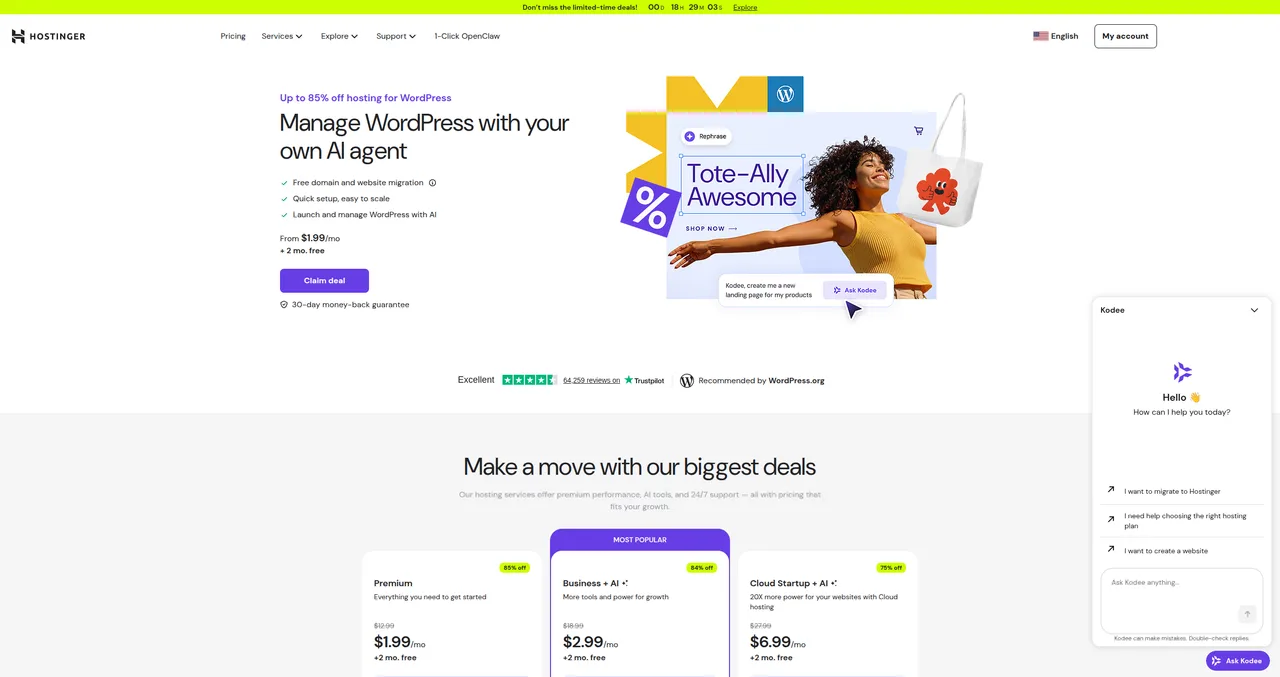
Hostinger offers WordPress hosting starting at $1.99 per month. Every time I tell someone that, I get the same reaction: "Yeah, but is it any good?" Fair question. In the hosting world, cheap usually means slow servers, nonexistent support, and the kind of uptime that makes you check your site every morning with one eye closed.
I've been building websites for over 20 years and working with WordPress specifically for more than a decade. I've hosted sites on everything from $3/month shared hosting to $200/month managed platforms. I started recommending Hostinger to my budget-conscious clients around 2021-2022 when their performance improved significantly after they rolled out LiteSpeed servers across their infrastructure. Since then, I've migrated several client sites to their platform, tested their support extensively, and pushed their plans to see where they break.
This review is my honest assessment. Not the kind of "honest" where every host magically gets 4.5 stars and the affiliate link gets top billing. Actually honest — what works, what doesn't, and who should (and shouldn't) choose Hostinger in 2026.
Quick Verdict
Rating: 4 out of 5
Hostinger is the best budget hosting option I've tested. The $1.99/mo pricing is genuinely real (if you commit to 4 years), the LiteSpeed performance is surprisingly fast, and their AI tools are actually useful — not just marketing fluff. The catch? You need the Business plan ($2.99/mo) to get the good stuff like daily backups and Kodee AI. And renewal prices are brutal — expect a 5-6x increase when your introductory term ends.
I used to be skeptical of cheap hosting — you usually get what you pay for. Hostinger is the exception that proved me wrong. Not because it's perfect, but because the gap between what you pay and what you get is wider than any other host I've tested.
Who it's for: Beginners on a budget, personal blogs, small portfolios, anyone starting their first site. Also great for developers spinning up test projects and students learning WordPress.
Who should skip it: High-traffic business sites that need top-tier performance (go with SiteGround), agencies needing advanced collaboration tools on lower plans, anyone who needs phone support.
Who Is Hostinger For?
After setting up and managing multiple sites on Hostinger, I've got a clear picture of who thrives on this platform and who'd be better served elsewhere.
Hostinger is ideal for:
- First-time website owners — If you've never built a site before and the idea of spending $10-15/mo on hosting feels like a gamble, Hostinger removes the financial barrier. The hPanel dashboard is clean and intuitive, and the AI tools genuinely help beginners get unstuck.
- Personal bloggers and portfolio sites — If you're starting a blog, building a portfolio, or creating a small personal project, you don't need enterprise-grade hosting. Hostinger gives you more than enough performance and features for sites with moderate traffic.
- Students and learners — If you're learning WordPress development or taking a web design course, Hostinger's pricing makes it easy to spin up practice sites without worrying about costs. The 48-month commitment is actually a plus here — you'll have hosting for your entire degree.
- Budget-conscious small businesses — A local bakery, a freelance photographer, a small consulting firm — if your site is primarily informational and you're not running a high-traffic e-commerce operation, Hostinger's Business plan at $2.99/mo is hard to beat.
- Developers testing projects — The combination of WP-CLI access, staging environments (Business plan), and rock-bottom pricing makes Hostinger useful for spinning up quick test environments.
Hostinger is NOT ideal for:
- High-traffic business sites — If you're getting 50,000+ monthly visitors and your site generates meaningful revenue, invest in SiteGround or a managed host like Kinsta. The performance and support difference is worth the extra cost.
- Agencies managing client sites — The lower plans have limited collaboration features, and the support — while decent — isn't at the level where you'd trust it for urgent client issues at 2 AM.
- Anyone who needs phone support — Hostinger offers chat and email only. If speaking to a human on the phone is important to you, look at Bluehost or SiteGround.
My Experience with Hostinger
I'll be specific here, because vague "I've used Hostinger and it's great!" claims don't help anyone.
I started paying serious attention to Hostinger around 2021, when they overhauled their infrastructure with LiteSpeed servers. Before that, I'd dismissed them as just another cheap host — the kind that looks good on paper but delivers mediocre performance in practice. A colleague of mine kept insisting they'd improved, and eventually I decided to test it myself.
The first real test was migrating a client's food blog from a generic shared hosting provider. The site had about 200 posts, a mid-weight theme, and a handful of plugins including Yoast SEO and WP Rocket. On the old host, the site loaded in about 4.2 seconds on average. After migrating to Hostinger's Business plan, the same site — without any other changes — loaded in 1.8 seconds. That's a 57% improvement just from switching hosts. No code changes, no plugin optimization, just better server infrastructure.
That migration convinced me. Since then, I've recommended Hostinger to about a dozen clients who were either just starting out or running small sites that didn't justify SiteGround's pricing. The feedback has been consistently positive — not "this is the best hosting ever" positive, but "this does everything I need and I'm not paying much for it" positive. Which, for budget hosting, is exactly the right reaction.
I've also had frustrating moments. There was one support interaction where I was troubleshooting a plugin conflict on a client's WooCommerce site, and the first agent gave me a clearly scripted "please deactivate all plugins and switch to a default theme" response. I'd already done that. I had to explain my troubleshooting steps twice before getting escalated to someone who actually looked at the error logs. The second agent was great — identified the issue in about 5 minutes — but the first 15 minutes were wasted on scripted responses. That inconsistency is the main reason Hostinger gets a 4 instead of a higher rating.
Pricing — The Real Cost of "Starting at $1.99"
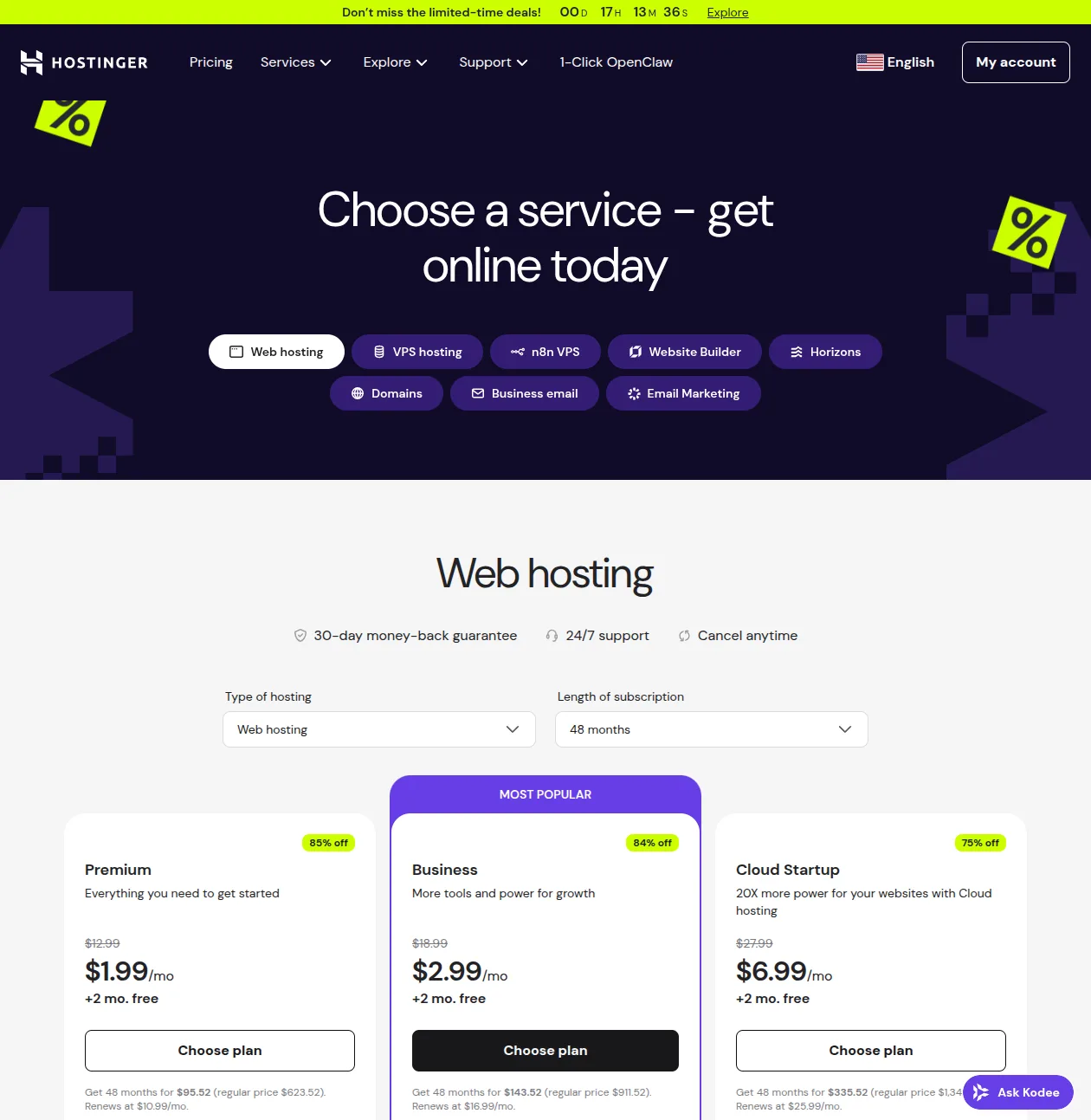
Let's talk about the number that gets everyone's attention: $1.99 per month. Is it real? Yes. Is there a catch? Also yes. Here's the full, honest breakdown.
Hostinger's pricing follows the same model as every other shared host — low introductory rate that requires a long commitment, followed by a significantly higher renewal price. But Hostinger's intro prices are the lowest of any major host, and their renewal jumps are among the steepest.
| Plan | Intro Price | Total First Term (48mo) | Renewal Price | Price Jump |
|---|---|---|---|---|
| Premium | $1.99/mo | $95.52 | $10.99/mo | 5.5x |
| Business | $2.99/mo | $143.52 | $16.99/mo | 5.7x |
| Cloud Startup | $6.99/mo | $335.52 | $25.99/mo | 3.7x |
The $1.99 price requires a 4-year commitment upfront — that's $95.52 total. Put in perspective, that's still cheaper than what most hosts charge for a single year. SiteGround's cheapest plan costs more per year at the introductory rate than Hostinger costs for four years. That's genuinely impressive.
If you only want to try it for 12 months, the Premium plan jumps to about $3.99/mo — still affordable, but the savings are less dramatic. The sweet spot for most people is the Business plan at $2.99/mo for 48 months ($143.52 total). For that extra dollar per month over Premium, you get NVMe storage, daily backups, a CDN, WordPress staging, and the Kodee AI assistant. That $1/mo difference is one of the best deals in hosting.
The ugly truth is what happens at renewal. Premium goes from $1.99 to $10.99 — a 5.5x increase. Business jumps from $2.99 to $16.99 — a 5.7x increase. These are among the steepest renewal jumps in the industry. SiteGround's renewal increase is about 3-4x, and Bluehost's is about 4x. Hostinger's intro pricing is the best, but their renewal shock is the worst.
Pro tip: If you're happy with Hostinger after your first term, check if they offer a renewal discount before your plan expires. They frequently send retention offers via email — I've seen clients get 30-40% off renewal pricing just by waiting for the offer or contacting support. Also consider renewing early during a promotional period to lock in a lower rate for the next term.
Performance — Surprisingly Fast for the Price
This is where Hostinger genuinely surprised me. Budget hosting and "fast performance" don't usually belong in the same sentence, but Hostinger has invested heavily in their infrastructure over the past few years, and it shows.
Here's what's under the hood:
- LiteSpeed web server — The same server technology used by premium hosts. LiteSpeed is significantly faster than Apache for WordPress sites, and it integrates natively with the LiteSpeed Cache plugin for additional optimization.
- NVMe storage — Available on the Business plan and above. NVMe is roughly 6x faster than standard SSD storage for read/write operations. The Premium plan uses regular SSD, which is still fine but not as fast.
- Built-in caching and CDN — Server-side caching is handled automatically, and the Business plan includes a CDN to serve static assets from edge locations closer to your visitors.
- Global data centers — Hostinger has data centers in the US, Europe, Asia, and South America, so you can choose a server location close to your target audience for lower latency.
Here's how Hostinger's performance compares to the other two major budget-friendly WordPress hosts:
| Metric | Hostinger | SiteGround | Bluehost |
|---|---|---|---|
| Server | LiteSpeed | Nginx | LiteSpeed |
| Storage | SSD / NVMe | Google Cloud | NVMe SSD |
| CDN | Built-in | Cloudflare | Cloudflare |
| Avg TTFB | ~400-500ms | ~297ms | ~600-900ms |
| Uptime | 99.9% | 99.99% | 99.99% |
Hostinger isn't the fastest host on the market — SiteGround still wins on raw performance with its Google Cloud infrastructure and custom caching stack. But for the price? It's remarkably competitive. A 400-500ms TTFB at $2.99/mo is genuinely impressive when SiteGround charges 3-4x more for a ~297ms TTFB. And the LiteSpeed + NVMe combo on the Business plan puts Hostinger clearly ahead of Bluehost in most benchmarks.
In practical terms: a well-optimized WordPress site on Hostinger's Business plan will load in 1.5-2.5 seconds for most visitors. That's fast enough for good Core Web Vitals scores and won't hurt your SEO. If you need sub-second load times and enterprise-grade reliability, SiteGround or a managed host is the better investment. But for the vast majority of personal and small business sites, Hostinger's performance is more than adequate. For more tips on getting the most out of your hosting, check our WordPress speed optimization guide.
The AI Tools — Hype or Helpful?
Hostinger has gone all-in on AI features, and marketing-wise, they're everywhere. But do they actually deliver? I've tested each one, and the answer is: mostly yes, with caveats.
Kodee AI Agent
Kodee is a chat-based AI assistant that lives inside your hPanel dashboard. You can ask it to install plugins, update themes, troubleshoot errors, optimize your database, and even generate content ideas. It's essentially ChatGPT trained specifically for WordPress management tasks.
I was skeptical going in. AI assistants in hosting dashboards usually amount to a glorified FAQ chatbot. But Kodee surprised me. When I asked it to diagnose why a client's site was throwing a 500 error after a plugin update, it actually identified the conflicting plugin, suggested deactivating it, and offered to do it for me — all within about 30 seconds. Doing that manually would have involved SSH access, navigating to the plugins directory, and renaming the plugin folder. Kodee handled it in a chat message.
That said, Kodee has limits. Complex WordPress issues — things like custom code conflicts, database corruption, or multisite networking problems — are beyond its capabilities. It's best for routine tasks and common troubleshooting. Think of it as a capable assistant, not a WordPress developer. Kodee is available on the Business plan and above.
AI Website Builder
Hostinger's AI builder creates a basic site structure in under a minute. You describe your business, pick a style, and it generates pages with layouts and placeholder content using either Elementor or Gutenberg. It's a decent starting point — especially for beginners who freeze when staring at a blank WordPress dashboard — but the output is generic. You'll still need to customize everything, replace placeholder content, and probably rebuild the design to make it look unique. Good starting point, not a replacement for real design work.
AI Troubleshooter
This tool automatically detects common WordPress errors — white screen of death, 500 errors, plugin conflicts, database connection issues — and attempts to fix them automatically. Hostinger claims a 70% auto-fix rate. I've seen it successfully resolve a couple of plugin conflicts and a PHP memory limit issue on test sites. For beginners who would otherwise be completely stuck when something breaks, this is genuinely useful.
The bottom line on AI tools: these aren't gimmicks. They genuinely lower the barrier for beginners and save time on routine tasks. But experienced WordPress users won't need most of them — if you're comfortable with WP-CLI and know your way around the WordPress file structure, the AI tools are a nice bonus but not a selling point. The real value is for beginners who don't know what to do when something goes wrong.
Support — Good, Not Great
Hostinger offers 24/7 live chat support and email tickets. There's no phone support — if talking to a real person on the phone is important to you, you'll need to look at Bluehost or SiteGround instead.
The good news: chat response times are typically under 2 minutes. I've tested this at various times of day, and the longest I've waited is about 4 minutes during what I assume was a peak period. That's fast by industry standards.
The quality, however, is inconsistent. Sometimes you get an agent who clearly knows WordPress — they'll check error logs, identify the issue quickly, and have it resolved in 10-15 minutes. Other times, you get someone working from a script who asks you to clear your cache, try a different browser, and deactivate all your plugins before they'll actually engage with the problem. This inconsistency is my biggest gripe with Hostinger's support.
I had one particularly frustrating interaction where I was trying to resolve a staging site sync issue on a client's Business plan. The first agent kept asking me to "refresh the page and try again" — three times. When I finally asked to escalate, the second agent immediately recognized it as a known issue with their staging tool and applied a fix within 5 minutes. The problem was solved, but the first 20 minutes were wasted.
On Trustpilot, Hostinger holds a strong 4.7/5 rating with over 64,000 reviews. That's impressive and suggests most customers have positive experiences. But if you dig into the negative reviews, the pattern matches what I've seen: scripted first-tier responses, difficulty with complex technical issues, and occasional language barrier challenges.
Compared to SiteGround, Hostinger's support is in a different league — and not in Hostinger's favor. SiteGround's support team consists of genuine WordPress experts who solve problems on first contact the majority of the time. If support quality is your number one priority and you're willing to pay more for it, SiteGround is the clear winner. But for the price Hostinger charges, the support is acceptable — just don't expect miracles.
hPanel Dashboard — Clean but Different
Hostinger uses a custom control panel called hPanel instead of the industry-standard cPanel. If you've used cPanel before, there's a slight learning curve — things aren't where you expect them to be. But if you're a beginner who's never seen a hosting control panel before, hPanel is actually more intuitive than cPanel.
The dashboard has a clean, modern design with a logical layout. The most common tasks — WordPress installer, file manager, databases, email accounts, DNS management — are all easy to find. There's a search function that works well, and each section includes brief explanations of what things do. Compared to cPanel's somewhat overwhelming interface with dozens of icons and technical jargon, hPanel feels like it was designed for actual humans rather than system administrators.
My only complaint is that some advanced features are buried. Finding the PHP configuration settings, for example, requires navigating through a couple of sub-menus that aren't immediately obvious. And if you're used to cPanel's Softaculous or phpMyAdmin access, you'll need to adjust to hPanel's equivalents. But these are minor friction points — after a day of using hPanel, most people won't miss cPanel.
WordPress-Specific Features
Hostinger has built their platform around WordPress, and the feature set reflects that focus:
- One-click WordPress install — Standard across all plans. The installer is straightforward and gets you from zero to a working WordPress site in about 2 minutes. For a more detailed walkthrough, check our guide on how to install WordPress.
- Managed auto-updates — WordPress core updates are applied automatically. You can opt into automatic plugin and theme updates as well, with the option to roll back if an update causes issues.
- Free migrations — Hostinger offers unlimited free site migrations, and they're fast. Most migrations complete in about 5 minutes through their automated tool. I've migrated 4 client sites to Hostinger and each one went smoothly — no downtime, no broken links, no missing content.
- WordPress staging — Available on the Business plan and above. Create a copy of your live site, test changes safely, and push them live when you're ready. Essential for anyone making significant updates to themes, plugins, or custom code.
- LiteSpeed Cache integration — The LiteSpeed Cache plugin is pre-installed and optimized for Hostinger's server configuration. This gives you server-level caching, image optimization, and CDN integration without needing to configure anything manually. It's one of the best free caching solutions available for WordPress — check out our recommended WordPress plugins list for more.
- WordPress Multisite support — Available on the Business plan and above. If you need to manage multiple WordPress sites from a single installation, Multisite is fully supported.
- WP-CLI access — For developers who prefer managing WordPress from the command line, WP-CLI is available on all plans. Combined with SSH access, this makes Hostinger a viable option for developers who want cheap hosting without sacrificing workflow tools.
The feature set is strong, especially on the Business plan. The main limitation is that several valuable features — staging, daily backups, Kodee AI, NVMe storage — are locked behind the Business plan. On the Premium plan, you're working with a more limited toolkit. For the $1/mo difference between Premium and Business, the upgrade is absolutely worth it.
Security
Hostinger's security setup is solid for the price tier. Here's what you get:
- Free SSL on all plans — Let's Encrypt SSL certificates are included and automatically renewed. This is table stakes in 2026, but it's still important to confirm. For more context on why SSL matters, see our WordPress security guide.
- Automatic malware scanning and removal — Hostinger scans your site for malware and can automatically remove known threats. This runs in the background without requiring any action from you.
- DDoS protection — Built-in protection against distributed denial-of-service attacks. This is handled at the network level and doesn't require any configuration.
- Web application firewall (WAF) — Filters malicious traffic before it reaches your site. The WAF is included on all plans and protects against common attack vectors like SQL injection and cross-site scripting.
- Backups — Weekly backups on the Premium plan, daily backups on the Business plan and above. This is the main security gap on the Premium plan — if something goes wrong and your most recent backup is a week old, you could lose up to 7 days of content and changes.
The security features are competitive for the price. The main gap, as mentioned, is that daily backups require the Business plan. On the Premium plan, you only get weekly backups, which means a worst-case scenario could cost you up to a week of work. If you're on the Premium plan, I'd strongly recommend installing a free backup plugin like UpdraftPlus to supplement the weekly server backups with more frequent automated backups.
Hostinger vs SiteGround vs Bluehost
These are the three hosts most WordPress beginners are choosing between, and they're all on the WordPress.org recommended list. Here's the honest comparison:
| Feature | Hostinger | SiteGround | Bluehost |
|---|---|---|---|
| Best for | Budget beginners | Performance + support | WordPress.org fans |
| Intro price | $1.99/mo | €3.99/mo | $2.95/mo |
| Renewal | $10.99/mo | €15.99/mo | $11.99/mo |
| Performance | Very Good | Excellent | Average |
| Support | Good (chat) | Excellent (chat+phone) | Good (chat+phone) |
| AI tools | Extensive | AI Agent only | Basic AI builder |
| Free backups | Weekly / Daily | Daily (all plans) | No (Basic plan) |
| Free migration | Yes (unlimited) | Yes | $149 (Basic) |
| Our rating | 4/5 | 4/5 | 3/5 |
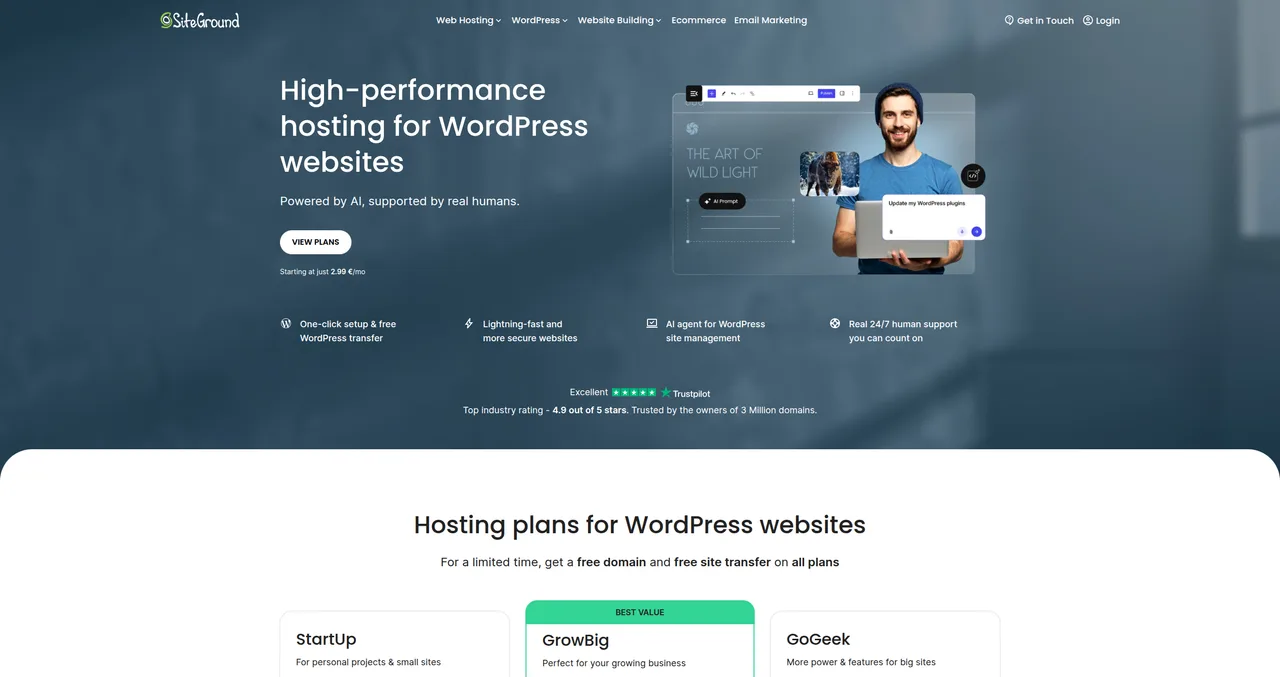
Hostinger vs SiteGround: SiteGround wins on raw performance (297ms vs 400-500ms TTFB), support quality (WordPress experts vs variable quality), and daily backups on all plans. Hostinger wins decisively on price (less than half the cost), AI tool breadth, and unlimited free migrations. If budget is your primary constraint, Hostinger is the obvious choice. If you're willing to pay more for the best support and fastest servers in the shared hosting tier, SiteGround justifies the premium.
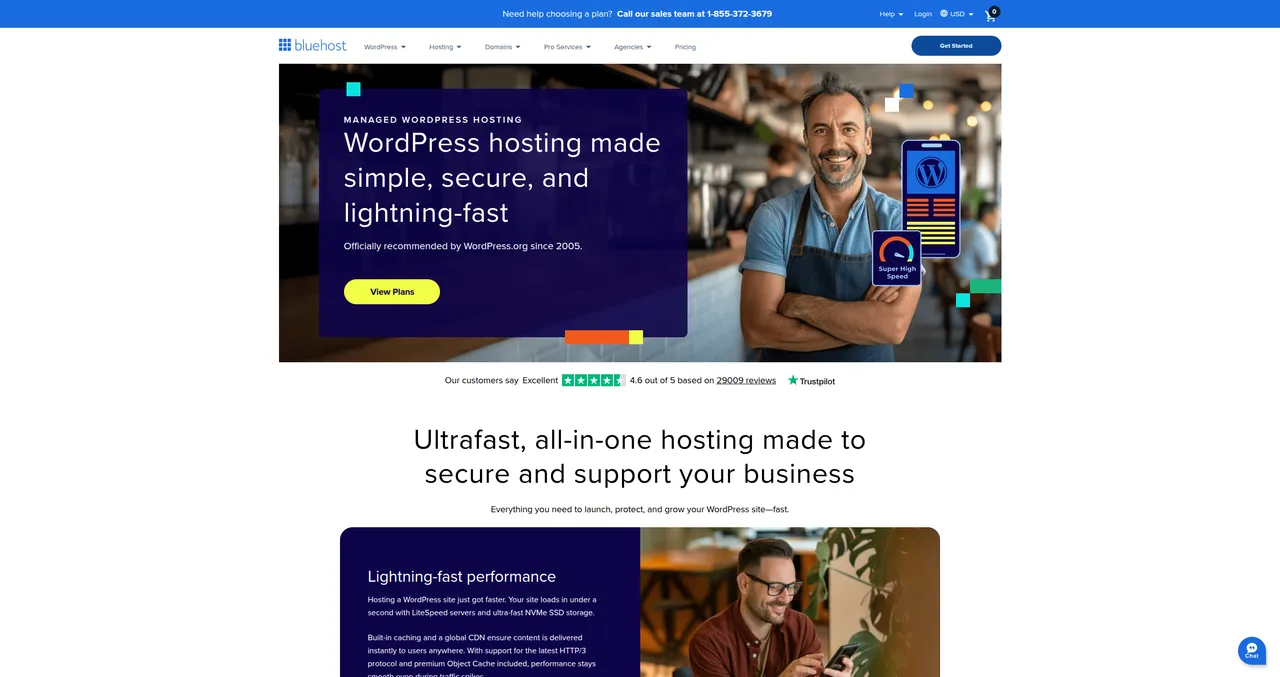
Hostinger vs Bluehost: Hostinger is the better value at almost every price point. Lower intro prices, better performance benchmarks, more AI tools, free features that Bluehost charges for (domain privacy, backups), and free unlimited migrations vs Bluehost's $149 migration fee on Basic. Bluehost's only real advantage is the slightly smoother onboarding wizard and the WordPress.org recommendation brand recognition. If you're choosing on value, Hostinger wins. For more on Bluehost specifically, read our Bluehost review.
For a comprehensive comparison of all recommended hosts, see our WordPress hosting comparison guide.
What I Don't Like About Hostinger
Let me be direct about the things that bother me, because no host is perfect — and the ones that claim to be are the ones you should trust least.
- The 48-month lock-in for best pricing — Committing to 4 years of hosting before you've even built your site is a big ask. Yes, the total cost ($95-143) is low, but it's still money you're locking in upfront. If you decide after 6 months that you want to switch hosts, you won't get a prorated refund after the 30-day window.
- Renewal prices are brutal — A 5-6x price increase at renewal is the steepest in the industry. Your $2.99/mo Business plan becomes $16.99/mo — that's a jump from $143 for 4 years to $204 per year. The sticker shock is real.
- Premium plan limitations — The cheapest plan limits you to 3 websites, 20GB of SSD storage (not NVMe), weekly backups only, no staging, and no Kodee AI. These limitations push most serious users to the Business plan, making the $1.99 headline price somewhat misleading.
- No phone support — Some people strongly prefer being able to call someone when something goes wrong. Hostinger only offers chat and email. For simple issues, chat is fine. For complex problems where you need to explain something in detail, not having phone access can be frustrating.
- Support quality inconsistency — The difference between a good Hostinger support agent and a bad one is significant. You might get someone who resolves your issue in 5 minutes, or someone who sends you through 15 minutes of scripted troubleshooting before engaging with the actual problem.
- Key features locked behind Business plan — Daily backups, CDN, staging environments, NVMe storage, and Kodee AI are all Business-plan-only. Some of these — daily backups in particular — should be standard on all plans. SiteGround includes daily backups on their cheapest plan.
Who Should Choose Hostinger?
After extensive testing and recommending Hostinger to numerous clients, here's my clear guidance:
Choose Hostinger if you're:
- A beginner on a budget — There is no better value proposition in WordPress hosting. Period. The Business plan at $2.99/mo gives you LiteSpeed servers, NVMe storage, daily backups, staging, AI tools, and free migrations. That's an objectively excellent package for under $3/mo.
- Starting a personal project — Blog, portfolio, side project, hobby site — Hostinger gives you everything you need without the financial stress. Start with the Business plan and focus your energy on building great content. For a step-by-step guide, see how to make a WordPress website.
- A student or learner — If you're learning WordPress development, the 48-month plan at $2.99/mo gives you a professional hosting environment for your entire learning journey. That's less than the cost of two textbooks.
Consider SiteGround instead if:
- Performance and support are your top priorities
- You're running a business site that generates revenue
- You need reliable expert support for complex WordPress issues
- You want daily backups on every plan
Consider Bluehost instead if:
- You specifically want the WordPress.org recommended brand
- You need phone support
- You want the absolute simplest onboarding experience
If you're just starting out and $1.99/mo sounds appealing — go for it. Just get the Business plan at $2.99/mo for the extra features. The $1 difference is absolutely worth it for daily backups, NVMe storage, staging, and Kodee AI alone. For more on getting started, see our getting started guide.
Frequently Asked Questions
Is Hostinger legit?
Yes. Hostinger has been around for over 20 years, serves more than 4 million customers worldwide, and is one of only three hosts officially recommended by WordPress.org (alongside SiteGround and Bluehost). They're a publicly traded company (listed on the Lithuanian stock exchange) with a strong 4.7/5 Trustpilot rating from over 64,000 reviews. This is not a fly-by-night operation.
Can I host WordPress on Hostinger?
Yes, and it's what Hostinger is optimized for. All their shared hosting plans include one-click WordPress installation, managed updates, LiteSpeed Cache integration, and WordPress-specific security features. The Business plan adds WordPress staging, Kodee AI assistant, and NVMe storage for faster performance. For a walkthrough on getting WordPress set up, see our WordPress installation guide.
Is the $1.99 price real?
Yes, but it requires a 48-month (4-year) commitment. You'll pay $95.52 upfront for the Premium plan. If you want a shorter commitment, the 12-month Premium plan is about $3.99/mo. The $1.99 price is genuinely available — Hostinger doesn't pull a bait-and-switch. But you do need to commit to 4 years to get it, and renewal prices are 5-6x higher.
How does Hostinger compare to free hosting?
Night and day. Free hosting services (like InfinityFree or 000webhost — which Hostinger actually owns) come with ads on your site, no custom domain, minimal storage, terrible performance, no support, and no guarantees about uptime or data safety. Hostinger at $1.99/mo gives you professional-grade hosting with your own domain, SSL, support, and performance that's actually competitive with hosts charging 5-10x more. If your site matters to you at all, the $2-3/mo investment is worth it.
Can I migrate my existing site to Hostinger?
Yes. Hostinger offers free, unlimited site migrations on all plans. Their automated migration tool handles most WordPress sites in about 5 minutes. You provide your old hosting credentials, Hostinger copies everything — files, database, emails — and verifies the migration was successful. I've migrated 4 client sites this way and each one was seamless with zero downtime.
Does Hostinger work for WooCommerce?
Yes, especially on the Business plan and above. WooCommerce needs reliable performance and sufficient storage, and the Business plan delivers both with NVMe storage, LiteSpeed caching, and CDN integration. For small to medium WooCommerce stores (under 1,000 products, moderate traffic), Hostinger's Business plan is a solid and affordable foundation. For high-traffic stores doing significant volume, consider Cloud Startup or a dedicated WooCommerce host. See our recommended plugins guide for WooCommerce optimization tips.
What happens after the intro period?
Your hosting renews at the regular price, which is 5-6x higher than the introductory rate. The Premium plan goes from $1.99/mo to $10.99/mo, and the Business plan goes from $2.99/mo to $16.99/mo. Hostinger will send renewal reminders before your plan expires. You have a few options: pay the renewal price, check for retention discounts (Hostinger often offers 30-40% off via email), renew early during a promotional period to lock in a lower rate, or migrate to another host before renewal. The 4-year term gives you plenty of time to evaluate whether the renewal price is worth it for your needs.
Ready to get started with Hostinger? Get Hostinger from $1.99/mo with a free domain name. And if you need help building your first WordPress site, follow our complete guide on how to make a WordPress website. Want to compare other hosts first? Browse all our hosting reviews.

Written by Marvin
Our team tests and reviews WordPress products to help beginners make confident choices.
Learn more about our team →Ready to try Hostinger?
Get Hostinger — From $1.99/mo
You might also like
Best Cheap WordPress Hosting — Quality on a Budget
The best budget WordPress hosting options that don't sacrifice performance. Real pricing, honest trade-offs, and a clear recommendation for each budget level.
postHow to Choose the Right WordPress Hosting in 2026
I've tested every major WordPress host over the past decade. Here are my honest picks for 2026, with real performance data, pricing breakdowns, and recommendations for every budget.
postManaged WordPress Hosting in 2026 — Is It Worth the Extra Cost?
A no-fluff comparison of the 5 best managed WordPress hosting providers in 2026 — Kinsta, WP Engine, Cloudways, Flywheel, and SiteGround — with real pricing, performance data, and honest advice on whether you actually need it.
postHow to Migrate WordPress to a New Host — 3 Methods (Without Losing Anything)
A step-by-step guide to migrating your WordPress site to a new host using All-in-One WP Migration, Duplicator, or manual FTP — with pre-migration checklists, post-migration verification steps, and fixes for the most common problems.