
Bluehost
Bluehost Review: Is It Worth It for WordPress?
Pros
- ✓Officially recommended by WordPress.org since 2005
- ✓Very beginner-friendly dashboard and setup wizard
- ✓Free domain name included for the first year
- ✓One-click WordPress installation during signup
- ✓24/7 support via phone, chat, and email
- ✓Affordable intro pricing starting at $2.95/mo
- ✓Free SSL certificate on all plans
- ✓30-day money-back guarantee
Cons
- ✗Server performance is average compared to SiteGround and Hostinger
- ✗Aggressive upselling during checkout (lots of add-ons pre-checked)
- ✗Support quality has declined — often scripted responses
- ✗Custom dashboard instead of industry-standard cPanel
- ✗Renewal prices jump significantly (2-3x intro price)
- ✗Site migration costs $149 unless you pay for a premium plan
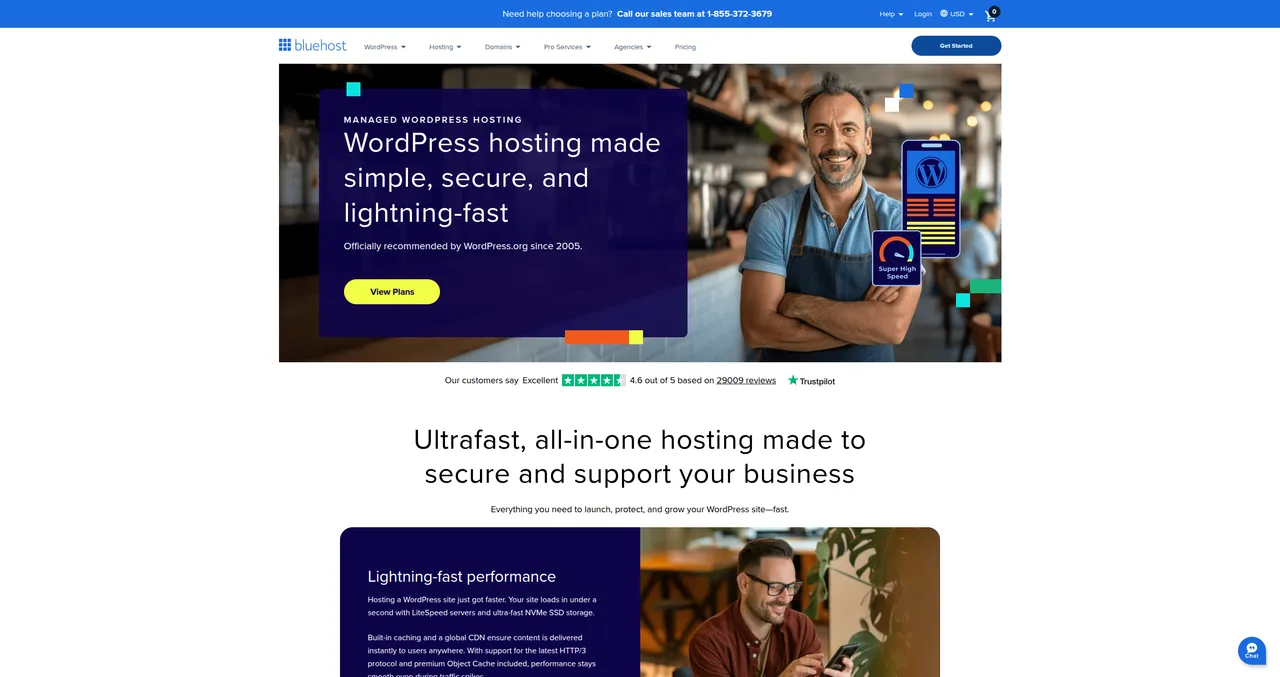
Bluehost has been officially recommended by WordPress.org since 2005. That's over two decades of being on the most influential recommendation list in the WordPress world. But does that endorsement still mean what it used to? And more importantly, is Bluehost actually the best choice for your WordPress site in 2026?
I've been building websites for over 20 years and working with WordPress specifically for more than a decade. I used Bluehost for several personal projects back in 2015-2017, and I've set up client sites on it as well. I've since moved most of my work to SiteGround, but I've kept a close eye on Bluehost's evolution over the years — including their recent infrastructure upgrades.
In this review, I'm going to be honest. Not "affiliate site" honest where everything gets 4.5 stars. Actually honest. Bluehost has real strengths and real weaknesses, and you deserve to know both before handing over your credit card. Let's get into it.
Quick Verdict
Rating: 3 out of 5
Bluehost is a solid choice for absolute beginners who want the simplest possible WordPress setup. The onboarding experience is genuinely the smoothest in the industry — WordPress gets installed during signup, and the custom dashboard holds your hand through every step. If you've never built a website before, Bluehost removes more friction than any other host I've tested.
But if you care about performance and support quality, SiteGround and Hostinger both offer more for your money. The WordPress.org recommendation is real, but it doesn't make Bluehost the best option — just a safe one. Server speeds are middle-of-the-pack, support quality has declined in recent years, and the aggressive upselling during checkout leaves a bad taste.
Who it's for: Absolute beginners who want the easiest possible start, people who value the WordPress.org endorsement, budget-conscious first-time site owners.
Who should skip it: Performance-focused users, agencies managing client sites, growing businesses that need reliable support, anyone who's done this before and wants more control.
The WordPress.org Recommendation — What It Really Means
Let's address the elephant in the room first, because the WordPress.org recommendation is the single biggest reason people choose Bluehost.
Bluehost has been listed on the official wordpress.org/hosting page since 2005. That's not nothing — it means they've met WordPress's technical requirements and maintained a good track record with the WordPress community for over 20 years. WordPress.org doesn't just hand out that badge to anyone.
But here's what the recommendation doesn't mean:
- It's not exclusive — SiteGround and Hostinger are also on the recommended list. Bluehost isn't the only host WordPress endorses.
- It doesn't mean "best" — The recommendation means Bluehost meets WordPress's standards. It doesn't mean they outperform every other host on the market.
- It hasn't been recently re-evaluated — The hosting landscape has changed dramatically since 2005. Hosts that didn't exist back then now offer objectively better performance. The recommendation page doesn't update as frequently as the market moves.
There's been speculation in the WordPress community about whether the recommendation is partly commercial. I'm not going to dive into that debate, but I will say: don't choose a host based solely on this badge. It's a positive signal, not the whole story. Use it as one data point among many — which is exactly what this review is for.
My Experience with Bluehost
I first used Bluehost around 2015, when I was juggling several personal WordPress projects alongside my client work. At the time, I was looking for something cheap and easy to spin up a few experimental sites — a recipe blog I never followed through on, a portfolio site, and a small project for a friend's local business.
The onboarding was smooth. I mean genuinely smooth. WordPress was installed before I even finished setting up my account, and the dashboard guided me through choosing a theme, adding pages, and installing plugins without ever making me feel lost. For someone who'd been hand-coding HTML since the early 2000s, it felt almost too simple — but I could see exactly why beginners loved it.
Support at the time was decent. Not exceptional, but adequate. I had an issue with DNS propagation on one of the sites and the chat agent walked me through it in about 15 minutes. Nothing special, but nothing terrible either.
I stuck with Bluehost until around 2017, when I started moving client sites over to SiteGround. The reason wasn't dramatic — it wasn't a catastrophic failure or anything. It was gradual. Page load times on the Bluehost sites felt sluggish compared to what I was seeing on SiteGround. Support interactions started feeling more scripted. And when one of my sites got a decent traffic spike from a Reddit post, the Bluehost-hosted site slowed to a crawl while my SiteGround sites handled similar spikes without flinching.
Bluehost was my training wheels host — perfect when I was starting out, but I outgrew it. And honestly, that's fine. Not every host needs to be the one you use forever. The question is whether Bluehost is still a good starting point in 2026, and I think it is — with caveats.
Pricing — Cheap to Start, Expensive to Keep

Bluehost's pricing strategy follows the same playbook as most shared hosts: attract you with a low introductory price, then hit you with a much higher renewal rate. But Bluehost's renewal jumps are among the steepest in the industry. Here's the full breakdown:
| Plan | Intro Price | Renewal Price | Price Increase |
|---|---|---|---|
| Basic | $2.95/mo | $11.99/mo | 4x |
| Plus | $5.45/mo | $18.99/mo | 3.5x |
| Choice Plus | $5.45/mo | $23.99/mo | 4.4x |
| Online Store | $9.95/mo | $26.99/mo | 2.7x |
The introductory prices are genuinely competitive. At $2.95/mo for the Basic plan, Bluehost is one of the cheapest ways to get a WordPress site online with a free domain name included. You also get a free SSL certificate, which is table stakes in 2026 but still worth mentioning. The intro pricing is locked for your first billing term — typically 12 or 36 months.
The problem hits when your plan renews. The Basic plan goes from $2.95 to $11.99 — a 4x increase. Choice Plus jumps from $5.45 to $23.99, which is a 4.4x increase. These aren't unusual in the hosting industry (SiteGround and Hostinger do the same thing), but the magnitude of Bluehost's jumps is higher than average.
Pro tip: Sign up for the longest billing term you're comfortable with to maximize the time you're paying the intro rate. The 36-month term gives you the lowest per-month price and delays the renewal shock by three years.
Warning about the checkout process: During checkout, Bluehost pre-checks several paid add-ons. Domain privacy ($15.88/year), SiteLock security ($23.88/year), CodeGuard backups ($35.88/year) — all added to your cart by default. If you're not paying attention, you'll end up spending $75+ more per year than you intended. Always review your cart and uncheck anything you didn't deliberately choose. This is one of my biggest gripes with Bluehost. These add-ons should be opt-in, not opt-out. The fact that competitors like SiteGround and Hostinger include domain privacy for free makes it sting even more.
Performance — Where Bluehost Falls Behind
Let's talk about the numbers, because this is where Bluehost's story gets complicated.
To be fair, Bluehost has made significant infrastructure improvements in recent years. They've moved to LiteSpeed servers and NVMe SSD storage — a massive upgrade from their old Apache and HDD setup. They also include a free Cloudflare CDN on all plans and offer a built-in caching solution. On paper, the specs look solid.
In practice, performance is still middle-of-the-pack. Here's how Bluehost stacks up against SiteGround and Hostinger in the metrics that actually matter:
| Metric | Bluehost | SiteGround | Hostinger |
|---|---|---|---|
| Server Technology | LiteSpeed | Nginx | LiteSpeed |
| Avg TTFB | ~600-900ms | ~297ms | ~400-500ms |
| CDN | Cloudflare (free) | Cloudflare (free) | Built-in CDN |
| Uptime Guarantee | 99.99% | 99.99% | 99.9% |
| Storage | 50GB SSD (Basic) | 10GB SSD (StartUp) | 100GB SSD (Premium) |
The TTFB numbers tell the story. Time to First Byte is the single most important server-side performance metric — it measures how quickly the server responds after receiving a request. Bluehost's TTFB typically lands in the 600-900ms range, which is adequate but not impressive. SiteGround's average of 297ms is roughly 2-3x faster, and Hostinger lands somewhere in between at 400-500ms.
Does this matter in practice? For a small blog with a few hundred visitors a month, probably not — your visitors won't notice the difference. But as your traffic grows, those extra milliseconds compound. A slower server means slower page loads, which means worse Core Web Vitals scores, which means Google may rank you lower. For a business site where SEO matters, performance is worth investing in.
Bluehost has improved significantly — LiteSpeed servers and NVMe storage are a big upgrade from their old Apache setup. But they're still not as fast as SiteGround or Hostinger in most benchmarks. If raw performance is your priority, Bluehost isn't the answer.
Support — Hit or Miss
Bluehost offers 24/7 support via phone, live chat, and email. On paper, that's comprehensive. In practice, the quality varies more than I'd like.
Here's the deal: Bluehost's first-tier support is often scripted. You'll get agents who follow a troubleshooting flowchart — "Have you cleared your cache? Have you tried deactivating your plugins?" — before they engage with your actual problem. For basic questions ("How do I set up email?" or "Where do I find my DNS settings?"), this works fine. For anything WordPress-specific that requires real technical knowledge, you often need to escalate.
I remember one support interaction from my Bluehost days that perfectly illustrates this. I had a plugin conflict that was causing a white screen of death on one of my sites. The first chat agent asked me to clear my browser cache (not even the site cache — my browser cache). Then they asked me to try a different browser. After 20 minutes of troubleshooting steps that had nothing to do with the problem, I asked to be escalated. The second-tier agent identified the conflicting plugin within 5 minutes via the error log. Good outcome, but it took 30 minutes to get there when it should have taken 5.
For comparison, when I had a similar plugin conflict on SiteGround, the first agent I spoke to checked the PHP error log immediately, identified the issue, and had it resolved in under 10 minutes. That difference in first-contact resolution is significant when you're managing a site that's down.
Bluehost's Trustpilot rating sits at 4.6/5 with 29,000+ reviews. That's respectable — clearly most people have positive experiences. But it's notably lower than SiteGround's 4.9/5, and if you read the negative reviews, a pattern emerges: scripted responses, long resolution times, and difficulty reaching someone who can actually help with technical issues.
Bottom line: Bluehost's support is adequate for beginners with simple questions. It's not where you want to be if you're running a business site and something breaks on a Saturday night.
Ease of Use — Where Bluehost Shines
If I'm being critical about performance and support, let me give credit where it's due: Bluehost's onboarding and ease of use are genuinely excellent. This is their killer feature, and it's the reason they remain one of the most popular WordPress hosts in the world.
Here's what makes Bluehost so beginner-friendly:
- WordPress auto-installed during signup — You don't need to find an installer, click through a setup wizard, or configure database settings. WordPress is installed and ready to go before you even reach the dashboard. This single feature eliminates what used to be the most intimidating part of starting a WordPress site.
- Custom dashboard that actually makes sense — Bluehost replaced the industry-standard cPanel with their own custom control panel. Some experienced users hate this (more on that later), but for beginners, it's a massive improvement. Everything is organized around tasks you actually want to do: "Create a page," "Choose a theme," "Set up email." There's no jargon, no overwhelming settings panels, no terminal windows. If you've never built a website before and the word "cPanel" makes you nervous, Bluehost's custom dashboard is genuinely the friendliest in the industry.
- AI website builder included — Bluehost now includes an AI-powered website builder that can generate a starter site based on your description. Tell it you're a bakery in Amsterdam and it'll create a homepage, about page, menu page, and contact page with relevant placeholder content. It's not going to win any design awards, but it gives complete beginners a starting point that's much better than staring at a blank WordPress installation.
- Built-in marketplace — The dashboard includes a curated marketplace for themes and plugins, so beginners don't have to navigate the sometimes overwhelming WordPress.org repository. Each recommendation comes with a brief explanation of what it does and why you might need it.
I've set up WordPress sites on virtually every major host, and Bluehost consistently requires the fewest steps from "I just bought hosting" to "I have a working website." For someone building their first site — maybe a personal blog or small business website — that smooth onboarding experience is genuinely valuable. Don't underestimate how many people give up on building a website because the setup process intimidated them.
WordPress-Specific Features
Beyond the ease of use, Bluehost offers a solid set of WordPress-specific features:
- One-click WordPress installation — Happens during signup. You literally never need to touch an installer. See our guide on how to install WordPress for more about what this process looks like.
- Free domain for year one — All plans include a free domain name registration for the first year. After that, it renews at the standard rate (typically $18-22/year depending on the TLD). This saves you one step and a few dollars when you're getting started.
- Free SSL certificate — Let's Encrypt SSL is included on all plans with automatic renewal. This is standard across all major hosts in 2026, but it's still worth confirming.
- Staging environment — Available on the Choice Plus plan and above. This lets you test changes on a copy of your site before pushing them live. If you're making significant updates to themes or plugins, staging is essential. It's a shame it's not available on the Basic or Plus plans.
- Automatic WordPress updates — Bluehost keeps WordPress core updated automatically, and you can opt in to automatic plugin updates as well.
- WP-CLI access — For developers who prefer command-line management, WP-CLI is available on all plans.
- AI website builder — Bluehost's AI builder can generate a complete starter site with pages, content, and design based on your description. It's a useful starting point for beginners who don't know where to begin.
The feature set is competitive, though not class-leading. SiteGround offers more developer-oriented features (Git integration, custom caching, managed plugin updates with rollback), and Hostinger's AI tools are more mature. But for beginners who just want to get a WordPress site up and running, Bluehost covers all the essentials.
Security
Security is one area where Bluehost's approach frustrates me, because they have the basics right but they paywall features that competitors include for free.
Here's what you get:
- Free SSL certificate — Included on all plans. Standard in 2026, but essential. For more on why this matters, see our WordPress security guide.
- SiteLock security — Available as a paid add-on. Provides malware scanning, vulnerability patching, and a basic firewall. Costs $23.88/year. Notably, this is pre-checked during checkout.
- CodeGuard backups — Automated daily backups — but it's a paid add-on on the Basic and Plus plans ($35.88/year). Choice Plus includes it for free. Compare this to SiteGround, which includes free daily backups on all plans, or Hostinger, which includes weekly backups on all plans.
- Domain privacy — Protects your personal information in WHOIS records. This costs $15.88/year on Bluehost. SiteGround and Hostinger both include it for free. This one genuinely annoys me — domain privacy should be standard, not an upsell.
- Two-factor authentication — Available for your Bluehost account login, which adds a layer of protection against unauthorized access.
The fact that basic security features like domain privacy and automated backups cost extra on lower plans is a real drawback. When competitors include these for free, charging $50-75/year for them feels like nickel-and-diming. If you're on the Basic plan, you'll want to budget an extra $75/year minimum for these essential add-ons — or install free WordPress plugins like UpdraftPlus for backups and use Cloudflare for additional security layers.
Bluehost vs SiteGround vs Hostinger
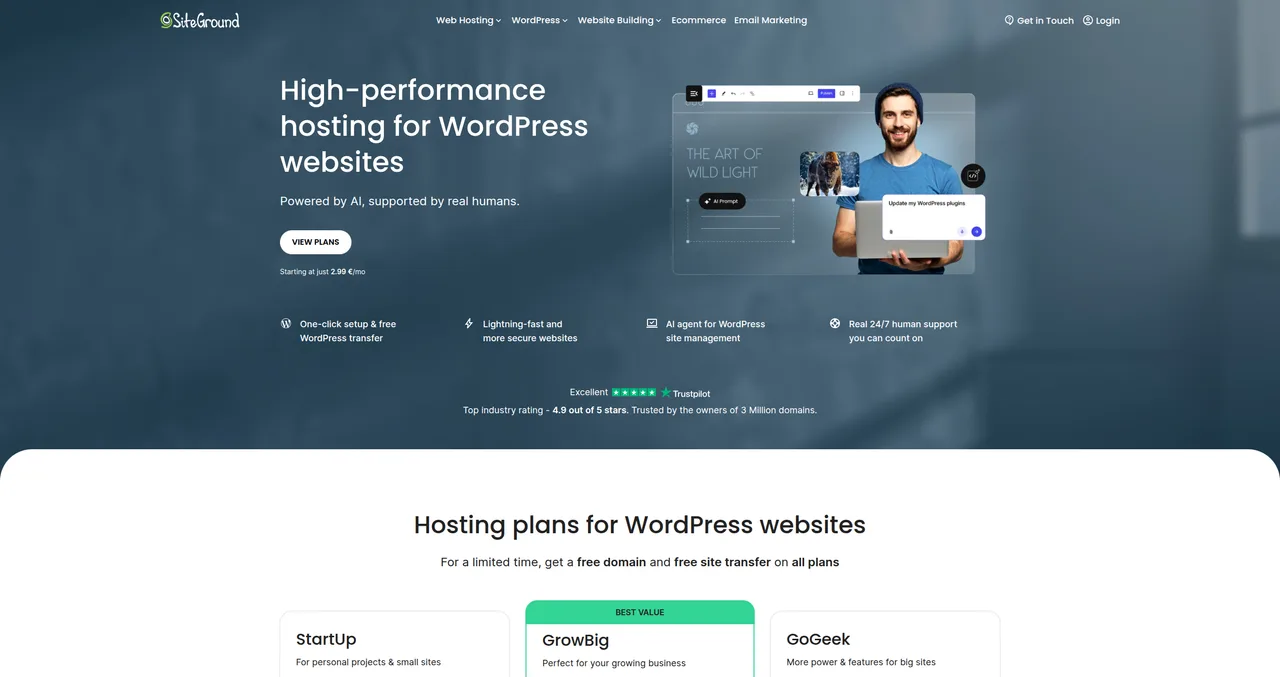
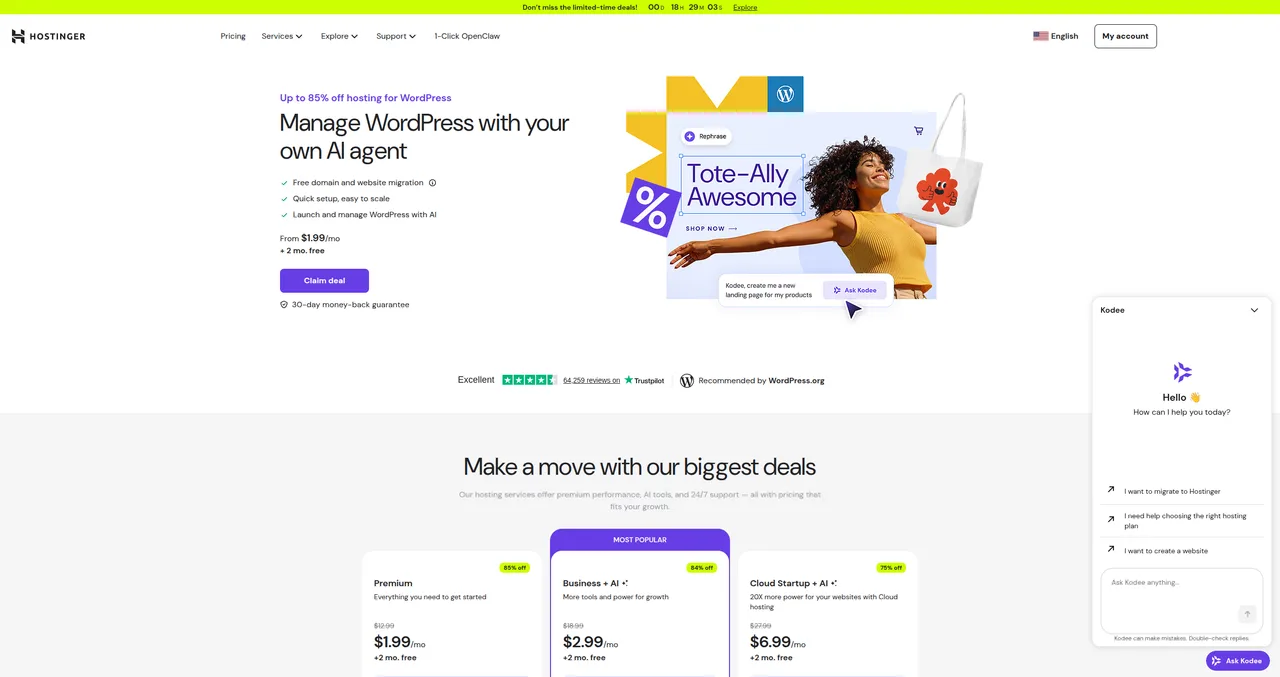
These are the three hosts that most WordPress beginners are choosing between, and they're all on the WordPress.org recommended list. Here's how they actually compare:
| Feature | Bluehost | SiteGround | Hostinger |
|---|---|---|---|
| Intro Price | $2.95/mo | €3.99/mo | $1.99/mo |
| Renewal Price | $11.99/mo | €15.99/mo | $12.99/mo |
| Support Quality | Good (often scripted) | Excellent (WordPress experts) | Good (improving) |
| Performance | Average | Excellent | Very Good |
| Beginner-Friendliness | Excellent | Good | Very Good |
| Free Domain | Yes (1 year) | Yes (1 year) | Yes (1 year) |
| Free Backups | No (Basic plan) | Yes (daily, all plans) | Yes (weekly, all plans) |
| Staging | Choice Plus+ | GrowBig+ | Business+ |
| Free Domain Privacy | No (paid add-on) | Yes | Yes |
| Best For | Total beginners | Performance & support | Budget sites |
Bluehost vs SiteGround: SiteGround wins on performance (297ms vs 600-900ms TTFB) and support quality (WordPress experts vs scripted agents). Bluehost wins on beginner-friendliness and initial pricing. If you're building your first-ever website and want maximum hand-holding, Bluehost is easier to start with. If you care about speed, support, or you're running a business site, SiteGround is worth the extra cost.
Bluehost vs Hostinger: Hostinger offers better value at almost every price point — lower intro prices, lower renewal prices, better performance, and free features that Bluehost charges for (domain privacy, backups). Bluehost's advantage is the smoother onboarding experience and the WordPress.org recommendation. If you're choosing purely on value, Hostinger wins. If you want the absolute simplest setup process, Bluehost still has the edge.
For a full comparison of all three, see our WordPress hosting comparison guide.
What I Don't Like About Bluehost
Let me be direct about the things that bother me. These aren't nitpicks — they're real issues that affect your experience and your wallet.
- Aggressive upselling during checkout — Pre-checking paid add-ons in the cart is a dark pattern, plain and simple. Domain privacy, SiteLock, CodeGuard — all silently added to your total. First-time buyers who don't know better end up paying $75+ more per year than they expected. Every other major host has moved away from this practice, and Bluehost needs to catch up.
- Performance gap vs competitors — A 600-900ms TTFB in 2026 is acceptable but not competitive. When SiteGround delivers 297ms and Hostinger delivers 400-500ms, Bluehost's server response times are the slowest of the big three. The LiteSpeed upgrade helped, but there's still a meaningful gap. For more on why this matters, read our guide on WordPress speed optimization.
- Paid add-ons that should be free — Domain privacy ($15.88/year), automated backups ($35.88/year on Basic), and enhanced security scanning ($23.88/year) are all paid extras. SiteGround and Hostinger include these at no additional cost. When your "cheap" hosting plan needs $75/year in add-ons to match the free features of competitors, it's not actually cheap.
- Support quality inconsistency — First-tier support relies too heavily on scripted troubleshooting. Getting to someone who can actually diagnose a WordPress issue often requires escalation, which adds time and frustration. This has gotten worse over the years, not better.
- Site migration costs $149 on Basic — If you want Bluehost to migrate your existing site, it costs $149 unless you're on a premium plan. SiteGround offers free migration with a plugin that actually works. Hostinger also offers free migration. For users switching from another host, this is a significant hidden cost.
None of these are catastrophic on their own. But together, they paint a picture of a host that's riding on its WordPress.org recommendation and brand recognition rather than competing on features and value. Bluehost was genuinely one of the best options five years ago. In 2026, the competition has caught up and passed them in most areas except onboarding simplicity.
Who Should Choose Bluehost?
Despite my criticisms, Bluehost is still a viable choice for specific types of users. Here's who I'd recommend it to — and who I'd steer elsewhere:
Choose Bluehost if you're:
- An absolute beginner building your first website — If you've never touched WordPress, never configured hosting, and the idea of a "control panel" intimidates you, Bluehost's onboarding is the gentlest landing in the industry. WordPress gets installed for you, the dashboard walks you through every step, and the AI builder gives you a starting point. You can always follow our guide regardless of which host you pick, but Bluehost makes the process slightly less scary.
- Someone who values the WordPress.org endorsement — If the official recommendation carries weight for you and gives you confidence in your choice, that's a perfectly valid reason. Bluehost has been endorsed for 20+ years, and there's comfort in that track record.
- A budget-conscious user focused on intro pricing — At $2.95/mo with a free domain, Bluehost is one of the cheapest entry points for WordPress hosting. Just go in knowing what the renewal price will be.
Skip Bluehost if you're:
- Performance-focused — If site speed is a priority (and for SEO, it should be), SiteGround or Hostinger will serve you better. Check our speed optimization guide for more on why performance matters.
- Running client sites or an agency — You need reliable support and staging environments on every plan. SiteGround's GoGeek plan is purpose-built for this use case.
- A growing business — As your site grows, you'll feel Bluehost's performance and support limitations. It's better to start on a host you won't need to migrate away from in a year.
- An experienced WordPress user — If you know what cPanel is and you're comfortable with WordPress, Bluehost's simplified dashboard will feel limiting rather than helpful. You'd be better served by a host that gives you more control.
The honest bottom line: Bluehost is a fine starting point, but most users will outgrow it. If you're willing to invest slightly more upfront, SiteGround is the better long-term choice. If budget is the top priority, Hostinger offers more value. Bluehost occupies a shrinking middle ground where its main advantage — the WordPress.org recommendation and beginner-friendly onboarding — is being eroded by competitors who now match or exceed those qualities while also offering better performance and value.
For more guidance on choosing the right host, see our complete WordPress hosting comparison or check out our getting started guide.
Frequently Asked Questions
Is Bluehost really recommended by WordPress?
Yes. Bluehost has been listed on the official WordPress.org hosting page since 2005. This means they meet WordPress's technical requirements and have maintained a positive relationship with the WordPress community for over two decades. However, they're not the only recommended host — SiteGround and Hostinger are also on the list. The recommendation means Bluehost is a safe choice, not necessarily the best one.
Is Bluehost good for beginners?
Yes — this is genuinely Bluehost's strongest selling point. WordPress gets installed automatically during signup, the custom dashboard is designed for people who've never managed a website, and the AI builder gives you a starting point. If you've never built a website before, Bluehost removes more friction from the process than any other host I've tested. That said, beginners who are willing to spend 10 extra minutes on setup will find that Hostinger and SiteGround are equally accessible these days.
Why is Bluehost so cheap?
Bluehost's introductory prices ($2.95/mo for Basic) are loss leaders designed to attract new customers. They make their money on renewal pricing (Basic renews at $11.99/mo — a 4x increase) and paid add-ons like domain privacy, backups, and security scanning. The intro price is genuinely cheap, but the total cost of ownership over 2-3 years is comparable to — or higher than — competitors who include more features for free.
Can I migrate to Bluehost for free?
It depends on your plan. On the Basic plan, site migration costs $149. Higher-tier plans include free migration. By comparison, SiteGround offers a free migration plugin on all plans, and Hostinger includes one free migration on all plans. If you're switching from another host and you're on a budget, the migration cost is something to factor in.
Bluehost vs GoDaddy — which is better?
For WordPress specifically, Bluehost is the better choice. GoDaddy's WordPress hosting is more expensive, less performant, and their dashboard isn't as well-designed for WordPress management. Bluehost also has the WordPress.org recommendation, while GoDaddy does not. That said, if you're comparing the worst of two mediocre options, you might want to look at SiteGround or Hostinger instead — both outperform Bluehost and GoDaddy in performance, support, and value.
Does Bluehost offer a money-back guarantee?
Yes, Bluehost offers a 30-day money-back guarantee on all shared hosting plans. If you cancel within the first 30 days, you'll receive a full refund of your hosting fees. The free domain name is non-refundable — if you registered a domain during signup and then cancel, Bluehost will deduct the domain registration cost (typically $15.99) from your refund. After 30 days, refunds are not available.
Should I get the Basic or Choice Plus plan?
If budget is your primary concern, the Basic plan is fine for a single website. But I'd actually recommend the Choice Plus plan if you can afford it, because it includes automated backups (CodeGuard) and domain privacy — two features you'd otherwise need to pay $50+/year for as add-ons. Choice Plus also includes a staging environment, which is essential if you want to test changes before they go live. The intro price is the same as Plus ($5.45/mo), so Choice Plus is the obvious pick between the two. Just remember that it renews at $23.99/mo.
Thinking about trying Bluehost? Get started from $2.95/mo with a free domain name. And if you need help building your first site, check out our step-by-step guide on how to make a WordPress website.

Written by ZTW Team
Our team tests and reviews WordPress products to help beginners make confident choices.
Learn more about our team →Ready to try Bluehost?
Get Bluehost
You might also like
SiteGround Review: Premium Hosting Worth the Price?
I've been using SiteGround for client sites since 2019. Here's my honest review covering performance, support, pricing, and whether it's worth the higher renewal costs.
postHostinger Review 2026 — The Best Budget WordPress Hosting?
Hostinger offers WordPress hosting from just $1.99/month — but can cheap hosting actually be good? I've tested their plans extensively, and the answer might surprise you.
postHow to Choose WordPress Hosting
Not all hosting is created equal. Here's how to find the best WordPress hosting for your budget and goals.
postBest Cheap WordPress Hosting — Quality on a Budget
The best budget WordPress hosting options that don't sacrifice performance. Real pricing, honest trade-offs, and a clear recommendation for each budget level.