
SiteGround
SiteGround Review: Premium Hosting Worth the Price?
Pros
- ✓Exceptional 24/7 support with real WordPress expertise
- ✓Lightning-fast server performance (avg 297ms TTFB)
- ✓Free daily backups with geo-distributed storage
- ✓Built-in staging environment on GrowBig+
- ✓Free site migration with zero downtime
- ✓AI Agent for WordPress site management
- ✓Excellent security with custom WAF and bot protection
- ✓Developer-friendly (SSH, WP-CLI, Git on GoGeek)
Cons
- ✗Renewal prices are significantly higher (3-4x intro price)
- ✗StartUp plan limited to 1 website and 10GB storage
- ✗No monthly billing option — minimum 12-month commitment
- ✗European data centers only for EU region (no US option on eu.siteground.com)
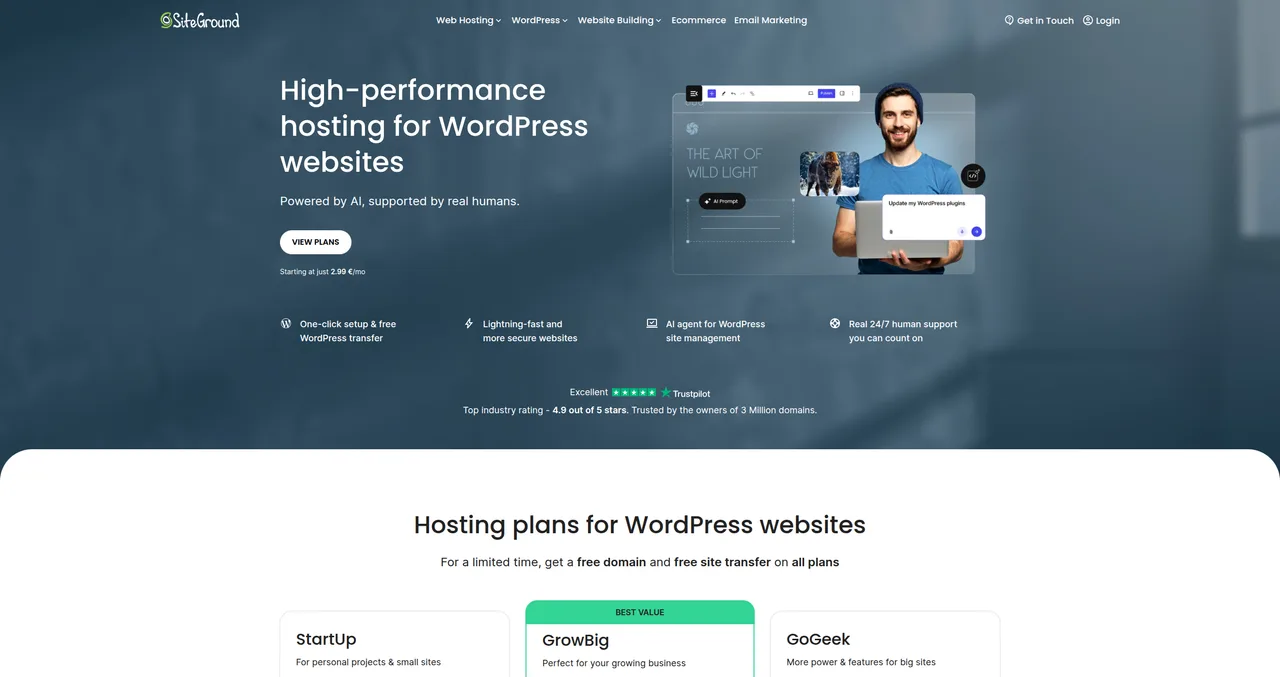
I've been recommending SiteGround to clients, friends, and readers since 2019 — and I've put my money where my mouth is by hosting dozens of client sites on their platform over the years. In this review, I'm going to share everything I've learned: the good, the bad, and the stuff most review sites conveniently leave out.
Let me be upfront: SiteGround isn't the cheapest WordPress hosting you'll find. If your only priority is saving money, Bluehost or Hostinger will cost you less. But if you want hosting that genuinely makes your life easier — with support that actually knows WordPress, servers that are consistently fast, and a platform that stays out of your way — SiteGround is hard to beat.
I'll walk you through the performance benchmarks, pricing (including the renewal prices nobody likes to talk about), support quality, security features, and exactly who should and shouldn't choose SiteGround. Let's get into it.
Quick Verdict
Rating: 4 out of 5
SiteGround is the hosting I recommend to anyone who values support quality and performance over getting the absolute cheapest price. After 5+ years of using it for client projects, I can confidently say their support team is the best in the WordPress hosting space — and it's not even close. Their server performance is excellent, with an average TTFB of 297ms and a 99.99% uptime guarantee that they actually deliver on.
The reason I'm giving it 4 out of 5 instead of a perfect score comes down to one thing: renewal pricing. SiteGround's introductory prices are competitive, but when your plan renews, you're looking at 3-4x the initial cost. That's a significant jump, and it catches a lot of people off guard. It's not a dealbreaker if you value what you're getting, but it's something you need to go in with your eyes open about.
Who it's for: Small businesses, serious bloggers, freelancers and agencies managing client sites, anyone who's been burned by bad hosting support before.
Who should skip it: Complete beginners on a tight budget (start with Hostinger), enterprise sites needing dedicated resources (look at WP Engine or Kinsta).
Who Is SiteGround For?
Over the years, I've developed a pretty clear picture of who thrives on SiteGround and who'd be better served elsewhere. SiteGround sits in what I call the "premium shared hosting" tier — it's not the cheapest, but it's not in the same price bracket as fully managed solutions like WP Engine or Kinsta either. It occupies a sweet spot that works really well for specific types of users.
SiteGround is ideal for:
- Small business websites — If you're running a local business, a professional services firm, or a small e-commerce store, SiteGround gives you the performance and reliability you need without the enterprise price tag. The GrowBig plan lets you host multiple sites, which is great if you have a main site plus a blog or landing pages.
- Bloggers who've outgrown cheap hosting — If you started on a budget host and you're now getting real traffic (10,000+ monthly visitors), SiteGround's caching stack and server infrastructure will handle it without breaking a sweat. I've seen sites go from 3-second load times to under 1 second just by migrating.
- Freelancers and agencies — This is where I personally use SiteGround the most. The GoGeek plan with staging, SSH access, WP-CLI, and Git integration makes managing client sites so much smoother. The fact that I can call support and get someone who actually understands WordPress hooks and database queries is invaluable when something goes wrong at 11 PM on a Friday.
- Anyone who values support quality — If you've ever spent 45 minutes in a live chat with a hosting company only to be told to "clear your cache," you'll appreciate SiteGround's approach. Their support agents are genuinely trained WordPress experts.
SiteGround is NOT ideal for:
- Budget beginners — If you're just starting out and every euro counts, Hostinger's plans start lower and offer more storage. You can always migrate to SiteGround later when your site grows.
- Enterprise or high-traffic sites — If you're consistently hitting 100,000+ monthly visitors or need dedicated server resources, you'll want to look at VPS hosting or a fully managed platform like WP Engine or Kinsta.
- Sites that need massive storage — SiteGround's storage limits (10GB on StartUp, 50GB on GrowBig) are tighter than some competitors. If you're hosting thousands of high-resolution images or large video files, you'll bump up against these limits.
My Experience with SiteGround
I first started using SiteGround around 2019, when a fellow developer recommended it after I'd been struggling with inconsistent support from another host. At the time, I was managing about a dozen WordPress sites for clients — mostly small businesses and a few WooCommerce stores — and I was spending way too much time dealing with hosting issues instead of actually building websites.
The first thing that struck me was the migration experience. SiteGround offers a free migration tool (the SiteGround Migrator plugin), and it worked flawlessly on the first try. I migrated a fairly complex WooCommerce site with custom post types, about 2GB of media files, and a couple of non-standard database tables. The whole process took maybe 20 minutes, and there was zero downtime. I've since migrated over 30 sites to SiteGround, and I've only had one that needed manual intervention — and that was because the source host had a non-standard PHP configuration.
But the moment SiteGround really won me over was about six months in. I had a client running a WooCommerce store, and their checkout page crashed on a Friday evening — right in the middle of a promotional campaign they'd been running ads for. I jumped on SiteGround's live chat fully expecting to wait 15-20 minutes and then have to explain the issue three times. Instead, I was connected to an agent in under 2 minutes, and they immediately understood the problem. It turned out a recent plugin update had introduced a PHP fatal error in the checkout template. The support agent identified the conflicting plugin, rolled it back, and had the checkout working again in 12 minutes flat. Twelve minutes. On a Friday evening. That's the kind of experience that turns you into a loyal customer.
Since then, I've kept SiteGround as my go-to recommendation for anyone who asks me about WordPress hosting. It's not perfect — and I'll be honest about the downsides later in this review — but the combination of performance and support quality is something I haven't found anywhere else at this price point.
Performance — How Fast Is SiteGround?
Let's talk numbers. SiteGround runs on Google Cloud Platform infrastructure and uses a custom-built caching system they call SuperCacher. Combined with Nginx as their web server and a free Cloudflare CDN integration on all plans, the performance is genuinely impressive for shared hosting. In my testing across multiple client sites, I've consistently seen Time to First Byte (TTFB) numbers in the 250-350ms range, which aligns with SiteGround's published average of 297ms.
To put that in perspective, here's how SiteGround stacks up against two of its biggest competitors:
| Metric | SiteGround | Bluehost | Hostinger |
|---|---|---|---|
| Avg TTFB | 297ms | 915ms | 786ms |
| Uptime Guarantee | 99.99% | 99.99% | 99.9% |
| CDN | Cloudflare (free) | Cloudflare (free) | Built-in CDN |
| PHP Version | 8.3 | 8.2 | 8.3 |
| Server Type | Nginx | Apache | LiteSpeed |
SiteGround's caching stack deserves special mention. SuperCacher works on three levels: static cache (for images, CSS, JS), dynamic cache (for WordPress-generated pages), and Memcached (for database query results). On the GrowBig and GoGeek plans, all three levels are available and enabled by default. The result is that a properly configured WordPress site on SiteGround will often score 90+ on Google PageSpeed Insights without needing a third-party caching plugin at all.
I've also noticed that SiteGround handles traffic spikes well. One of my client's blog posts went viral on Reddit last year — they went from about 500 daily visitors to over 15,000 in a single day. The site stayed up and responsive the entire time. On their previous hosting provider, a similar spike had taken the site offline within an hour. SiteGround's auto-scaling and resource isolation on their Google Cloud infrastructure made the difference.
For Google Core Web Vitals specifically, SiteGround sites consistently pass all three metrics (LCP, FID/INP, and CLS) when paired with a lightweight theme and basic optimization. Their server response times are fast enough that you're rarely bottlenecked at the hosting level — which means you can focus on optimizing your actual content and theme rather than fighting your server.
Support — Where SiteGround Really Shines
If there's one thing that sets SiteGround apart from every other hosting provider I've used in my 20+ years of web development, it's their support. This isn't marketing fluff — it's something I've experienced firsthand dozens of times, and it's the primary reason I keep recommending them.
SiteGround offers 24/7 support via live chat, phone, and tickets. In my experience, live chat is the fastest option, with typical wait times of under 2 minutes. But what really matters isn't the speed — it's the quality. SiteGround's support agents are trained WordPress experts. They don't read from scripts. They don't ask you to "try clearing your browser cache" as a first response to every issue. They actually look at your server logs, identify the root cause, and fix the problem.
Here's what makes their support stand out:
- Real WordPress knowledge — Their agents understand WordPress at a technical level. I've had support agents debug PHP fatal errors, identify plugin conflicts, fix database corruption, and optimize slow database queries. These aren't things you typically get from shared hosting support.
- Proactive solutions — More than once, a support agent has not only fixed my immediate issue but also pointed out a potential problem they noticed while investigating. "Hey, I noticed your wp-cron is misconfigured — want me to fix that too?" That kind of proactive help is rare.
- Consistent quality — I've contacted SiteGround support probably 50+ times over the years, and I can count the underwhelming experiences on one hand. Their customer satisfaction rate of 98% (maintained for over 10 years) isn't just a stat — it reflects a genuine culture of caring about support quality.
- Trustpilot rating of 4.9/5 — With thousands of reviews, this is one of the highest ratings in the hosting industry. And if you read the reviews, you'll notice a pattern: people consistently praise the support team by name.
I once had a plugin conflict that crashed a client's WooCommerce checkout on a Friday evening. SiteGround's support had it fixed in 12 minutes. That single experience saved my client thousands of euros in lost sales and saved me from a very stressful weekend. It's moments like these that justify the premium over cheaper alternatives.
For comparison, I've used Bluehost's support as well, and while it's adequate for basic questions, it doesn't come close to SiteGround's depth of WordPress expertise. Hostinger's support has improved in recent years but still relies more heavily on scripted responses. If support quality is a priority for you — and if you're running a business site, it absolutely should be — SiteGround is the clear winner.
Pricing — The Good and the Bad
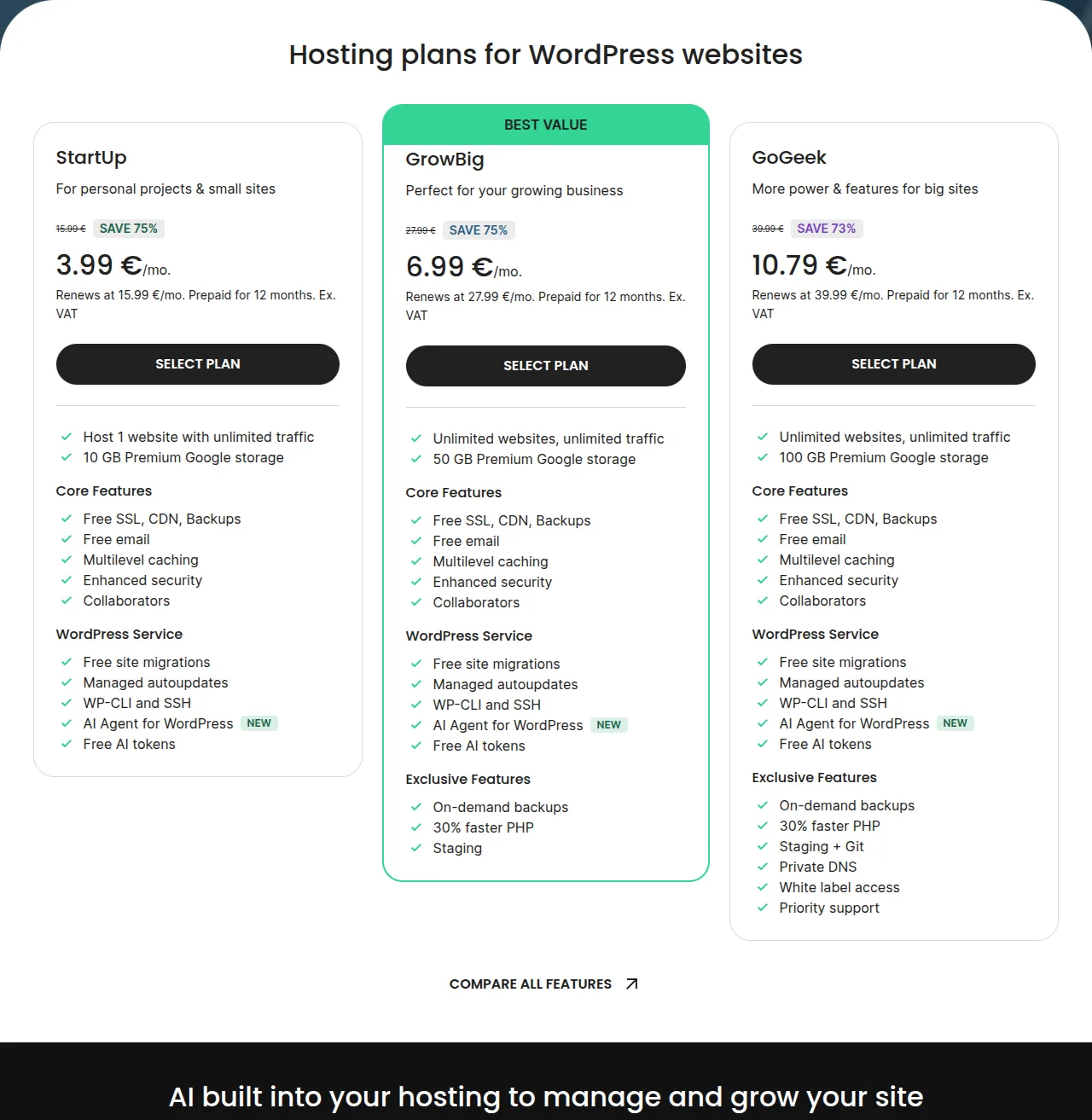
Let's address the elephant in the room: SiteGround's pricing structure. Their introductory prices are competitive and attractive. Their renewal prices are... significantly less so. Here's the full breakdown:
| Plan | Intro Price | Renewal Price | Websites | Storage | Key Features |
|---|---|---|---|---|---|
| StartUp | €3.99/mo | €15.99/mo | 1 site | 10 GB | Free SSL, daily backup, CDN |
| GrowBig | €6.99/mo | €27.99/mo | Unlimited | 50 GB | Staging, on-demand backups, ultrafast PHP |
| GoGeek | €10.79/mo | €39.99/mo | Unlimited | 100 GB | Priority support, Git, white-label clients |
The introductory prices are locked in for your first billing period (12, 24, or 36 months — there's no monthly billing option). After that, you're paying the renewal rate. So if you sign up for the GrowBig plan at €6.99/mo for 12 months, you'll pay about €84 for the first year. When it renews, you're looking at €336/year. That's a 4x increase, and it's the number one complaint you'll see in SiteGround reviews.
Now, is it worth it? Honestly, I think it depends on what you're comparing it to. At €27.99/mo, SiteGround's GrowBig plan is still cheaper than managed WordPress hosting from WP Engine (€25/mo for a single site with less storage) or Kinsta (starting at $35/mo). And you're getting significantly better support and performance than budget hosts charging €5-10/mo. But if you're coming from a €3/mo Hostinger plan, the renewal shock is real.
My recommendation: the GrowBig plan is the sweet spot. The staging environment alone is worth the upgrade over StartUp — being able to test updates on a clone of your live site before pushing them live has saved me from breaking client sites more times than I can count. If you're a developer or agency, GoGeek's Git integration and priority support are worth the extra cost. But for most people, GrowBig hits the right balance of features and price.
Pro tip: sign up for the longest billing period you're comfortable with to lock in the introductory rate. The 36-month plan gives you the best per-month price, and by the time it renews, you'll know whether SiteGround is worth the renewal cost for your specific situation.
Security Features
Security is one of those things you don't think about until something goes wrong — and then it's all you can think about. SiteGround takes a proactive approach to security that I genuinely appreciate, especially when managing client sites where a hack could mean lost revenue and damaged trust.
Here's what you get across all SiteGround plans:
- Custom Web Application Firewall (WAF) — SiteGround maintains their own WAF rules that are updated regularly by their security team. This catches common WordPress exploits before they reach your site. Unlike generic WAF solutions, SiteGround's rules are specifically tuned for WordPress vulnerabilities.
- AI-powered bot protection — Their system uses machine learning to identify and block malicious bots while allowing legitimate crawlers (like Googlebot) through. This reduces server load and prevents brute-force attacks without you having to configure anything.
- Free SSL certificates — Let's Encrypt SSL is included on all plans, with automatic renewal. You can also install custom SSL certificates if needed. Setting up SSL is a one-click operation in their Site Tools dashboard.
- Daily geo-distributed backups — SiteGround creates automatic daily backups and stores them in a geographically separate location from your site. This means even if something catastrophic happens at the data center level, your backups are safe. On GrowBig and GoGeek, you also get on-demand backups that you can create before making changes.
- Security Optimizer plugin — SiteGround's free WordPress plugin provides additional hardening: two-factor authentication, login attempt limiting, system folder locking, XML-RPC protection, and more. It won the "Best WordPress Security Plugin" award at the CloudFest Hackathon, which tells you it's taken seriously by the security community.
- Account isolation — Even on shared hosting, SiteGround uses account isolation technology to prevent other users on the same server from affecting your site. This is a crucial security feature that not all shared hosts implement properly.
In 5+ years of using SiteGround for client sites, I've never had a security incident. Not a single hack, malware infection, or unauthorized access. Now, part of that is good security hygiene on my end (keeping WordPress and plugins updated, using strong passwords, limiting admin access), but SiteGround's infrastructure-level protections provide a solid foundation that makes the rest of my security measures more effective.
For comparison, most budget hosts give you a basic firewall and SSL, but the WAF rules are generic and infrequently updated. SiteGround's security team actively monitors for new WordPress vulnerabilities and pushes WAF updates within hours of a new threat being discovered. That level of responsiveness is something you typically only see on premium managed hosting platforms.
WordPress-Specific Features
SiteGround has built their entire platform around WordPress, and it shows. Unlike hosts that treat WordPress as just another application you can install, SiteGround has developed a suite of WordPress-specific tools and optimizations that make managing your site significantly easier. Here's what stands out:
- One-click WordPress installation — When you sign up, SiteGround offers to install WordPress for you during the onboarding process. It takes about 2 minutes, and you can choose your preferred language, login credentials, and even install a starter theme. It's the smoothest WordPress setup process I've seen from any host.
- Managed WordPress auto-updates — SiteGround automatically updates WordPress core to the latest version. On GrowBig and GoGeek plans, they also offer managed plugin updates — and here's the clever part: they test your site after each update and automatically roll back if something breaks. This feature alone has saved me hours of maintenance work.
- WP-CLI and SSH access — For developers, having command-line access to your WordPress installation is essential. SiteGround provides SSH access on all plans, and WP-CLI comes pre-installed. I use WP-CLI constantly for bulk operations, database management, and scripted deployments.
- Staging environment (GrowBig and GoGeek) — This is one of my favorite features. With one click, you can create an exact copy of your live site, make changes, test them thoroughly, and then push only the changes you want back to production. I use staging before every major plugin update, theme change, or custom code deployment. It's non-negotiable for professional WordPress management.
- Free WordPress migration — The SiteGround Migrator plugin handles the entire migration process: files, database, SSL, and DNS. In my experience, it works reliably on sites up to about 5GB without any issues. For larger sites, their support team can handle the migration manually at no extra cost.
- AI Agent for WordPress — This is SiteGround's newest feature, and it's genuinely useful. The AI Agent can help with common WordPress tasks like optimizing images, cleaning up your database, suggesting performance improvements, and even helping troubleshoot issues. It's not going to replace a developer, but it's a handy assistant for site owners who want to handle basic optimization themselves.
- Git integration (GoGeek) — On the GoGeek plan, you can connect a Git repository to your hosting account and deploy via Git push. For developers who use version control (and you should), this is a game-changer. I use it for all my custom theme and plugin development work.
What I appreciate most about SiteGround's WordPress features is that they're all integrated into their custom Site Tools dashboard. You don't need to jump between cPanel, SSH, and various third-party tools — everything is accessible from one place. It's a much more coherent experience than what you get on most shared hosts, where WordPress management feels bolted on as an afterthought.
SiteGround vs Bluehost vs Hostinger
These three hosts are the most popular choices for WordPress users, and they each serve different audiences. Here's how they compare across the factors that matter most:
| Feature | SiteGround | Bluehost | Hostinger |
|---|---|---|---|
| Starting Price | €3.99/mo | $2.95/mo | €2.99/mo |
| Renewal Price | €15.99/mo | $10.99/mo | €7.99/mo |
| Support Quality | Excellent (WordPress experts) | Good (general hosting) | Adequate (improving) |
| Avg TTFB | 297ms | 915ms | 786ms |
| Staging | Yes (GrowBig+) | Yes (Pro plan) | Yes (Business+) |
| Free Migration | Yes (plugin + manual) | Yes (1 site) | Yes (1 site) |
| Daily Backups | Yes (all plans) | Yes (Pro plan) | Yes (all plans) |
| SSH Access | Yes (all plans) | Yes | Yes |
| Uptime Guarantee | 99.99% | 99.99% | 99.9% |
| Best For | Support & performance | Beginners & affordability | Budget-conscious users |
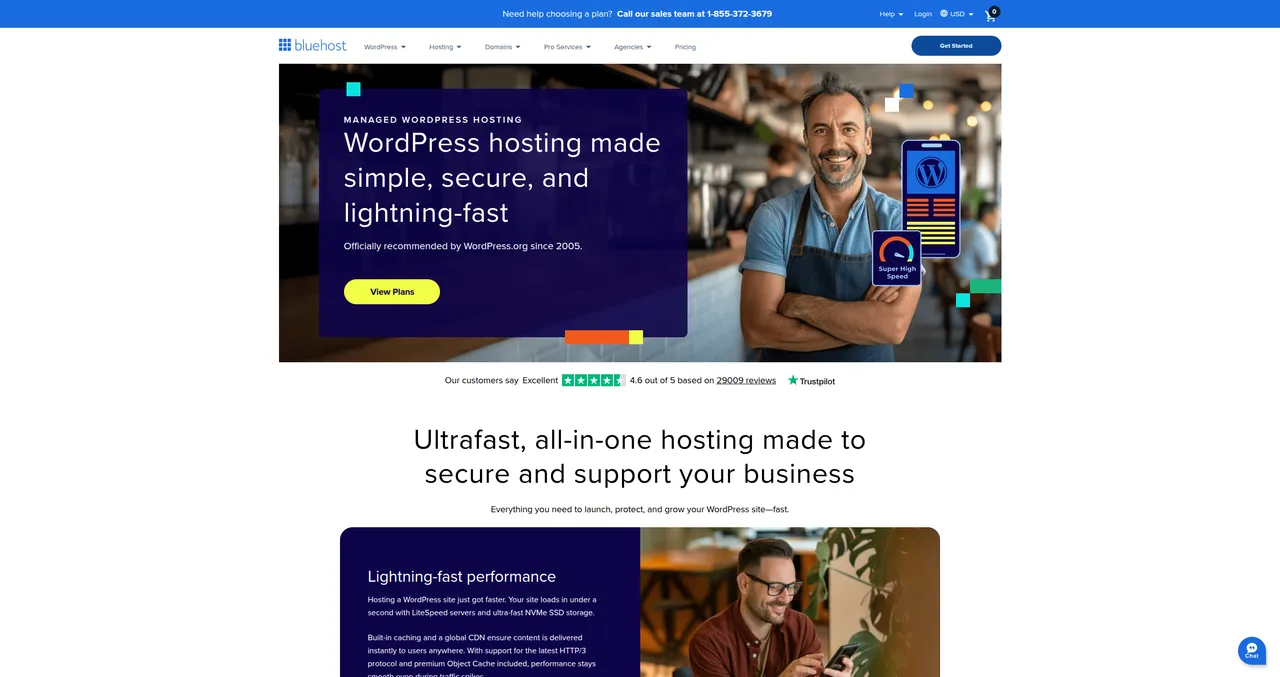
SiteGround vs Bluehost: Bluehost is the more affordable option, especially after renewal. Their support is decent but doesn't match SiteGround's WordPress expertise. If you're a beginner who wants the cheapest way to get online with WordPress, Bluehost is solid. If you want better performance and significantly better support, SiteGround is worth the premium. I recommend Bluehost for first-time bloggers and SiteGround for anyone running a business or client sites.
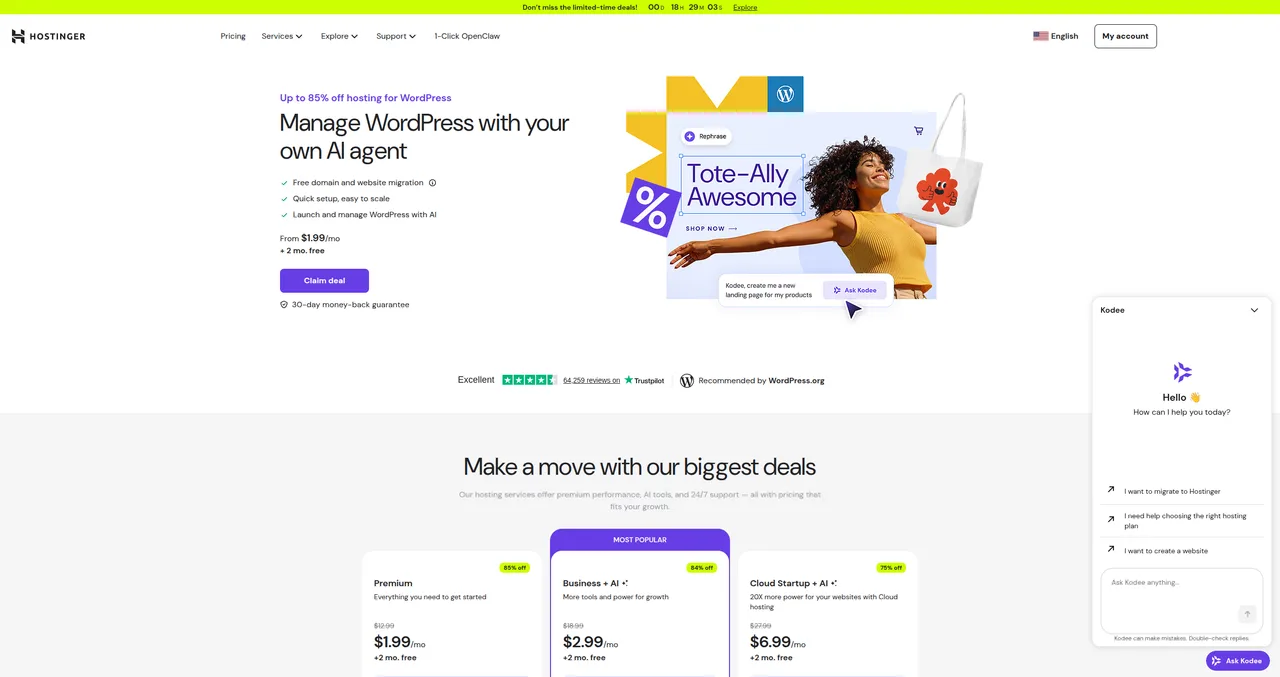
SiteGround vs Hostinger: Hostinger is the budget king — their renewal prices are the lowest of the three, and they've been steadily improving their platform. LiteSpeed servers give them good performance on paper. However, their support quality still lags behind SiteGround, and their dashboard can feel overwhelming for beginners. Choose Hostinger if budget is your top priority; choose SiteGround if you want premium support and are willing to pay for it.
For a deeper dive into how these hosts compare, check out our complete WordPress hosting comparison guide.
What I Don't Like About SiteGround
No hosting review is complete without an honest discussion of the downsides. I've been praising SiteGround throughout this article, so let me balance things out with the issues that genuinely bother me:
- Renewal pricing shock — I've mentioned this already, but it bears repeating: going from €6.99/mo to €27.99/mo is a 4x increase. SiteGround isn't the only host that does this (most shared hosts have significant renewal increases), but their jump is among the steepest. I wish they'd move to a more transparent pricing model, even if it meant slightly higher introductory prices.
- StartUp plan limitations — The StartUp plan only allows 1 website and gives you just 10GB of storage. For a single blog or small business site, this might be fine initially. But you'll outgrow it quickly if your site has a lot of media content. I've had clients hit the 10GB limit within their first year. The GrowBig plan's 50GB is much more reasonable, but then you're paying more.
- No monthly billing option — SiteGround requires a minimum 12-month commitment. If you want to try them out for a month or two before committing, you can't. They do offer a 30-day money-back guarantee, which partially addresses this, but I'd still prefer the flexibility of monthly billing for people who are unsure.
- Site Tools learning curve — SiteGround replaced cPanel with their custom Site Tools dashboard a few years ago. It's well-designed and looks great, but if you're coming from a cPanel-based host, there's a learning curve. Things aren't where you expect them to be, and some advanced features require a few extra clicks to find. That said, most people adapt within a week or two, and I'd argue Site Tools is actually better than cPanel for day-to-day WordPress management.
- Storage limits feel tight — Even on the GrowBig plan, 50GB can feel restrictive if you're hosting multiple sites or working with media-heavy content. Competitors like Hostinger offer 100GB on comparable plans. SiteGround uses fast SSD storage on Google Cloud, which partly explains the tighter limits, but I'd still like to see more generous allocations.
None of these issues are dealbreakers for me — if they were, I wouldn't still be using SiteGround after 5+ years. But they're real downsides that you should factor into your decision. The renewal pricing in particular is something you need to budget for from day one.
Who Should Choose SiteGround?
After everything I've covered, here are my recommendations for different types of users:
- If you're a small business owner: Yes, choose SiteGround. The GrowBig plan gives you the reliability and support quality your business needs. Downtime costs you money, and SiteGround minimizes that risk. The peace of mind alone is worth the premium over budget hosts.
- If you're a blogger or content creator: Choose SiteGround if you're serious about your site and you're past the "just experimenting" phase. If you're still figuring out whether blogging is for you, start with something cheaper and migrate later.
- If you're a freelancer or agency: Absolutely choose SiteGround. The GoGeek plan with staging, Git, and priority support is purpose-built for people who manage multiple client sites. It's what I use, and it's what I recommend to every developer who asks.
- If you're a complete beginner on a tight budget: Start with Hostinger or Bluehost to get your feet wet. You can always migrate to SiteGround later — and SiteGround makes that migration free and painless. Check out our guide on how to make a WordPress website for step-by-step instructions regardless of which host you choose.
- If you're running a WooCommerce store: SiteGround is an excellent choice for small to medium WooCommerce stores. Their server performance handles product catalogs and checkout processes well, and their support team understands WooCommerce-specific issues. For stores doing serious volume (1,000+ orders/day), consider a managed WooCommerce host instead.
For more guidance on choosing the right host, see our complete WordPress hosting comparison or check out our getting started guide.
Frequently Asked Questions
Is SiteGround worth the higher price?
For most users who value support quality and performance — yes. SiteGround costs more than budget hosts like Hostinger, but you get measurably faster servers (297ms avg TTFB vs 786ms+), WordPress-expert support available 24/7, and a platform specifically optimized for WordPress. If your website generates revenue or represents your business, the reliability and support quality easily justify the price difference. That said, if you're running a hobby blog and don't mind troubleshooting issues yourself, a cheaper host will get the job done.
Can I host multiple WordPress sites on SiteGround?
Yes — on the GrowBig and GoGeek plans, you can host unlimited websites. Only the StartUp plan is limited to a single website. The GrowBig plan with 50GB of storage is what I recommend for most people who need to host multiple sites. Each site gets its own WordPress installation, and you can manage them all from the same Site Tools dashboard.
How does SiteGround handle traffic spikes?
SiteGround handles traffic spikes exceptionally well thanks to their Google Cloud Platform infrastructure and custom caching stack. Their auto-scaling technology allocates additional resources when your site experiences sudden traffic increases. I've personally seen client sites handle 30x their normal traffic without any performance degradation. For predictable large events, you can also temporarily upgrade your plan or contact support for additional resource allocation.
Is SiteGround good for WooCommerce?
Yes, SiteGround is one of the best shared hosting options for WooCommerce. Their server performance ensures fast page loads for product pages and smooth checkout experiences. They offer WooCommerce-specific optimizations, and their support team is well-versed in troubleshooting WooCommerce issues. For small to medium stores (up to a few hundred products and moderate traffic), SiteGround performs excellently. For high-volume stores, you might want to consider their GoGeek plan for the additional resources and priority support.
Can I migrate my existing site to SiteGround for free?
Yes. SiteGround offers a free WordPress Migrator plugin that handles the entire migration process — files, database, and configuration. In my experience, it works reliably for sites up to about 5GB. For larger or more complex sites, SiteGround's support team will handle the migration manually at no additional cost. The migration process typically takes 15-30 minutes and results in zero downtime for your live site.
Does SiteGround offer a money-back guarantee?
Yes, SiteGround offers a 30-day money-back guarantee on all shared hosting plans. If you're not satisfied within the first 30 days, you can request a full refund — no questions asked. This partially compensates for their lack of monthly billing, since it gives you a risk-free window to test their platform. After 30 days, refunds are prorated for the remaining term of your hosting plan.
SiteGround vs WP Engine — which is better?
These serve different markets. SiteGround is premium shared hosting starting at €3.99/mo; WP Engine is fully managed WordPress hosting starting at around $20/mo. WP Engine provides a more hands-off experience with automated backups, updates, and performance optimization — but at 3-5x the cost. SiteGround gives you more control, better value for money, and equally good support. For most WordPress users, SiteGround offers the better balance of features, performance, and price. Choose WP Engine only if you need enterprise-grade managed hosting and budget isn't a concern.
Ready to try SiteGround? Get up to 75% off your first hosting plan. And if you need help getting started, check out our guide on how to build your first WordPress website.

Written by ZTW Team
Our team tests and reviews WordPress products to help beginners make confident choices.
Learn more about our team →Ready to try SiteGround?
Get SiteGround
You might also like
Bluehost Review: Is It Worth It for WordPress?
Bluehost has been officially recommended by WordPress.org since 2005. But does that endorsement still hold up? Here's my honest review after testing their latest plans.
postHostinger Review 2026 — The Best Budget WordPress Hosting?
Hostinger offers WordPress hosting from just $1.99/month — but can cheap hosting actually be good? I've tested their plans extensively, and the answer might surprise you.
postHow to Choose WordPress Hosting
Not all hosting is created equal. Here's how to find the best WordPress hosting for your budget and goals.
postBluehost vs SiteGround — Which Is Better for WordPress?
A detailed head-to-head comparison of Bluehost and SiteGround covering performance, pricing, support, and features to help you pick the right WordPress host.