
Best Contact Form Plugins for WordPress in 2026 — My Top 5 Picks
Every WordPress site needs a contact form. That's not an opinion — it's a fact I've learned the hard way over 10+ years of building WordPress sites for clients. I once had a freelance client who insisted on just putting his email address in the footer. "Why do I need a form? People can just email me." Within three months, spam bots had scraped that email address and he was getting over 200 junk emails a day. Pharmaceutical ads, phishing attempts, fake invoices — the works. We added a contact form, removed the visible email, and the spam stopped almost overnight.
Since then, I've installed and configured every major contact form plugin that exists. WPForms, Contact Form 7, Gravity Forms, Ninja Forms, Formidable Forms, Caldera Forms (rest in peace), JetPack forms, and a dozen others I've already forgotten. I've built simple "name and email" forms and complex multi-page application forms with conditional logic, file uploads, and payment integrations.
This article is my honest take on the five contact form plugins that are actually worth your time in 2026. No diplomatic fence-sitting. I'll tell you exactly which one I'd pick if I were starting from scratch, and why.
Quick Comparison — Which Form Plugin Is Best?
I know some of you just want the answer. Here's the summary before we dive deep:
| Plugin | Best For | Price | Active Installs | Drag & Drop | My Rating |
|---|---|---|---|---|---|
| WPForms | Beginners (my #1 pick) | Free / $49.50/yr | 6M+ | Yes | 5/5 |
| Contact Form 7 | Developers & minimalists | Free | 10M+ | No | 3.5/5 |
| Gravity Forms | Businesses & advanced forms | $59/yr | Premium only | Yes | 4.5/5 |
| Ninja Forms | Budget-friendly alternative | Free / $49/yr | 600K+ | Yes | 4/5 |
| Formidable Forms | Complex applications | Free / $39.50/yr | 400K+ | Yes | 4/5 |
My recommendation: WPForms Lite for beginners (it's free and genuinely easy), Gravity Forms for businesses that need payment forms and conditional logic. If you're a developer who wants full control and doesn't mind getting your hands dirty, Contact Form 7 is still a solid choice — but it's not for everyone.
Now let me explain why I feel that way — with the kind of detail you won't find in most plugin comparison articles.
Why Every WordPress Site Needs a Contact Form
Before we compare plugins, let's talk about why you need a contact form at all. I touched on this in the intro with my client's spam horror story, but there are several reasons beyond just spam prevention:
- Spam protection — Putting a raw email address on your website is like leaving your front door wide open. Spam bots crawl websites specifically looking for email addresses to harvest. A contact form hides your actual email while still letting real people reach you.
- Professionalism — A well-designed contact form looks more professional than a plain email link. It shows visitors you've put thought into the user experience and that you take inquiries seriously.
- Controlled information gathering — With a form, you decide what information you need. Name, email, phone number, project budget, timeline — you can require exactly the fields that help you respond effectively. No more back-and-forth emails asking for basic details.
- Lead qualification — With the right form plugin, you can add conditional logic to qualify leads before they even hit your inbox. "What's your budget?" with a dropdown can save you hours of conversations with people who can't afford your services.
- Record keeping — Most modern form plugins store submissions in your WordPress dashboard, giving you a searchable database of every inquiry. Email gets lost. Form submissions don't.
I had another client — a wedding photographer — who resisted adding a contact form for years. She just had an email link. When she finally switched to a form with fields for wedding date, venue, and budget range, she told me it cut her email back-and-forth in half. She could immediately see which inquiries were worth pursuing and which weren't a fit. "Why didn't I do this five years ago?" she said. Good question.
If you're building a new WordPress site, a contact form should be one of the first things you set up — right after installing WordPress and choosing your essential plugins.
#1 WPForms — Best for Beginners (My Top Pick)
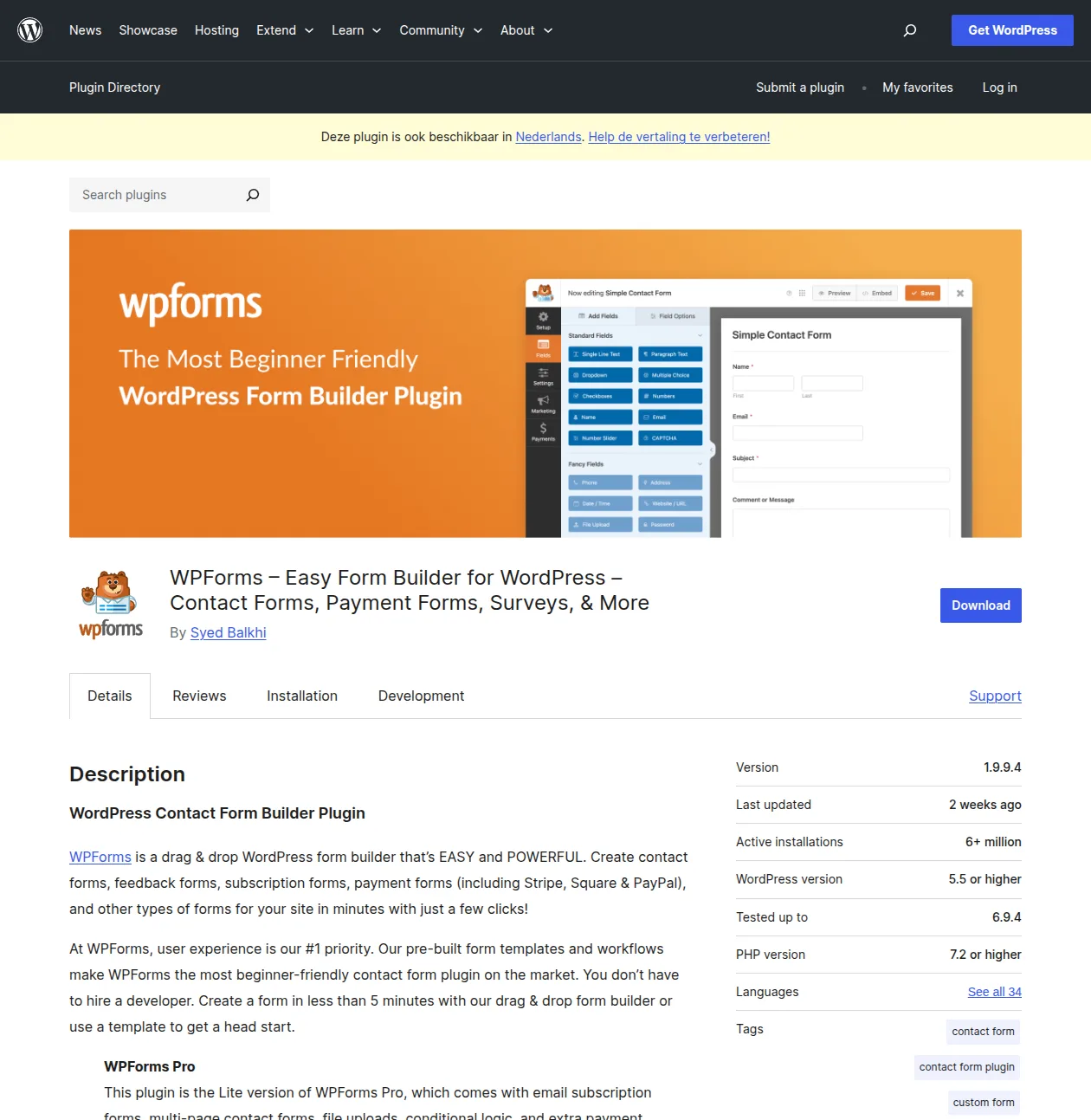
WPForms is the contact form plugin I recommend to every beginner, and I don't say that lightly. I've tested dozens of form plugins over the years, and WPForms is the one that consistently gets the "this was actually easy" reaction from clients who've never built a form before.
It was created by Syed Balkhi — the same person behind WPBeginner, the largest WordPress resource site on the internet. That pedigree shows. Everything about WPForms is designed with beginners in mind, from the drag-and-drop builder to the 500+ pre-built templates that let you create a working contact form in under two minutes.
Why It's My #1 Pick
The drag-and-drop builder is genuinely the easiest I've used — and I've used them all. You pick a template (or start from scratch), drag fields where you want them, customize labels and placeholder text, and you're done. No shortcodes to memorize, no markup to write, no configuration files to edit. It just works.
The free Lite version is surprisingly capable. You get a contact form, suggestion form, newsletter signup form, and simple payment forms through Stripe. That covers probably 80% of what most small websites need. The 500+ templates mean you rarely have to build a form from scratch — there's almost always a template that's close to what you need.
Free vs Premium
WPForms Lite (free) includes:
- Drag-and-drop form builder
- Pre-built form templates (contact, suggestion, newsletter signup)
- Spam protection (reCAPTCHA, hCaptcha, custom CAPTCHA, Akismet)
- Email notifications
- Basic Stripe payments
- Entry management in dashboard
WPForms Premium (from $49.50/yr) adds:
- Conditional logic — show/hide fields based on user input
- File uploads
- Multi-page forms
- Payment integrations (PayPal, Square, Authorize.net)
- User registration forms
- Post submissions (let users submit blog posts from the frontend)
- Survey and poll features
- Geolocation
- 500+ additional templates
I built a client's entire booking inquiry form in under 10 minutes with WPForms. The form had fields for event type, date, guest count, budget range, and a file upload for inspiration photos. With conditional logic, it showed different follow-up questions depending on the event type — wedding inquiries got venue preference questions, corporate events got AV requirement questions. Try doing that with Contact Form 7. Actually, don't — you'll spend three hours reading documentation and still end up frustrated.
Pro Tip: Start with the free Lite version. Seriously. You won't need Premium unless you want payment forms, file uploads, or multi-page forms. The free version handles basic contact forms perfectly, and you can always upgrade later without losing any data. I've seen too many people buy Premium on day one and never use half the features.
Pros
- Genuinely the easiest form builder I've ever used — my non-technical clients can manage their own forms
- 500+ templates cover almost every use case imaginable
- 6M+ active installs — massive community, tons of tutorials, rock-solid stability
- Excellent spam protection built in (reCAPTCHA, hCaptcha, honeypot, Akismet)
- Beautiful forms out of the box — no CSS tweaking needed
- Lightweight — doesn't slow down your site
Cons
- Advanced features require Premium — conditional logic, file uploads, and payment forms are paid
- Premium pricing is per-site — gets expensive if you manage multiple sites
- The free version doesn't include form abandonment tracking or advanced entry management
#2 Contact Form 7 — The OG (But Showing Its Age)
Contact Form 7. Where do I even begin? This plugin has been around since 2007. It has over 10 million active installations — making it the most installed contact form plugin in WordPress history. It's completely free, with no premium version and no upsells. Just a pure, no-nonsense form plugin maintained by Takayuki Miyoshi, a Japanese developer who's been quietly keeping this thing running for nearly two decades.
I used Contact Form 7 exclusively from 2010 to 2016. Six years. Every client site, every personal project, every form I built. And it worked. It always worked. But then WPForms came along, and I never looked back.
The Honest Assessment
Contact Form 7 is like a manual transmission car — it works great if you know what you're doing, but most beginners should go automatic. There's no visual builder. You configure forms using a markup-like syntax with shortcode tags. Want to add a field? You write [text* your-name]. Want conditional logic? You install a third-party addon. Want to store form submissions in your dashboard? You install another third-party addon (Flamingo).
The strength of CF7 is its simplicity and its extensibility. It does one thing — render and process forms — and it does it well. The HTML output is clean, semantic, and easy to style. There's no bloat, no unnecessary JavaScript, no heavy admin UI. It loads fast because there's almost nothing to load.
When to Use Contact Form 7
- You're a developer who wants full control over form markup and styling
- You need the lightest possible form plugin (minimal performance impact)
- You only need basic contact forms — name, email, message, submit
- You're comfortable with shortcode-style configuration
- You don't need form submissions stored in WordPress (email notifications are enough)
When NOT to Use Contact Form 7
- You're a beginner who wants a visual drag-and-drop builder
- You need conditional logic, file uploads, or payment forms without hunting for third-party addons
- You want form submissions stored and searchable in your WordPress dashboard
- You're building complex multi-page forms
- You want pre-built templates to speed up form creation
Here's my honest take: Contact Form 7 is still a perfectly fine plugin in 2026. It's stable, it's free, and it works. But the world has moved on. When WPForms gives you a drag-and-drop builder, 500+ templates, built-in submission storage, and spam protection in its free version — all things CF7 doesn't have — it's hard to recommend CF7 to anyone who isn't a developer.
That said, if you're running CF7 on an existing site and everything works fine, there's no urgent reason to switch. Don't fix what isn't broken. But if you're starting fresh? Go with WPForms.
Pros
- 100% free — no premium version, no upsells, no limitations
- Incredibly lightweight — minimal performance impact
- Clean HTML output — easy to style with custom CSS
- Massive ecosystem of third-party addons and extensions
- Nearly two decades of proven stability
Cons
- No visual builder — configuration uses markup/shortcodes
- No built-in submission storage — emails only (without Flamingo addon)
- No templates — you build every form from scratch
- Advanced features require third-party plugins that may or may not be maintained
- Steeper learning curve for non-developers
Pro Tip: If you do use Contact Form 7, install the free Flamingo plugin alongside it. Flamingo stores all form submissions in your WordPress dashboard so you have a backup if emails get lost. I've seen too many people lose important inquiries because their email server ate the notification. Flamingo is a safety net every CF7 user needs.
#3 Gravity Forms — Best Premium Option
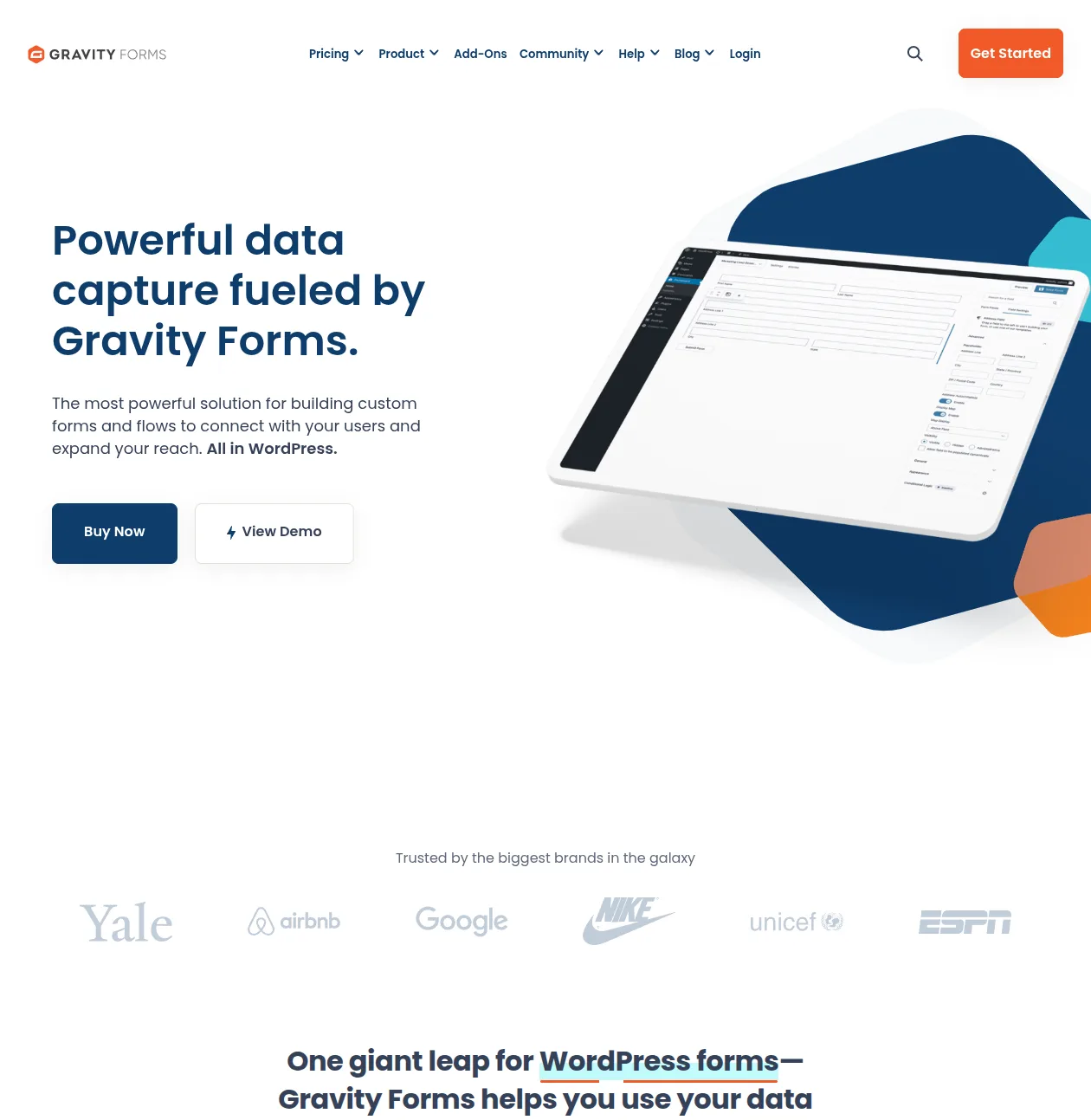
Gravity Forms is the Rolls-Royce of WordPress form plugins. No free version, no freemium model — you pay from day one. And honestly? It's worth every penny for the right use case.
Trusted by Yale, Airbnb, Google, Nike, ESPN, and UNICEF — Gravity Forms is the plugin that agencies and serious businesses reach for when they need forms that do more than collect a name and email. Payment forms, multi-step wizards, conditional logic, user registration, surveys, quizzes, calculations — Gravity Forms does it all, and it does it exceptionally well.
Why Businesses Choose Gravity Forms
I use Gravity Forms on all my agency client sites. Not WPForms, not CF7 — Gravity Forms. And the reason is simple: the conditional logic alone has saved me hundreds of hours.
Here's a real example. I built a project inquiry form for a web design agency. The form started with "What type of project do you need?" with options like Website Redesign, New Website, E-commerce Store, and Maintenance. Based on the selection, completely different sets of follow-up questions appeared. Website Redesign asked for the current URL, what they didn't like about the current site, and their timeline. E-commerce Store asked about product count, payment gateway preferences, and shipping requirements. Each path ended with a budget range field and a file upload for any existing brand assets.
That kind of sophisticated conditional logic is where Gravity Forms shines. WPForms can do conditional logic too (in its Premium version), but Gravity Forms' implementation is more mature, more flexible, and supports deeper nesting.
Key Features
- Conditional logic — Show, hide, or modify fields based on user input. The most powerful implementation of any WordPress form plugin.
- Payment forms — Native integrations with Stripe, PayPal, Square, and Authorize.net. Collect payments directly through your forms.
- File uploads — Multi-file uploads with type and size restrictions. Files can be stored on your server or connected cloud storage.
- User registration — Create WordPress user accounts through form submissions. Perfect for membership sites.
- Surveys and polls — Built-in survey fields with Likert scales, ranking, and rating options. Results are displayed in the dashboard with charts.
- Calculations — Create forms that calculate totals, quotes, or scores based on user input. I've used this for everything from BMI calculators to project cost estimators.
- Multi-page forms — Split long forms into pages with progress bars. Dramatically improves completion rates on complex forms.
- Webhooks and API — Send form data to any external service. Integrates with Zapier, Slack, CRMs, and pretty much anything with an API.
Pricing
| Plan | Price | Sites | Includes |
|---|---|---|---|
| Basic License | $59/yr | 1 site | Core plugin + basic addons |
| Pro License | $159/yr | 3 sites | Core + most addons (Stripe, PayPal, etc.) |
| Elite License | $259/yr | Unlimited | Everything — all addons, priority support |
Yes, it's more expensive than WPForms. But if you need forms that handle payments, complex conditional logic, calculations, or user registration — Gravity Forms pays for itself with the time it saves you. I've watched developers spend 20+ hours trying to hack together payment functionality with free plugins when a $59 Gravity Forms license would have solved it in 30 minutes.
Pros
- The most powerful conditional logic of any WordPress form plugin
- Native payment integrations that actually work reliably
- Incredible developer ecosystem — hooks, filters, and API for everything
- Rock-solid stability — trusted by enterprise organizations
- Excellent documentation and support
Cons
- No free version — you pay from day one
- The admin UI feels slightly dated compared to WPForms (functional but not as polished)
- Can feel overwhelming for simple contact forms — it's like using a sledgehammer to hang a picture
- Annual license renewal required — if you don't renew, you keep the plugin but lose updates and support
Pro Tip: If you're an agency or freelancer managing multiple WordPress sites, the Elite License ($259/yr for unlimited sites) is the best deal in the WordPress form plugin space. I've used my Elite license on 30+ client sites over the years — that works out to less than $9 per site per year for the most powerful form plugin available.
#4 Ninja Forms — Good Free Alternative
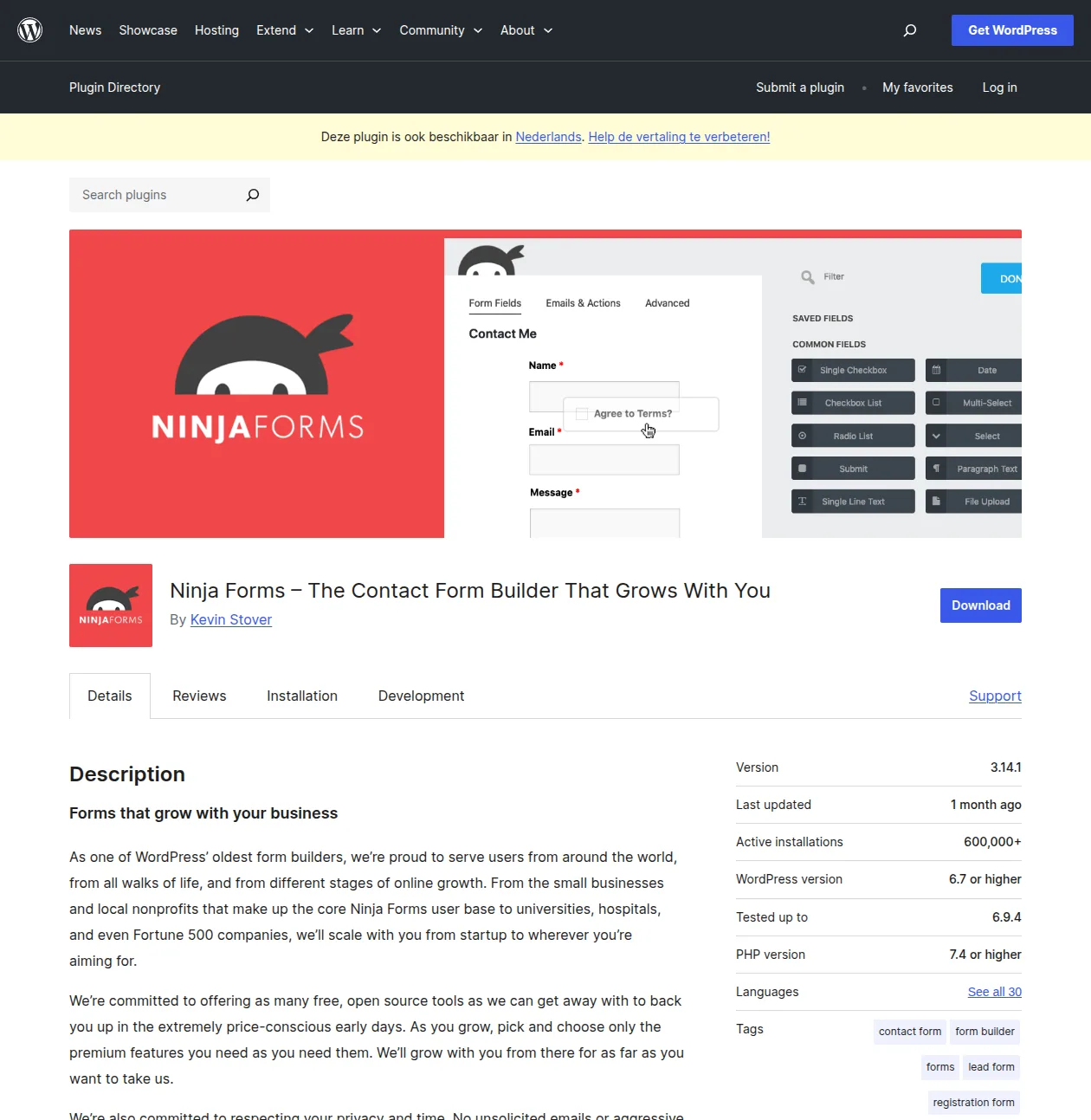
Ninja Forms has been around since 2011, and it occupies a solid middle ground between the simplicity of WPForms and the power of Gravity Forms. With 600K+ active installations, it's not as popular as the big players, but it has a loyal following — and for good reason.
What Makes Ninja Forms Stand Out
The free version is genuinely generous. You get a drag-and-drop form builder, unlimited forms, unlimited submissions, and conditional logic basics — all without paying a cent. That's more than WPForms Lite offers in the conditional logic department.
The builder interface is clean and intuitive. Not quite as polished as WPForms' builder, but still miles ahead of Contact Form 7's markup-based approach. You drag fields onto your form canvas, configure options in a sidebar panel, and preview the result in real time. It works well.
Key Features (Free)
- Drag-and-drop form builder
- Unlimited forms and submissions
- Submission storage in WordPress dashboard
- Email notifications
- reCAPTCHA and honeypot spam protection
- Multi-part forms (basic)
- 10+ form templates
Premium Add-ons
This is where Ninja Forms takes a different approach from WPForms and Gravity Forms. Instead of tiered annual plans, Ninja Forms sells individual add-ons. Need file uploads? Buy the File Uploads addon. Need PayPal integration? Buy the PayPal addon. Need conditional logic (advanced)? Buy that addon.
The a la carte model sounds great in theory — "only pay for what you need!" — but in practice, it can add up quickly. Three or four add-ons and you've exceeded the cost of a WPForms Premium license that includes everything. They do offer bundles (starting at $49/yr for a membership), but the individual pricing can catch you off guard if you're not paying attention.
My Honest Take
Ninja Forms is a solid plugin. I've used it on half a dozen client sites and it performs well. The free version is more generous than WPForms Lite in some respects (unlimited submissions, basic conditional logic). But the add-on pricing model means costs can spiral if you need more than the basics.
The UI is also showing its age a bit. WPForms has invested heavily in its builder interface over the past few years, and it shows — WPForms' builder just feels more modern and responsive. Ninja Forms works fine, but it doesn't spark the same "wow, this is nice" reaction.
Pros
- Generous free version — unlimited forms and submissions
- A la carte add-on model means you only pay for features you need
- Solid drag-and-drop builder
- Been around since 2011 — proven and stable
- Active community and decent documentation
Cons
- Add-on costs can add up quickly — buying 3-4 add-ons exceeds competitors' all-inclusive plans
- UI feels slightly dated compared to WPForms
- Smaller ecosystem than WPForms or CF7
- Fewer templates than WPForms (10+ vs 500+)
#5 Formidable Forms — For Complex Applications
Formidable Forms is the plugin you reach for when you need to build something that's more web application than contact form. Calculators, directories, application forms, registrations with complex validation — that's Formidable's wheelhouse.
It has a free version on WordPress.org with 400K+ active installations and a drag-and-drop builder. The free version handles basic contact forms perfectly well. But the real power is in the Premium version (from $39.50/yr), which includes features like calculated fields, front-end data displays (views), and the ability to build genuinely complex applications without writing code.
When Formidable Forms Is the Right Choice
If you need to build something more like a web application than a contact form, Formidable Forms is your best bet. I once used it to build a real estate listing submission system where agents could submit properties through a frontend form, and the listings automatically appeared on the site with filtering by price, location, and property type. WPForms or Gravity Forms could have done parts of this, but Formidable's "Views" feature — which lets you display submitted data on the frontend — made it dramatically easier.
For straight-up contact forms? It's overkill. Use WPForms instead. Formidable is the specialist tool you bring in when general-purpose plugins can't cut it.
Pros
- Unmatched for complex form-based applications
- Calculated fields for quotes, estimates, and scoring
- Views feature for displaying submitted data on the frontend
- Good free version for basic forms
- Affordable Premium pricing starting at $39.50/yr
Cons
- Overkill for simple contact forms
- Steeper learning curve than WPForms or Ninja Forms
- Smaller community and ecosystem
- The power features are in Premium only
The Full Comparison
Here's the detailed side-by-side comparison. Every cell is based on my hands-on experience, not copied from marketing pages.
| Feature | WPForms | Contact Form 7 | Gravity Forms | Ninja Forms |
|---|---|---|---|---|
| Drag & drop builder | Yes | No | Yes | Yes |
| Free version | Yes | Yes (100%) | No | Yes |
| Templates | 500+ | None | 40+ | 10+ |
| Submission storage | Yes | No (email only) | Yes | Yes |
| Conditional logic | Premium | Plugin needed | Yes | Add-on |
| File uploads | Premium | Plugin needed | Yes | Add-on |
| Payment forms | Premium | No | Yes | Add-on |
| Multi-page forms | Premium | No | Yes | Add-on |
| Spam protection | reCAPTCHA + custom | reCAPTCHA | reCAPTCHA + Akismet | reCAPTCHA |
| Price (1 site) | Free / $49.50/yr | Free | $59/yr | Free / varies |
| Active installs | 6M+ | 10M+ | Premium only | 600K+ |
The table tells a clear story. WPForms offers the best balance of ease-of-use and features for most people. Contact Form 7 is the lightest and cheapest (completely free) but requires the most technical knowledge. Gravity Forms is the most powerful but costs money from day one. Ninja Forms is a solid middle ground but the add-on costs can surprise you.
How to Install and Set Up Your First Contact Form
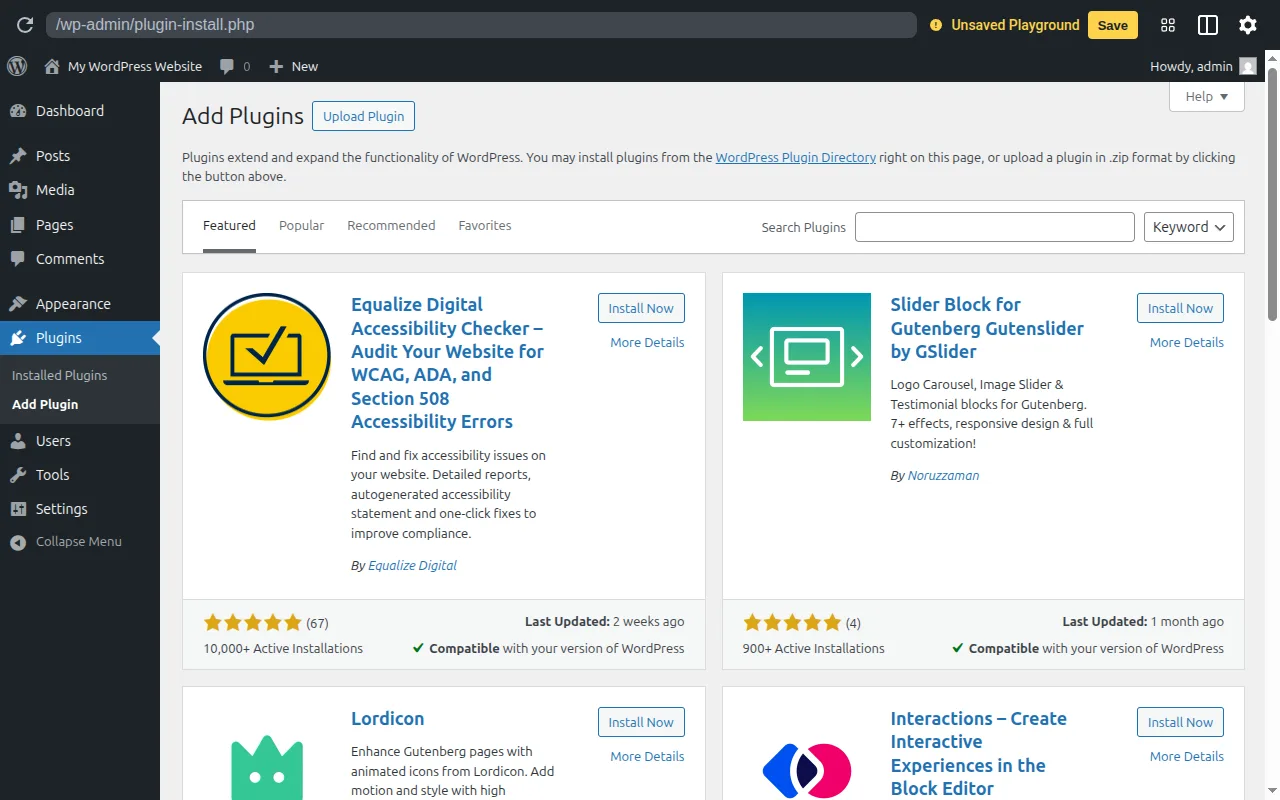
Let me walk you through setting up your first contact form using WPForms (since it's my top recommendation). The process is almost identical for the other plugins on this list.
Step 1: Install the Plugin
In your WordPress dashboard, go to Plugins → Add New. Search for "WPForms" and click Install Now, then Activate. If you need help with the basics, my WordPress installation guide covers dashboard navigation in detail.
Step 2: Create Your Form
After activation, go to WPForms → Add New. You'll see a template library — select "Simple Contact Form." The builder opens with Name, Email, and Message fields already in place. You can drag additional fields from the left panel, rearrange them, and customize labels.
Step 3: Configure Notifications
Click the Settings → Notifications tab. By default, form submissions go to your WordPress admin email. You can add additional email addresses, customize the subject line, and include/exclude specific form fields in the notification email.
Step 4: Add the Form to a Page
Create a new page (or edit an existing one), add a WPForms block (or use the shortcode), and select your form. Publish the page, and you're done. Your contact form is live.
The entire process takes about 5 minutes. For a complete walkthrough of building your WordPress site from scratch, check out my complete guide to making a WordPress website.
Pro Tip: Always test your contact form after setting it up. Submit a test message yourself and verify you receive the notification email. I can't tell you how many times I've seen forms that were "set up" but never tested — and the site owner only found out the notifications weren't working when a frustrated customer called them directly.
Frequently Asked Questions
What's the best free contact form plugin?
WPForms Lite. It gives you a drag-and-drop builder, pre-built templates, submission storage, and spam protection — all free. Contact Form 7 is also free, but it lacks a visual builder and doesn't store submissions in your dashboard. For most people, WPForms Lite offers the better experience by far.
Is Contact Form 7 still good in 2026?
For developers who want lightweight, minimal forms with full control over the markup — yes, it's still a solid choice. For beginners who want a visual builder and modern features — no, there are much better options now. CF7 hasn't fundamentally changed in years, and the competition has leap-frogged it in terms of user experience.
Do I need a premium form plugin?
Only if you need features like payment processing, file uploads, advanced conditional logic, or multi-page forms. For a basic contact form (name, email, message), the free version of WPForms or Ninja Forms is more than enough. Don't pay for features you won't use.
Can form plugins slow down my site?
The plugins on this list are all well-optimized and shouldn't noticeably impact your site speed. Contact Form 7 is the lightest of the bunch, followed by WPForms. Gravity Forms and Ninja Forms load slightly more assets but nothing that would concern you. If site speed is a priority (and it should be), check out my WordPress speed optimization guide for a complete optimization strategy.
How do I prevent spam on my contact form?
Use a three-layer approach: reCAPTCHA (or hCaptcha) as the first line of defense, a honeypot field (an invisible field that only bots fill out), and Akismet to catch anything that slips through. WPForms and Gravity Forms support all three out of the box. For Contact Form 7, you'll need to add the Akismet integration manually. For broader WordPress security best practices, see my dedicated security guide.
WPForms vs Gravity Forms — which should I choose?
WPForms for simple forms, Gravity Forms for complex ones. If you need a contact form, newsletter signup, or basic inquiry form — WPForms (even the free version) is the better choice. It's easier to use and cheaper. If you need payment forms, conditional logic wizards, calculated fields, surveys, or user registration — Gravity Forms is worth the investment. Think of it this way: WPForms is the Honda Civic (reliable, affordable, gets the job done), Gravity Forms is the BMW 5 Series (more powerful, more expensive, overkill for grocery runs).
Final Thoughts
I've been building WordPress sites for over a decade, and contact forms are one of those things that should be simple but somehow generate endless debate. "Which plugin is best?" "Is CF7 dead?" "Is Gravity Forms worth the money?" I've heard every question a hundred times.
Here's my honest summary after years of hands-on experience with all five of these plugins:
- WPForms is the best choice for 90% of people. The free version handles basic forms beautifully, and Premium is worth it if you need more.
- Contact Form 7 is a legacy choice. It works, it's free, and developers love it. But for everyone else, it's been surpassed.
- Gravity Forms is the premium powerhouse. If forms are a critical part of your business, it's worth every dollar.
- Ninja Forms is a solid alternative, especially if you only need one or two premium features.
- Formidable Forms is the specialist — reach for it when you need application-level forms.
Whatever you choose, the most important thing is to actually have a contact form on your site. Don't put a raw email address in your footer and call it a day. Your future self — the one not drowning in spam — will thank you.
For more on building and optimizing your WordPress site, check out these related guides:
- Best WordPress Plugins — My complete plugin roundup across every category
- 12 Must-Have Plugins for New Sites — The exact plugins I install on every new WordPress site
- WordPress Plugins Hub — All my plugin guides in one place
- Best SEO Plugins — Yoast vs Rank Math vs AIOSEO compared
- How to Make a WordPress Website — Start from scratch
- How to Install WordPress — Step-by-step installation
- WordPress Hosting Guide — Choose the right foundation
- WordPress Security Guide — Keep your site safe
- WordPress Speed Optimization — Make your site fast
- Start Here — My complete WordPress roadmap
Happy form building!

Written by Marvin
Our team tests and reviews WordPress products to help beginners make confident choices.
Learn more about our team →You might also like
Best WordPress Lead Generation Plugins in 2026 — 5 Tools Worth Using
I researched the current WordPress lead generation plugin landscape and narrowed it to 5 tools that actually make sense: WPForms, OptinMonster, Thrive Leads, Hustle, and Fluent Forms.
post15 Best WordPress Plugins in 2026 — My Essential Picks After 10+ Years
After 10+ years of building WordPress sites, these are the 15 plugins I install on every project. Real recommendations with alternatives for every budget.
postBest WordPress AI Chatbot Plugins in 2026 — 5 Options Compared
I checked the current WordPress AI chatbot plugin landscape and narrowed it to 5 realistic options: AI Engine, Tidio, Chatway, WPBot, and Smartsupp.
postSlider Revolution Review: Is It Worth It? (2026)
Honest review of Slider Revolution — the premium WordPress slider and visual effects plugin powering 9 million sites. Hero sections, carousels, and animations.