
Duplicate Page Review: The Lightest Way to Clone WordPress Content (2026)
What Is Duplicate Page?
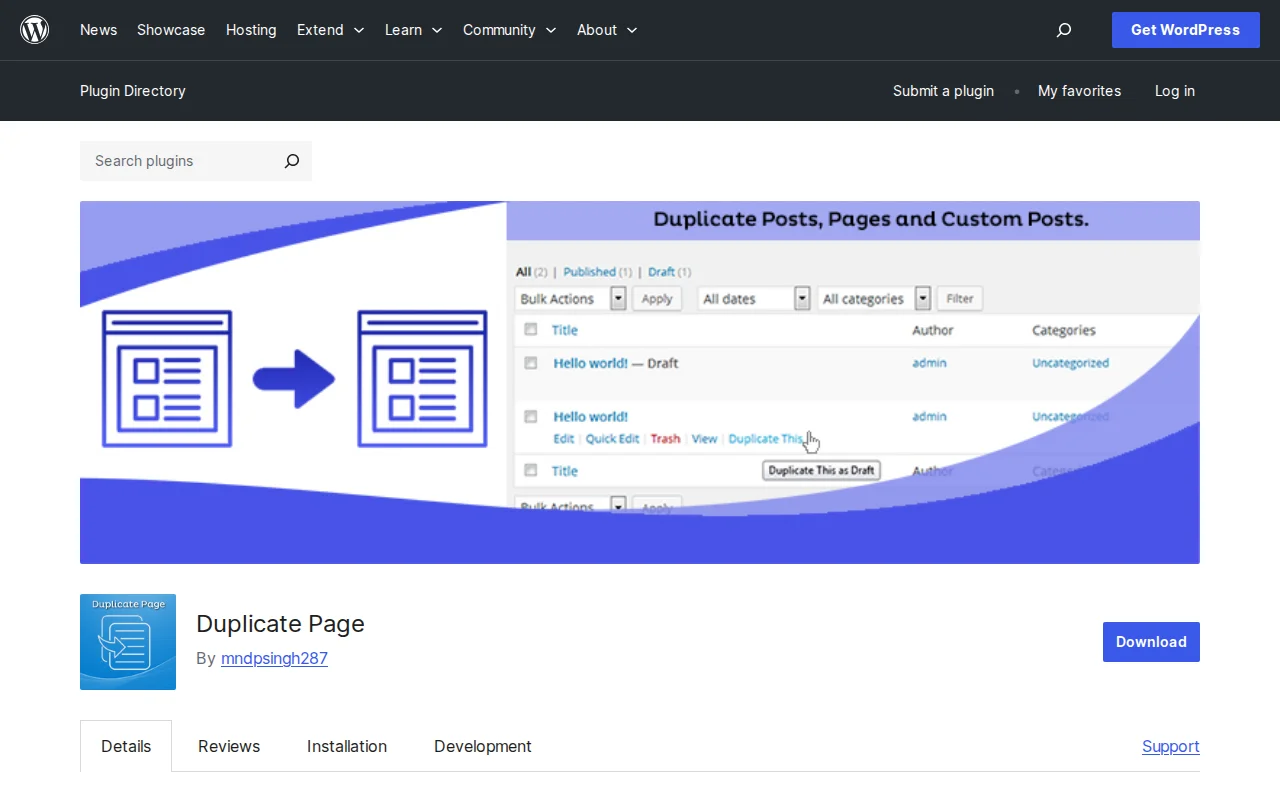
Duplicate Page is a lightweight WordPress plugin that does exactly one thing: duplicate any post, page, or custom post type with a single click. No settings to configure, no complex features to learn. With 3+ million active installs and a 4.8/5 star rating (413 five-star reviews out of 442), it is one of the highest-rated plugins in the WordPress directory.
Key Features
- One-click duplication — Click "Duplicate This" from the post list or edit screen to create an instant copy
- Ultra-lightweight — Only 12KB of overhead added to your admin. Compare that to 45KB for Yoast Duplicate Post
- Custom post type support — Works with pages, posts, and any registered custom post type
- Choose post status — Set whether duplicated content saves as Draft, Published, or Pending
- Custom title suffix — Automatically append text like "(Copy)" to duplicated titles
- Redirect option — Choose where to go after duplicating: edit screen or post list
Free vs Premium
Duplicate Page is 100% free. No premium version exists, no upsells, no paid extensions. What you see on wordpress.org is everything the plugin offers.
Pros and Cons
Pros:
- Absolute minimal footprint — 12KB is almost nothing
- 4.8 star rating with 93% five-star reviews
- Zero configuration needed — install, activate, use
- Does one thing and does it well
- Works with any custom post type
Cons:
- No Rewrite & Republish feature (Yoast Duplicate Post has this)
- No granular control over what gets copied
- Limited customization — you cannot choose which metadata to include or exclude
- No bulk duplication option
- Last updated October 2025 — not the most actively maintained
Duplicate Page vs Yoast Duplicate Post
This is the question everyone asks. Here is the honest answer:
- Choose Duplicate Page if you want the lightest possible plugin, just need basic post/page cloning, and do not care about Rewrite & Republish
- Choose Yoast Duplicate Post if you need granular copy control, the Rewrite & Republish feature for updating live posts safely, or bulk duplication
For most bloggers and small site owners, Duplicate Page is more than enough. Power users and agencies will prefer Yoast Duplicate Post.
Who Should Use It?
Duplicate Page is perfect for minimalists who want the simplest possible cloning solution. If you build pages with similar layouts, create product listings with the same structure, or just occasionally need to copy a post as a starting point — and you do not want a plugin that adds unnecessary complexity — this is your plugin.
Best Alternatives
- Yoast Duplicate Post — More features (Rewrite & Republish, granular control, bulk clone), slightly heavier. The industry standard.
- WP Clone — Designed for multisite networks with cross-site cloning.
- Built-in copy-paste — For rare one-off duplications, you can simply copy content from one post to a new one manually.
Frequently Asked Questions
Is Duplicate Page better than Yoast Duplicate Post?
It depends on your needs. Duplicate Page is lighter (12KB vs 45KB) and simpler. Yoast Duplicate Post has more features like Rewrite & Republish and granular copy control. For basic cloning, Duplicate Page wins. For advanced workflows, Yoast wins.
Does Duplicate Page copy SEO metadata?
It copies all post metadata, including SEO plugin data. Remember to change the title, slug, and meta description on the duplicate before publishing to avoid duplicate content issues.
Can I duplicate WooCommerce products?
Yes. The plugin works with any custom post type, including WooCommerce products, portfolios, and testimonials.
Is 12KB really that much lighter?
In absolute terms, both are tiny. But if you care about keeping your admin lean and loading fast — especially on sites with many plugins — every kilobyte counts. Duplicate Page adds virtually nothing to your admin load time.
Is the plugin still maintained?
The last update was October 2025 (version 4.5.6), tested up to WordPress 6.8.5. It works, but it is not the most actively developed plugin. For a plugin this simple, though, frequent updates are less critical.
Sources: WordPress.org, Zoer.ai Comparison

Written by Marvin
Our team tests and reviews WordPress products to help beginners make confident choices.
Learn more about our team →You might also like
Yoast Duplicate Post Review: Clone Any Page in One Click (2026)
Yoast Duplicate Post lets you clone any WordPress page or post with one click. 4M+ installs, free, and it has a killer Rewrite & Republish feature most people miss.
postSlider Revolution Review: Is It Worth It? (2026)
Honest review of Slider Revolution — the premium WordPress slider and visual effects plugin powering 9 million sites. Hero sections, carousels, and animations.
postWPBakery Page Builder Review: Is It Worth It? (2026)
Honest review of WPBakery Page Builder — the legacy WordPress page builder powering 5.8 million sites. Dual editors, 200+ addons, and a one-time license. But is it still worth choosing in 2026?
postHello Dolly: The Story Behind WordPress's Most Famous Plugin
Hello Dolly ships with every WordPress installation. It displays random lyrics from the Louis Armstrong song. Here is why it exists and whether you should keep it.