
Classic Widgets Review: Restore the Old Widget Screen in WordPress (2026)
What Is Classic Widgets?
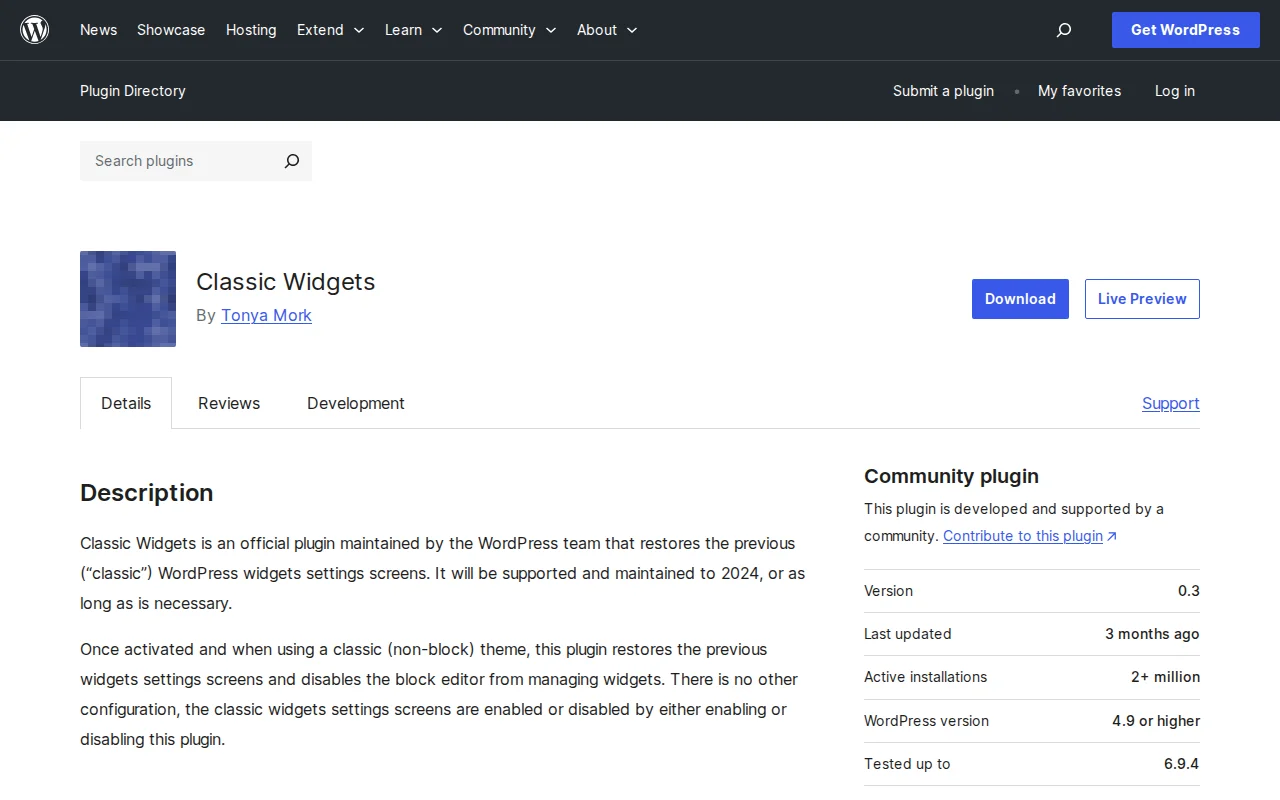
Classic Widgets is an official WordPress plugin that restores the traditional widget management screen — the drag-and-drop interface that WordPress used before block-based widgets were introduced in WordPress 5.8. Install it, activate it, and the old widgets screen is back. No settings, no configuration. With 2+ million active installs and a 4.9/5 star rating (262 reviews), it is one of the highest-rated plugins in the directory.
Key Features
- One-click restore — Activate the plugin and the classic widget screen replaces the block widget editor immediately
- Zero configuration — No settings page. It simply works.
- Official WordPress plugin — Maintained by Tonya Mork and the WordPress core team
- Drag-and-drop interface — The familiar widget management with drag-and-drop widget areas
- Full backward compatibility — All classic widgets, custom widgets, and third-party widget plugins work as before
- Lightweight — Minimal code, no performance impact
Free vs Premium
Classic Widgets is 100% free. There is no premium version. It is an official WordPress community plugin — no upsells, no paid features, no catch.
Pros and Cons
Pros:
- 4.9 star rating — users overwhelmingly love it
- Zero configuration, zero learning curve
- Official WordPress team plugin — guaranteed compatibility
- Fixes broken custom widgets caused by the block editor
- Faster and simpler than the block widget editor
Cons:
- Does not work with block themes (requires a classic/non-block theme)
- Avoids the future rather than embracing it — WordPress is moving toward blocks
- Version 0.3 — low version number suggests minimal active development
- Long-term support is uncertain (same concern as Classic Editor)
Classic Widgets vs Block Widgets
The block widget editor (introduced in WordPress 5.8) replaced the traditional widget screen with a Gutenberg-style block interface. Some users prefer it — you can add any block (paragraphs, images, shortcodes) to widget areas. But many users found it:
- Broke existing custom widgets from older themes and plugins
- Was slower and buggier than the classic interface
- Added unnecessary complexity for simple tasks like adding a text widget
If your theme uses classic widget areas and your existing widgets work fine, Classic Widgets is the pragmatic choice. If you use a modern block theme, you cannot use this plugin — block themes require block-based widgets.
Who Should Use It?
Anyone using a classic (non-block) WordPress theme who finds the block widget editor frustrating, broken, or unnecessarily complex. It is especially valuable if you have custom widgets from older plugins that do not work in the block widget editor, or if you manage client sites where simplicity matters.
Best Alternatives
- Classic Editor — Restores the classic post editor. Often used together with Classic Widgets for a full classic WordPress experience.
- Classic Editor and Classic Widgets — A combined plugin that does both in one. Fewer plugins to manage.
- Embrace block widgets — If you use a block theme, learning the block widget editor is the better long-term investment.
Frequently Asked Questions
Does Classic Widgets work with block themes?
No. Block themes use the Site Editor for widget-like functionality. Classic Widgets only works with classic (non-block) themes that have traditional widget areas.
Is there any configuration needed?
None. Install, activate, and the classic widget screen is restored immediately. There are no settings to configure.
Will my widgets break if I deactivate the plugin?
Your widgets will not disappear, but they will be displayed in the block widget editor instead. Some older custom widgets may not render correctly in the block editor.
Can I use Classic Widgets and Classic Editor together?
Yes. They are separate plugins that complement each other. Together, they restore the full pre-Gutenberg WordPress editing experience.
Is Classic Widgets still maintained?
Yes. It is tested up to WordPress 6.9.4 and maintained by the WordPress core team. However, the version number (0.3) and infrequent updates suggest it is in maintenance mode rather than active development.
Sources: WordPress.org

Written by Marvin
Our team tests and reviews WordPress products to help beginners make confident choices.
Learn more about our team →You might also like
Royal Addons for Elementor Review: Is It Worth It? (2026)
Honest review of Royal Addons for Elementor — 100+ widgets, theme builder, WooCommerce builder, mega menu, and 150+ templates. Most features free.
postPremium Addons for Elementor Review: Is It Worth It? (2026)
Honest review of Premium Addons for Elementor — 90+ widgets, 550+ templates, and WooCommerce integration. Does not require Elementor Pro.
postSlider Revolution Review: Is It Worth It? (2026)
Honest review of Slider Revolution — the premium WordPress slider and visual effects plugin powering 9 million sites. Hero sections, carousels, and animations.
postWPBakery Page Builder Review: Is It Worth It? (2026)
Honest review of WPBakery Page Builder — the legacy WordPress page builder powering 5.8 million sites. Dual editors, 200+ addons, and a one-time license. But is it still worth choosing in 2026?