
Classic Editor Review: Do You Still Need It in 2026?
What Is Classic Editor?
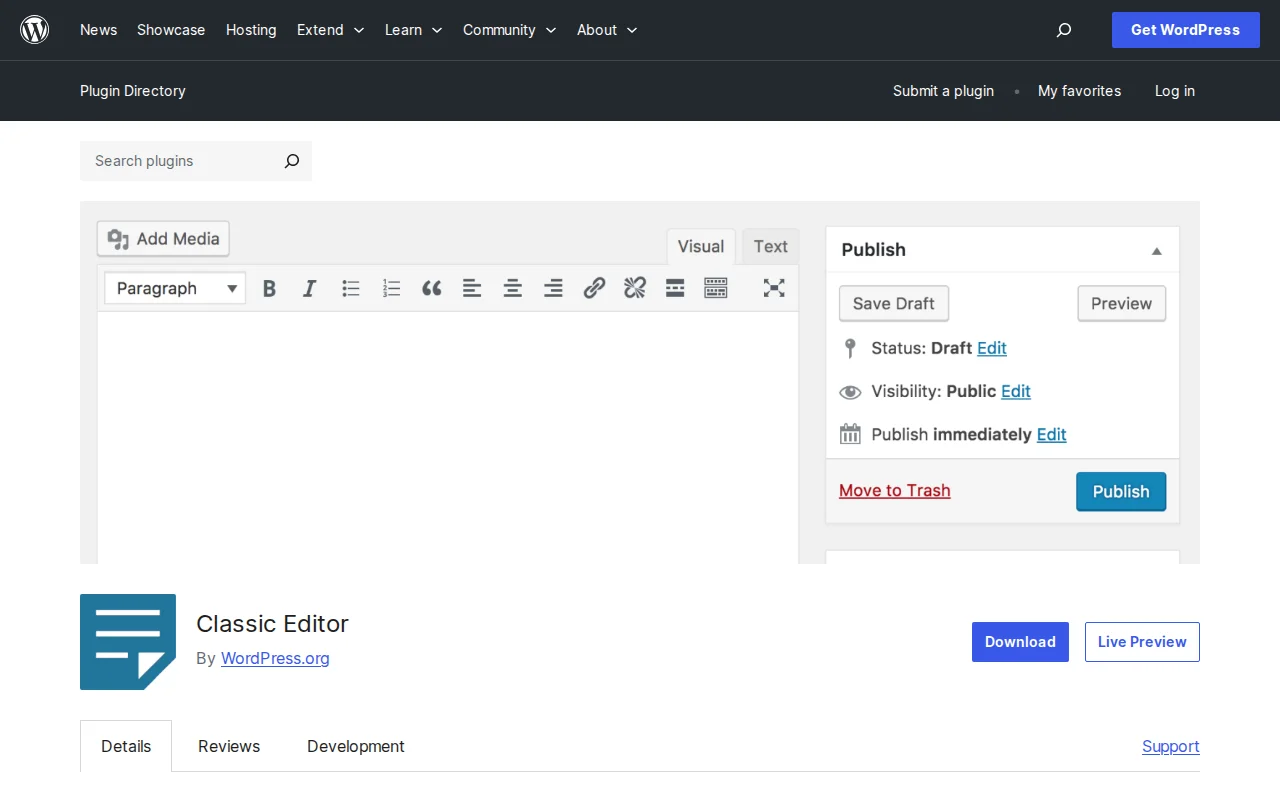
Classic Editor is an official WordPress plugin that restores the old-style TinyMCE text editor that WordPress used before Gutenberg (the block editor) was introduced in WordPress 5.0. It has over 5 million active installs and a 4.9/5 star rating, making it one of the most-used plugins in the WordPress ecosystem.
The plugin is maintained by the WordPress core team and officially supported through at least the end of 2026.
Key Features
- Restores the classic TinyMCE editor — The familiar toolbar with bold, italic, lists, and a single text area
- Admin-level default editor setting — Set Classic Editor as the default for all users
- Per-user editor switching — Each user can choose their preferred editor in their profile
- Per-post editor choice — Posts remember which editor was last used
- Full meta box support — All custom fields and SEO plugin boxes work as before
- Zero configuration — Install, activate, done
Free vs Premium
Classic Editor is 100% free. There is no premium version, no upsells, no paid features. It is maintained by the WordPress team as an official community project.
Pros and Cons
Pros:
- Dead simple — install and your old editor is back
- Faster and lighter than the block editor on older hardware
- Perfect for writers who just want to write
- Maintained by WordPress core team — reliable and secure
- Works with every plugin that supported the old editor
Cons:
- Cannot use block-based themes or Full Site Editing
- No access to modern block patterns and reusable blocks
- Future beyond 2026 is uncertain
- New WordPress features are built for Gutenberg first
- Limited visual layout options
Who Should Use Classic Editor?
Classic Editor makes sense if you run an existing site that relies on plugins or themes not compatible with Gutenberg, if you write text-heavy content without complex layouts, or if you manage a multi-author site where some writers find the block editor confusing. For new sites in 2026, I recommend learning the block editor instead.
Best Alternatives
- Gutenberg (Block Editor) — The default WordPress editor. More powerful, supported long-term. Learn more
- Disable Gutenberg plugin — More granular control per post type and user role
- Elementor or Divi — Full visual drag-and-drop page builders
Frequently Asked Questions
Is Classic Editor still supported in 2026?
Yes. The WordPress team has committed to supporting it through at least the end of 2026. It receives regular updates and works with the latest WordPress version.
Will I lose content switching from Classic Editor to Gutenberg?
No. Your content stays in the database. Gutenberg wraps existing posts in a Classic block that you can edit or convert to individual blocks.
Does Classic Editor slow down WordPress?
No. It actually uses slightly less resources than the block editor because it loads a simpler interface with less JavaScript.
Can I use Classic Editor on some posts and Gutenberg on others?
Yes. Enable the per-user switching setting and you can choose which editor to use on a per-post basis.
Should new WordPress sites use Classic Editor?
Generally no. Learning the block editor is the better investment for new sites. Classic Editor is best for existing sites that depend on it.

Written by Marvin
Our team tests and reviews WordPress products to help beginners make confident choices.
Learn more about our team →You might also like
Spectra Review: The Best Free Gutenberg Block Plugin? (2026)
Spectra adds 30+ blocks to the block editor — pricing tables, testimonials, popups. By the Astra team. 1M+ installs, 4.7 stars.
postAdvanced Editor Tools Review: Bring Back the Classic WordPress Editor
Advanced Editor Tools (formerly TinyMCE Advanced) lets you customize the block editor toolbar and add a Classic Paragraph block — great for anyone transitioning from the old WordPress editor.
postSlider Revolution Review: Is It Worth It? (2026)
Honest review of Slider Revolution — the premium WordPress slider and visual effects plugin powering 9 million sites. Hero sections, carousels, and animations.
postWPBakery Page Builder Review: Is It Worth It? (2026)
Honest review of WPBakery Page Builder — the legacy WordPress page builder powering 5.8 million sites. Dual editors, 200+ addons, and a one-time license. But is it still worth choosing in 2026?