
Advanced Editor Tools Review: Bring Back the Classic WordPress Editor
What Is Advanced Editor Tools?
Advanced Editor Tools (formerly known as TinyMCE Advanced) is a free WordPress plugin by Andrew Ozz that enhances the block editor with a customizable toolbar and a Classic Paragraph block. With over 2 million active installs and a 4.3/5 rating on WordPress.org, it is one of the most trusted editor plugins in the ecosystem. I use it on sites where clients are still more comfortable with the old classic editing experience.
Key Features
- Classic Paragraph Block — Adds a familiar rich-text block to Gutenberg so you can write without dealing with individual inline blocks.
- Custom Toolbar Rows — Configure up to four rows of toolbar buttons: font family, font size, text color, background color, tables, and more.
- Table Support — Insert and edit tables directly inside the Classic Paragraph block without switching to a separate Gutenberg block.
- Advanced List Options — More control over ordered and unordered lists, including nested lists.
- Find & Replace — Search and replace text inside the editor, a feature missing from the default block editor.
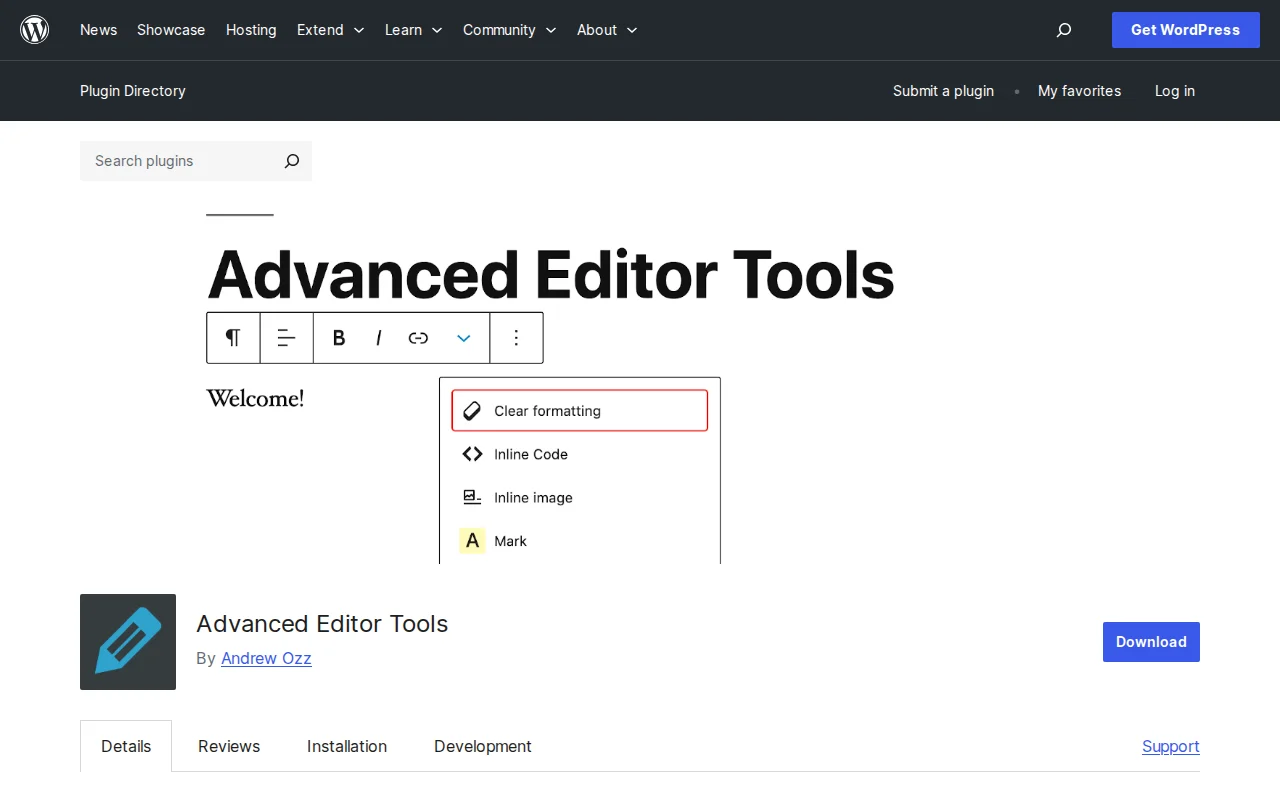
- Clear Formatting Button — Strip inline styles in one click — a lifesaver when pasting from Word or Google Docs.
- Import / Export Settings — Save your toolbar config and restore it on another WordPress site instantly.
Free vs. Premium
Advanced Editor Tools is completely free — there is no premium version, no upsells, and no account required. Everything is available right after you activate the plugin from the WordPress.org repository. This makes it unusual in a market full of freemium plugins.
Pros and Cons
Pros
- 100% free with no paywalled features
- 2M+ active installs — well tested and widely trusted
- Lightweight: does not add page load overhead for visitors
- Easy toolbar customization via drag-and-drop
- Works alongside Gutenberg, not against it
Cons
- The plugin's future depends on WordPress continuing to support the Classic block in Gutenberg
- Not ideal if you want to fully embrace the modern Gutenberg workflow
- Some toolbar options only apply inside Classic Paragraph blocks, not native Gutenberg blocks
Who Should Use It?
Advanced Editor Tools is a great fit for site owners and content editors who grew up on the classic WordPress editor and still find the full Gutenberg block interface overwhelming. It is also useful when you manage client sites where the editors are not technical — giving them a familiar, Word-like writing experience speeds up their workflow. If you have already fully adopted Gutenberg and love working with blocks, you probably do not need this plugin.
Best Alternatives
- Classic Editor — If you want to completely replace Gutenberg with the old TinyMCE editor, Classic Editor is the right choice. Advanced Editor Tools works inside Gutenberg; Classic Editor removes Gutenberg entirely.
- Classic Widgets — Made by the same team (Automattic), this plugin restores the old widgets screen if the new block-based widget editor frustrates you.
FAQ
Is Advanced Editor Tools the same as TinyMCE Advanced?
Yes. The plugin was renamed from TinyMCE Advanced to Advanced Editor Tools in 2021 to better reflect its expanded support for the Gutenberg block editor. The WordPress.org slug (tinymce-advanced) stayed the same.
Does it work with WordPress 6.x?
Yes. The plugin is actively maintained and fully compatible with the current version of WordPress. Always check the WordPress.org page for the latest tested version before updating on production sites.
Will it slow down my site?
No. Advanced Editor Tools only loads scripts in the WordPress admin editor — it has zero impact on your front-end page speed or Core Web Vitals scores.
Can I use it together with the Classic Editor plugin?
Yes, but there is usually no reason to. If you activate Classic Editor, Gutenberg is replaced entirely, so the Gutenberg-specific features of Advanced Editor Tools would not apply. Choose one or the other based on your workflow.
Sources: WordPress.org — Advanced Editor Tools · XSquareSEO Review

Written by Marvin
Our team tests and reviews WordPress products to help beginners make confident choices.
Learn more about our team →You might also like
Classic Editor Review: Do You Still Need It in 2026?
The Classic Editor plugin has 5+ million installs, but should you still use it? Here is an honest look at when it makes sense and when you should switch to the block editor.
postSpectra Review: The Best Free Gutenberg Block Plugin? (2026)
Spectra adds 30+ blocks to the block editor — pricing tables, testimonials, popups. By the Astra team. 1M+ installs, 4.7 stars.
postSlider Revolution Review: Is It Worth It? (2026)
Honest review of Slider Revolution — the premium WordPress slider and visual effects plugin powering 9 million sites. Hero sections, carousels, and animations.
postWPBakery Page Builder Review: Is It Worth It? (2026)
Honest review of WPBakery Page Builder — the legacy WordPress page builder powering 5.8 million sites. Dual editors, 200+ addons, and a one-time license. But is it still worth choosing in 2026?