
Smart Slider 3 Review: Is It Worth It? (2026)
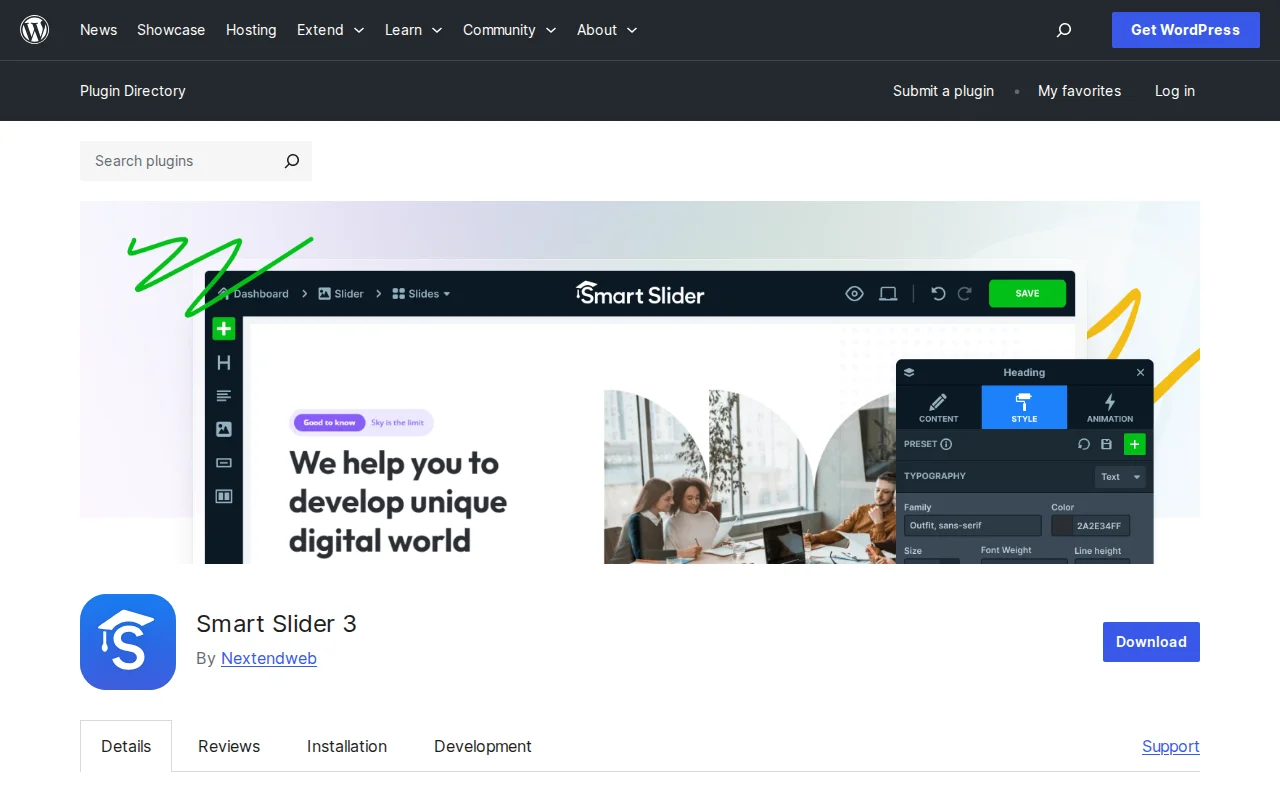
What Is Smart Slider 3?
Smart Slider 3 is a drag-and-drop slider plugin for WordPress that lets you create responsive image sliders, video sliders, layer sliders, and post sliders — all without writing a single line of code. Developed by Nextend, it has over 22 million downloads and a 4.9/5 star rating from 1,100+ reviews, making it the highest-rated slider plugin on WordPress.org.
Key Features
- Visual Drag-and-Drop Editor — Build sliders with a live preview editor. Add layers (images, headings, text, buttons, videos) and position them with absolute or default positioning
- 5 Slider Types — Simple, Showcase, Carousel, Block, and Accordion — each suited for different use cases
- Fully Responsive — Sliders adapt to mobile, tablet, and desktop with custom breakpoints and adaptive font sizing
- Dynamic Post Sliders — Automatically pull content from WordPress posts filtered by category or tag
- Page Builder Integration — Works with Elementor, Divi, Beaver Builder, WPBakery, Gutenberg, and more
- Slide Library — Pre-made slide templates to get started quickly
- Video Support — Embed YouTube and Vimeo videos directly into slides
Free vs Premium
The free version is surprisingly powerful. You get the full visual editor, 5 slider types, 6 layer types, 9 background animations, post sliders, and all page builder integrations. For many sites, the free version is genuinely enough.
Smart Slider Pro adds advanced features for power users:
- Pro ($49 one-time) — 1 site: 18 extra layer types, animation builder with timeline, 54+ background animations, lightbox, WooCommerce product sliders, social media feeds, and premium support
All Pro plans include lifetime updates — no recurring fees. That is a rare and welcome pricing model in the WordPress world.
Pros and Cons
Pros
- Best free slider available — the free version alone outperforms many paid alternatives
- 4.9/5 stars from 1,100+ reviews — exceptional user satisfaction
- Lifetime updates with one-time payment (no subscription)
- Works with every major page builder out of the box
- Clean, intuitive visual editor with live preview
- SEO-optimized output with proper HTML structure
Cons
- Learning curve for complex layered animations — the editor is powerful but takes time to master
- Some users report responsive sizing issues requiring manual tweaking on certain themes
- WooCommerce product sliders and social feeds require Pro
- No built-in A/B testing for slider variations
- Can add page weight if you use heavy animations — keep it lean for page speed
Who Should Use Smart Slider 3?
If you need a slider on your WordPress site — whether it is a hero section, image gallery, testimonial carousel, or post showcase — Smart Slider 3 is the best free option available. It is especially strong for agencies and freelancers who need professional results without per-site licensing costs, thanks to the lifetime Pro pricing. If you only need a simple image carousel, it might be overkill — but for anything beyond basic, it is the go-to choice.
Best Alternatives
- MetaSlider — Simpler and lighter, great if you just need basic image slideshows. Free version is more limited than Smart Slider 3.
- Soliloquy — Premium-focused slider plugin ($17/month) with drag-and-drop editor. More polished but expensive for what you get.
- Revolution Slider — The most feature-rich option ($85 one-time) with advanced animations. Heavy on performance but unmatched for complex visual effects.
Frequently Asked Questions
Is Smart Slider 3 free?
Yes, the free version includes the full visual editor, 5 slider types, post sliders, and all page builder integrations. The Pro version adds advanced layers, animations, WooCommerce support, and social feeds for a one-time $49 payment.
Will Smart Slider 3 slow down my site?
The plugin is well-optimized, but sliders inherently add page weight. Keep slides lightweight — compress images, limit the number of slides, and avoid heavy animations on mobile. Use lazy loading where possible.
Does Smart Slider 3 work with Elementor?
Yes, it integrates natively with Elementor, Divi, Beaver Builder, WPBakery, Gutenberg, and most other page builders. You can insert sliders via shortcode, widget, or dedicated block.
Can I create a WooCommerce product slider?
WooCommerce product sliders are a Pro-only feature. With Pro, you can dynamically pull products by category, tag, or custom query and display them in any slider format.
Is the Pro license a subscription?
No, Smart Slider Pro is a one-time purchase with lifetime updates. There are no recurring fees — you pay once and get free updates forever on the activated domain(s).

Written by Marvin
Our team tests and reviews WordPress products to help beginners make confident choices.
Learn more about our team →You might also like
Slider Revolution Review: Is It Worth It? (2026)
Honest review of Slider Revolution — the premium WordPress slider and visual effects plugin powering 9 million sites. Hero sections, carousels, and animations.
postWPBakery Page Builder Review: Is It Worth It? (2026)
Honest review of WPBakery Page Builder — the legacy WordPress page builder powering 5.8 million sites. Dual editors, 200+ addons, and a one-time license. But is it still worth choosing in 2026?
postRoyal Addons for Elementor Review: Is It Worth It? (2026)
Honest review of Royal Addons for Elementor — 100+ widgets, theme builder, WooCommerce builder, mega menu, and 150+ templates. Most features free.
postPremium Addons for Elementor Review: Is It Worth It? (2026)
Honest review of Premium Addons for Elementor — 90+ widgets, 550+ templates, and WooCommerce integration. Does not require Elementor Pro.