
Keyword Research for Bloggers — A Practical Beginner's Guide (2026)
When I launched ZeroToWP, I made a classic beginner mistake: I wrote articles about whatever I felt like writing about. "Best WordPress hosting" seemed like a great first article. It wasn't until I actually checked the numbers that I realized I was competing against WPBeginner, Forbes, and every other authority site on the internet for a keyword with a difficulty score of 62. That article sat on page 7 of Google for months.
Then I changed my approach. I started doing keyword research before writing — and within weeks, I had articles ranking on page one for keywords I'd never have found by guessing. The difference wasn't my writing. It was my targeting.
In this guide, I'll show you exactly how I do keyword research for every article on this site. No theory-heavy textbook stuff — just the practical process I use, using free tools only.
What Is Keyword Research (And Why Should You Care)?
Keyword research is the process of finding out what people actually type into Google — and then deciding which of those searches you should create content for. That's it. It's not rocket science, and you don't need a $99/month tool to do it well. It's a core part of any solid WordPress SEO strategy, and once you get the hang of it, you'll wonder how you ever wrote content without it.
Here's why it matters: every blog post you write is a bet. You're investing hours of your time creating content, and keyword research tells you whether that bet has a chance of paying off. Without it, you're writing blind. You might create a masterpiece that nobody ever finds because nobody searches for the topic — or because 50 authority sites already own that keyword.
With even basic keyword research, you can find topics where real people are searching, the competition is low enough that your new site can actually rank, and the search intent matches what you're offering. That's the entire game.
The 3 Things That Actually Matter
When you're looking at a keyword, there are dozens of metrics you could analyze. But as a beginner, only three actually matter. Focus on these and ignore everything else for now.
1. Search Volume
Search volume tells you how many people search for a keyword each month. A keyword with 10 searches per month might not be worth a full article. A keyword with 5,000 searches per month could drive real traffic to your site.
But here's the thing most guides don't tell you: don't chase high volume. A keyword with 200 monthly searches and zero competition will send you more traffic than a keyword with 10,000 searches where you rank on page 5. For a new blog, I look for keywords with 100-1,000 monthly searches. That's the sweet spot.
2. Keyword Difficulty (KD)
Keyword difficulty is a score (usually 0-100) that estimates how hard it'll be to rank on the first page for a given keyword. Different tools calculate it differently, but the concept is the same: higher number = harder to rank.
My rule for new sites: target keywords with a KD of 20 or lower. That's not a suggestion — it's a rule I follow religiously. When your site is brand new with zero backlinks and zero authority, you simply cannot compete for KD 40+ keywords. You'll write great content that sits on page 4 forever. I learned this the hard way.
3. Search Intent
Search intent is why someone is searching. There are four main types:
- Informational: "how to install WordPress" — they want to learn something
- Navigational: "WordPress login" — they're looking for a specific page
- Commercial: "best WordPress hosting" — they're researching before buying
- Transactional: "buy Bluehost plan" — they're ready to purchase
Why does this matter? Because Google only ranks content that matches the intent. If everyone searching "best WordPress themes" wants a comparison list and you write a tutorial on how to install themes, you won't rank — no matter how good your content is. Always Google your keyword first and look at what's already ranking. That tells you exactly what Google thinks the intent is.
Free Keyword Research Tools (The Only Ones You Need)
You don't need Ahrefs' $99/month plan or Semrush's $129/month subscription to do solid keyword research. Here are the three free tools I use for every article on this site.
Google Keyword Planner & Google Trends
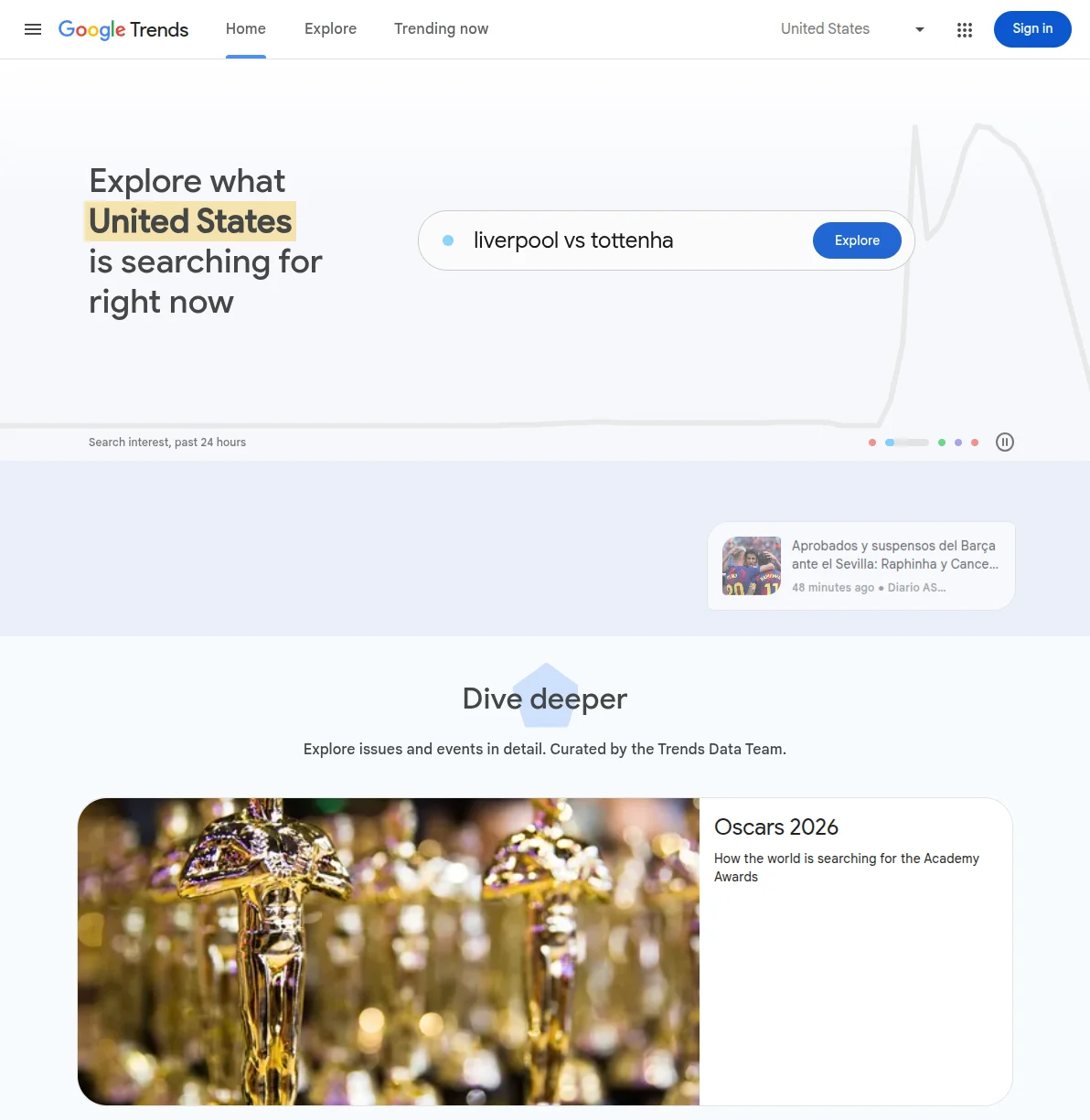
Google Keyword Planner is built for advertisers, but it's a goldmine for bloggers. You need a free Google Ads account to access it (you don't have to run any ads). Once inside, use the "Discover new keywords" feature: type in a seed keyword and it'll spit out hundreds of related keywords with monthly search volume ranges.
The catch? Keyword Planner shows volume ranges (like "100-1K") instead of exact numbers unless you're running ads. That's fine for our purposes — we just need a ballpark.
I pair Keyword Planner with Google Trends, which does something no other tool can: it shows you whether interest in a topic is growing, stable, or declining. This is crucial. A keyword with 500 monthly searches and a rising trend is far more valuable than one with 1,000 searches that's been declining for two years. I check Google Trends for every keyword I'm seriously considering.
Google Trends is also great for comparing keywords head-to-head. When I was deciding between writing about "WordPress SEO tips" vs "WordPress SEO checklist," Trends showed me that "checklist" had steadily grown over the past five years while "tips" was flat. Easy decision.
Ahrefs Free Keyword Generator
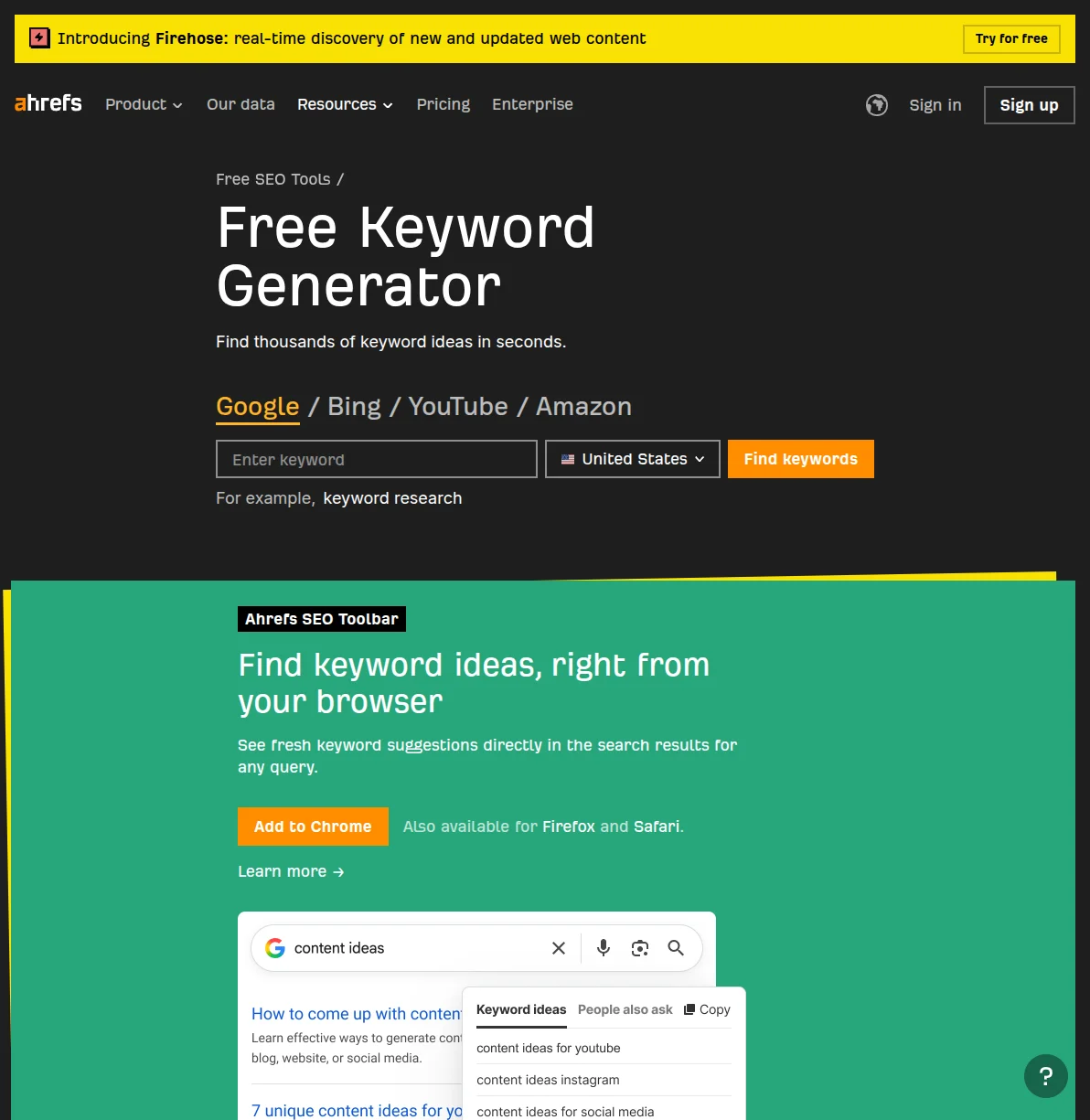
Ahrefs' free keyword generator is my favorite free tool for keyword research, hands down. You type in a seed keyword, and it gives you up to 100 keyword ideas with real data: search volume, keyword difficulty (KD), and when the data was last updated.
What makes it special is the KD score. Unlike Google Keyword Planner, which doesn't show difficulty at all, Ahrefs gives you an actual number on a 0-100 scale. This is the single most useful metric for a new blogger because it tells you whether you have any realistic chance of ranking.
Here's my workflow: I type in my seed keyword (like "WordPress SEO"), look at the results, and immediately sort by KD. I'm hunting for anything under KD 20 with at least 100 monthly searches. Those are the hidden gems that bigger sites are ignoring — and they're exactly what a new blog should target.
One limitation: the free version only shows 100 results and doesn't let you apply advanced filters. But 100 results is plenty for finding a few solid keywords per article. I've never needed more than that.
Ubersuggest

Ubersuggest by Neil Patel is another excellent free option that I use regularly, especially for two things: content ideas and competitive analysis.
Where Ubersuggest shines compared to Ahrefs' free tool is the content ideas feature. Type in a keyword and it'll show you existing articles ranking for related terms, along with their estimated traffic, backlinks, and social shares. This tells you two things: what type of content Google wants to see, and how much traffic you can realistically expect if you rank.
The free tier gives you three searches per day, which is honestly enough for most bloggers. I use those three searches strategically: one for my main seed keyword, one for a variation I'm considering, and one for a competitor's domain to see what they're ranking for.
Ubersuggest also provides an "SEO Difficulty" score that's separate from its "Paid Difficulty" score. For organic content, you only care about SEO Difficulty. Same rule applies: aim for 20 or lower when your site is new.
My Keyword Research Process — Step by Step
Enough theory. Here's the exact process I follow before writing every single article on ZeroToWP. The whole thing takes me about 20-30 minutes per article now, but take your time when you're learning.
Step 1: Start With a Seed Topic
A seed topic is just a broad subject you want to write about. For this site, my seed topics are things like "WordPress hosting," "WordPress SEO," "WordPress plugins," and "WordPress security." I don't overthink this step — I just pick a topic that fits my site's niche.
For example, when I was planning content for my SEO cluster, I started with the seed topic "WordPress SEO." That's it — just two words to start the process.
Step 2: Find Long-Tail Variations
This is where the magic happens. I take my seed topic and plug it into all three free tools I mentioned above. I'm looking for long-tail keywords — longer, more specific phrases that have lower competition.
"WordPress SEO" has a KD of 71 — way too competitive. But "is WordPress good for SEO" has a KD of 0. "WordPress SEO checklist for beginners" has a KD of 5. "How to improve WordPress SEO without plugins" has a KD of 3. See the pattern? The more specific the phrase, the lower the competition.
I usually aim to collect 15-20 potential keywords at this stage. I dump them all into a simple spreadsheet with three columns: keyword, search volume, and KD.
Step 3: Filter by Keyword Difficulty
Now I get ruthless. I sort my spreadsheet by KD and eliminate anything above 20. Yes, this means throwing away keywords with impressive search volumes. That's okay. A keyword you can rank for is infinitely more valuable than one you can't.
After filtering, I usually have 5-8 keywords left. These are my candidates.
Step 4: Check Search Intent
For each remaining keyword, I Google it in an incognito window and look at the top 10 results. I'm asking myself: what kind of content is ranking? Are these how-to guides? Listicles? Product reviews? Comparison posts?
If the top 10 results are all massive comparison posts and I'm planning to write a short tutorial, that keyword isn't for me — not because of difficulty, but because of intent mismatch. I need to create the same type of content that's already ranking, just better.
Step 5: Pick Your Primary + Secondary Keywords
From my remaining candidates, I pick one primary keyword and 2-3 secondary keywords for the article. The primary keyword goes in my title, H1, and meta description. The secondary keywords go in H2s and naturally throughout the body text. For a complete walkthrough on using those keywords effectively in your content, see my guide on writing blog posts that rank.
For example, for the article you're reading right now:
- Primary keyword: "keyword research for bloggers"
- Secondary keywords: "beginner keyword research," "free keyword research tools," "how to find low-competition keywords"
That's it. Five steps, 20-30 minutes, and I have a clear target for my article before I write a single word.
Real Example: How I Found Keywords for THIS Site
Let me show you exactly how this played out when I was planning content for ZeroToWP. No hypotheticals — these are real numbers from real keyword research sessions.
When I started this site, I knew I wanted to write about WordPress hosting. So I typed "best WordPress hosting" into Ahrefs' free keyword generator. The results were sobering:
- "best WordPress hosting" — KD 62, search volume 12,000/mo
- "WordPress hosting comparison" — KD 38, search volume 1,200/mo
- "cheap WordPress hosting" — KD 45, search volume 3,400/mo
Every single obvious hosting keyword had a KD way above my threshold. If I'd just picked "best WordPress hosting" and started writing, I'd have wasted days creating content that would never see page one.
So I dug deeper into long-tail variations:
- "is WordPress hosting worth it" — KD 8, search volume 250/mo
- "WordPress hosting for beginners" — KD 11, search volume 400/mo
- "do I need WordPress hosting" — KD 3, search volume 300/mo
Now we're talking. These keywords have realistic difficulty scores and enough volume to be worth writing about. Plus, the search intent is clearly informational — perfect for a helpful guide on a new site.
I did the same thing for my SEO content. "WordPress SEO" (KD 71) was out of reach, but "is WordPress good for SEO" (KD 0, 800/mo) was sitting right there, uncontested. That became one of my first SEO articles, and it reached page one within two months.
The lesson? The keywords that seem "obvious" are usually the ones you can't win. The real opportunities are hiding in the long-tail variations that bigger sites aren't bothering to target.
Common Keyword Research Mistakes (I've Made All of Them)
After doing this for a while, I've seen the same mistakes over and over — mostly because I made them myself first. Here are the big ones to avoid:
- Targeting high-volume keywords on a new site. I know it's tempting. "Best WordPress hosting" with 12,000 monthly searches sounds amazing. But if your site has zero authority, you're bringing a knife to a gunfight. Start with KD 0-20 keywords and build up.
- Ignoring search intent. I once wrote a beautiful 3,000-word guide for a keyword where every result on page one was a short listicle. Google wanted listicles, not guides. My article never ranked because it didn't match what searchers wanted.
- Keyword stuffing. This is 2026, not 2010. You don't need to cram your keyword into every paragraph. Use it naturally in your title, one H2, and a few times in the body. Google is smart enough to understand what your content is about without you being repetitive. A good SEO plugin will help you strike the right balance.
- Only researching once. I used to do keyword research when planning an article and then never revisit it. Now I check my rankings monthly and update my keyword targets if new opportunities emerge. SEO is ongoing, not a one-time task — my WordPress SEO checklist includes a recurring keyword review step.
- Skipping keyword research entirely. "I'll just write about what I know and hope for the best." That was me for my first six months of blogging. Don't be me. Twenty minutes of research before writing can be the difference between 0 visitors and 500 visitors per month for a single article. If you're just starting a blog, build this habit from day one.
Frequently Asked Questions
How long does keyword research take?
When you're starting out, expect 30-45 minutes per article as you learn the tools. Once you have a rhythm, it takes me about 15-20 minutes. The time investment pays for itself many times over — a well-targeted article can bring in traffic for years.
Do I really need to do keyword research for every article?
Yes. Every single one. Even a quick 10-minute check is better than nothing. I've seen bloggers write phenomenal content that gets zero traffic because they never checked whether anyone was actually searching for the topic. Don't let that be you.
What's the best free keyword research tool?
For beginners, I recommend starting with Ahrefs' free keyword generator because it shows both search volume and keyword difficulty in one view. Combine it with Google Trends for trend data, and you have 90% of what paid tools offer.
When should I upgrade to a paid keyword tool?
When your site is consistently getting 5,000+ monthly visitors and you're publishing 4+ articles per month. At that point, the time saved by features like bulk keyword analysis, rank tracking, and competitive research justifies the cost. Before that, free tools are more than enough.
What keyword difficulty should I target as a beginner?
Aim for KD 20 or lower on any tool you use. Once your site has 50+ published articles and is getting regular traffic, you can start pushing up to KD 30-40. But in the early days, low difficulty is your best friend. One page-one ranking for a KD 5 keyword will do more for your site than ten articles stuck on page 4 for KD 50 keywords.

Written by Marvin
Our team tests and reviews WordPress products to help beginners make confident choices.
Learn more about our team →You might also like
Learn WordPress SEO — Your Complete Guide to Ranking on Google
A structured learning path to master WordPress SEO. From choosing the right plugin to writing content that ranks, follow these 6 steps to get your WordPress site on Google's first page.
postHow to Optimize WordPress for AI Search: GEO Guide for 2026
Learn how to optimize WordPress for AI search with GEO (Generative Engine Optimization). Real schema.org code, llms.txt setup, and tactics that get your site cited by ChatGPT and Perplexity.
postBest WordPress AI Internal Link Plugins in 2026 — 5 Smart Options Compared
I checked the current WordPress AI internal linking landscape and narrowed it to 5 realistic options: Link Whisper, Rank Math, LinkBoss, AI Internal Links, and Squirrly SEO.
postBest WordPress AI Content Optimization Plugins in 2026 — 5 Tools Compared
I checked the current WordPress AI content optimization landscape and narrowed it to 5 tools that actually make sense: SEO Engine, AI Engine, Rank Math, Squirrly SEO, and GetGenie.