
The Events Calendar Review: Is It Worth It? (2026)
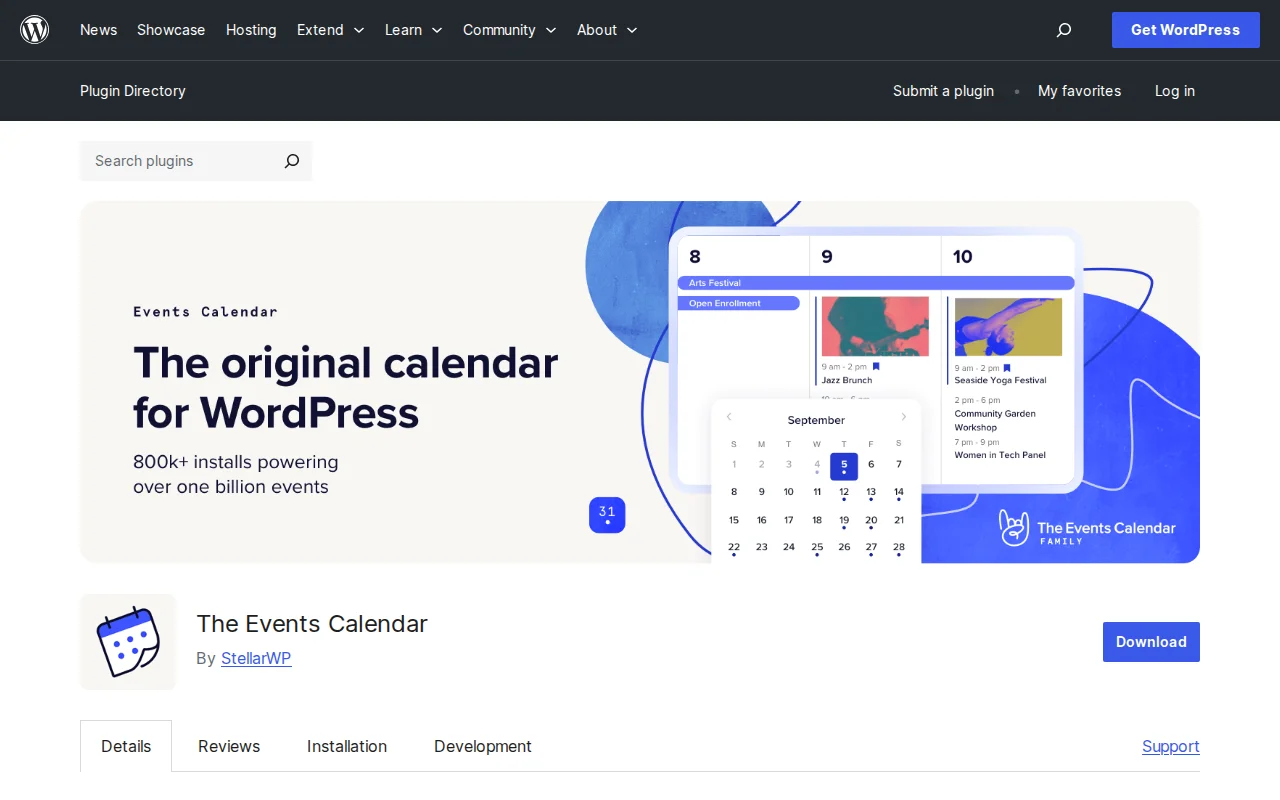
What Is The Events Calendar?
The Events Calendar is the most popular WordPress events plugin, built by StellarWP (a Liquid Web brand). With 800,000+ active installations and a 4.3/5 star rating from over 2,400 reviews on WordPress.org, it powers everything from community meetups to large-scale conferences. The free version is remarkably capable, while premium add-ons unlock recurring events, ticketing, and advanced calendar views.
Key Features
- Multiple Calendar Views — Month, list, and day views out of the box. Pro adds week, photo, map, and summary views.
- Venue & Organizer Management — Save and reuse venues and organizers across events, complete with address fields and Google Maps integration
- Block Editor Support — Create events directly in the WordPress block editor with dedicated event blocks
- Google Calendar & iCal Export — Visitors can subscribe to your event feed or add individual events to their personal calendar
- Event Search & Filtering — Built-in search bar and category/tag filtering so visitors find relevant events quickly
- JSON-LD Structured Data — Automatic schema markup helps your events appear as rich results in Google Search
- REST API Endpoints — Full WP REST API support for headless WordPress setups and custom integrations
Free vs Premium
The free version covers most calendar needs: unlimited events, three calendar views, venue and organizer profiles, Google Maps, iCal export, and structured data. Many community sites and small businesses never need to upgrade.
The premium ecosystem is built around add-ons:
- Events Calendar Pro ($149/year) — Recurring events, week/photo/map/summary views, shortcodes, custom fields, advanced widgets
- Event Tickets (Free) — RSVP and basic ticket functionality for events, posts, and pages
- Event Tickets Plus (paid add-on) — WooCommerce integration, custom attendee fields, seating charts
- Event Aggregator — Auto-import events from Google Calendar, Meetup, Eventbrite, and CSV files
- Community Events — Let visitors submit events from the frontend
Add-ons can be purchased individually or as bundles, so you only pay for the features you actually need.
Pros and Cons
Pros
- 800,000+ active installs — the most trusted events plugin in the WordPress ecosystem
- Generous free version handles most calendar use cases without upgrading
- Clean, native WordPress UI — no separate dashboard or SaaS dependency
- Automatic structured data for better Google visibility
- Modular add-on approach — buy only what you need
- Works with popular page builders and themes out of the box
Cons
- Pro version at $149/year is expensive compared to simpler calendar plugins
- Performance can degrade with hundreds of recurring events without proper caching
- Some advanced views and recurring events are locked behind the Pro paywall
- Add-on costs stack up quickly if you need ticketing, aggregation, and community submissions
Who Should Use The Events Calendar?
The Events Calendar is ideal for churches, nonprofits, schools, coworking spaces, and event venues that need a professional calendar on their WordPress site. The free version works well for sites publishing a handful of events per month. If you run recurring events, sell tickets, or import events from external platforms, the Pro add-ons are worth the investment.
For simple date-based schedules without full event management, a lighter plugin like Sugar Calendar may be a better fit.
Best Alternatives
- Modern Events Calendar — Feature-rich alternative with a different UI approach and competitive pricing
- Sugar Calendar — Lightweight, developer-friendly calendar plugin by Sandhills Development
- Events Manager — Free plugin with booking management and BuddyPress integration
- All-in-One Event Calendar — Clean interface with Timely's cloud-based event network
Frequently Asked Questions
Is The Events Calendar free?
Yes. The core plugin is completely free and includes month, list, and day views, venue and organizer management, Google Maps, iCal export, and structured data. Premium add-ons like Events Calendar Pro start at $149/year.
Does The Events Calendar work with WooCommerce?
The free Event Tickets add-on handles RSVPs. For full WooCommerce ticket sales with custom attendee fields and stock management, you need the paid Event Tickets Plus add-on.
Can I create recurring events?
Recurring events require Events Calendar Pro ($149/year). The free version only supports single, one-time events. Pro lets you set daily, weekly, monthly, and custom recurrence patterns.
Will The Events Calendar slow down my site?
For most sites with a moderate number of events, performance is fine. Sites with hundreds or thousands of recurring events should use object caching (like Redis) and a CDN to maintain fast load times.
Can visitors submit events from the frontend?
Yes, with the Community Events add-on. It provides a frontend submission form so visitors can suggest events for your calendar, subject to your approval workflow.

Written by Marvin
Our team tests and reviews WordPress products to help beginners make confident choices.
Learn more about our team →You might also like
Slider Revolution Review: Is It Worth It? (2026)
Honest review of Slider Revolution — the premium WordPress slider and visual effects plugin powering 9 million sites. Hero sections, carousels, and animations.
postWPBakery Page Builder Review: Is It Worth It? (2026)
Honest review of WPBakery Page Builder — the legacy WordPress page builder powering 5.8 million sites. Dual editors, 200+ addons, and a one-time license. But is it still worth choosing in 2026?
postHello Dolly: The Story Behind WordPress's Most Famous Plugin
Hello Dolly ships with every WordPress installation. It displays random lyrics from the Louis Armstrong song. Here is why it exists and whether you should keep it.
postUnder Construction Review: Is It Worth It? (2026)
Honest review of Under Construction — the quickest way to put your WordPress site in maintenance mode. 30+ templates, lead capture, social links, and scheduling in under a minute.