
Smart Slider 3 Pro Hit by Supply-Chain Attack: What WordPress Users Must Do Now
Smart Slider 3 Pro Hit by Supply-Chain Attack: What WordPress Users Must Do Now
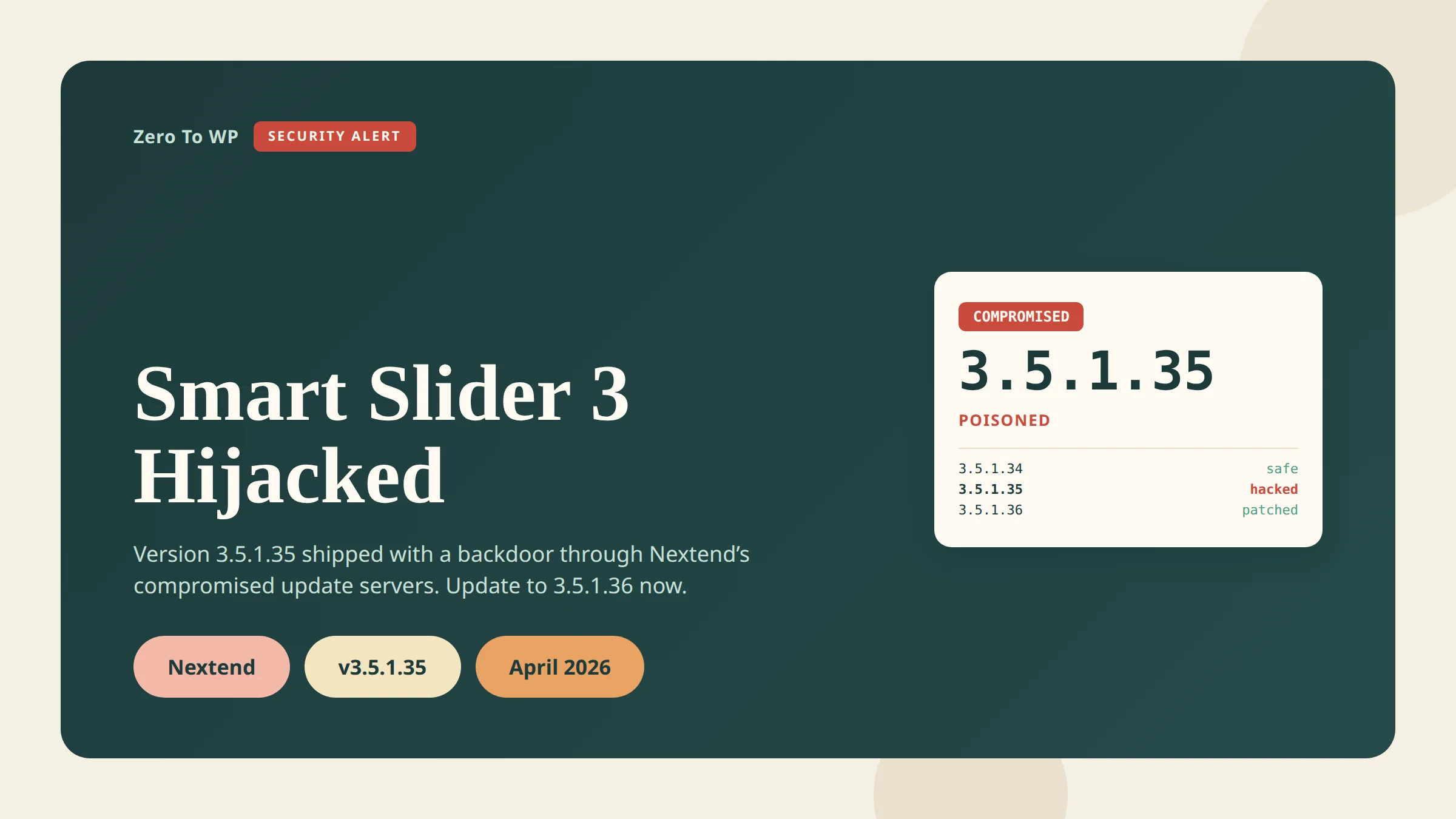
If you use Smart Slider 3 Pro and your site auto-updated between April 7 and April 8, 2026, read this now. The update you received was not from Nextend — it was a fully weaponized backdoor pushed through Nextend's own update infrastructure. Any site running Smart Slider 3 Pro v3.5.1.35 should be treated as compromised until proven otherwise.
Last updated April 18, 2026. This is the second WordPress supply-chain attack inside a single week, and Smart Slider 3 is installed on 800,000+ sites across its free and Pro editions.
TL;DR
- What happened: Nextend's update delivery infrastructure was compromised and a poisoned build of Smart Slider 3 Pro v3.5.1.35 shipped to customers on April 7, 2026.
- Who is affected: Only the Pro version of Smart Slider 3 on WordPress. The free version on WordPress.org was not compromised. Joomla Pro users are also affected.
- How to check: Open Plugins → Installed Plugins and look at Smart Slider 3 Pro. If you see
3.5.1.35, assume breach.3.5.1.36or later is the clean patch. - Immediate action: Update to 3.5.1.36 or later, then hunt for indicators of compromise (rogue admins, suspicious files in
wp-content/mu-pluginsandwp-includes, unknownwp_optionsrows). - If compromised: Rebuild from a pre-April-7 backup. Rotate every credential. A plugin update alone will not remove the backdoor.
Affiliate note: some of the security tool links in this post are affiliate links. I only recommend tools I would install on my own sites.
Attack Timeline
Here is the consolidated timeline based on reporting from The Hacker News, Patchstack's malware analysis, and Nextend's own advisory.
| Date | Event |
|---|---|
| April 5, 2026 (or earlier) | Last known clean state. Nextend recommends restoring server backups from this date if available. |
| April 7, 2026 | Attacker pushes Smart Slider 3 Pro v3.5.1.35 through Nextend's compromised update channel. Every site that clicked "update" received a trojanized build. |
| April 7, 2026 (~6 hours later) | Compromise detected. Nextend shuts down its update servers and pulls the poisoned build. |
| April 9, 2026 | Patchstack publishes its full malware analysis. Clean version 3.5.1.36 becomes available. |
| April 10, 2026 | The Hacker News and other outlets break the story publicly. |
Nextend has not published exact UTC timestamps. The ~6-hour window figure is consistent across Patchstack, The Hacker News, and Hedgehog Security reporting, but treat it as an estimate.
How the Attack Worked
This was not a vulnerability in Smart Slider's code. It was a supply-chain attack: an unauthorized party gained access to Nextend's update delivery infrastructure and published an attacker-authored build through the legitimate channel. Every customer whose site auto-updated installed the backdoor themselves, trusting the official distribution system.
The payload is not a single PHP shell. According to Patchstack's analysis, it is a staged RAT with multiple independent re-entry points, so removing one does not remove the others.
What the RAT actually does
- Pre-auth shell. Executes OS commands when a request arrives with the
X-Cache-Statusheader and a specific token value. - PHP eval backdoor. Runs arbitrary PHP via a hidden
_chkGET parameter, with fallback command chains if the primary path is blocked. - Hidden admin. Creates a rogue admin (username pattern
wpsvc_*, display name "WordPress Service") and hides it from the wp-admin Users list. - Must-use plugin drop.
wp-content/mu-plugins/object-cache-helper.phpauto-loads on every request regardless of active plugins. - Core-file injection. Drops
wp-includes/class-wp-locale-helper.phpand awp-includes/.cache_keymarker to survive plugin removal. - Theme infection. Appends code referencing the option key
_wpc_akto the active theme'sfunctions.php. - C2 registration + credential exfil. On first run, POSTs to
wpjs1[.]com(endpoint/api/v3/register-agent) with the site URL, a generated secret key, hostname, Smart Slider/WordPress/PHP versions, admin email, database name, server software, the rogue admin's plaintext username and password, and the full persistence inventory.
Indicators of compromise (sanitized)
The following IoCs have been reported publicly. I am keeping the C2 domain defanged. Do not visit it from a browser without isolation.
- Files:
wp-content/mu-plugins/object-cache-helper.php,wp-includes/class-wp-locale-helper.php,wp-includes/.cache_key - Options table rows:
_wpc_ak(24 hex character key),_wpc_uid,_wpc_uinfo(base64) - Rogue admin pattern: username
wpsvc_*, email reported askiziltxt2[at]gmail[dot]com - C2 host:
wpjs1[.]com— block at firewall and DNS - Trigger header:
X-Cache-Statuswith a specific token value - Trigger GET parameter:
_chk
How to Check If You Were Affected
Work through these checks in order. Any single positive means you should treat the site as compromised.
- Check the plugin version. In Plugins → Installed Plugins: below
3.5.1.35was never exposed, exactly3.5.1.35is poisoned,3.5.1.36+ is the clean patch. Updating from 3.5.1.35 to 3.5.1.36 does not remove the backdoor — it only stops new infections. - Check your update log. In WP Activity Log or your host's audit trail, look for a Smart Slider 3 Pro update between April 7 and April 8, 2026.
- Look for unexpected files via SFTP:
wp-content/mu-plugins/object-cache-helper.php,wp-includes/class-wp-locale-helper.php,wp-includes/.cache_key. None of these exist on a clean install. - Grep the active theme's
functions.phpfor_wpc_ak. - Audit user accounts. Query
wp_usersdirectly (the wp-admin list may be filtered) forwpsvc_*usernames, the emailkiziltxt2@gmail.com, or display name "WordPress Service". - Check the options table for
_wpc_ak,_wpc_uid,_wpc_uinfo. - Check outbound DNS for connections to
wpjs1.com. - Check cron jobs. Run
wp cron event listand treat anything unfamiliar as suspect.
If You're Affected: Recovery Steps
A plugin update does not remove a backdoor that has already written to your theme, mu-plugins, core files, options table, and user table. You need a full recovery.
- Take the site offline (maintenance mode or host-level 503) so the attacker cannot keep operating while you clean up.
- Restore from a backup dated April 5, 2026 or earlier — Nextend's recommended path. A pre-breach restore beats manual cleanup.
- If no clean backup exists: remove the IoC files, purge the three
_wpc_*options, delete rogue admins, and revertfunctions.php. Scan with at least two independent tools afterwards. - Rotate every credential: WordPress admins, DB password, SFTP/SSH, hosting panel, and anything in
wp-config.php. - Regenerate auth keys and salts in
wp-config.phpusing the WordPress.org salt generator — this invalidates every existing session. - Reinstall Smart Slider 3 Pro cleanly at version 3.5.1.36 or later.
- Rotate API keys and webhooks — Stripe, Mailchimp, SMTP, CDN tokens. Assume anything stored in the database or
wp-config.phpis known to the attacker. - Scan with a reputable scanner. Wordfence, MalCare, and Sucuri all have signatures for this campaign.
- Monitor for two weeks — re-scan daily and watch for new admin accounts or unexpected outbound traffic.
How Supply-Chain Attacks Bypass "Updated Plugin" Security
For years the standard WordPress advice has been "keep plugins updated." That advice is still correct — most WordPress breaches start with an out-of-date plugin, not a poisoned one. But this incident exposes the edge case where fast updates actively hurt you.
In a supply-chain attack, malicious code arrives through the vendor's own trusted distribution channel. Your site cannot tell a legitimate update from a hijacked one, because both are served from the vendor's servers. WordPress does not currently enforce reproducible builds or independent signing for paid-plugin updates delivered outside WordPress.org, so trust is transitive — you trust Smart Slider, Smart Slider trusts its own update server, and a breached server means a breached site.
The practical takeaway is not "stop updating." It is "stop updating instantly." Staggering by 48 to 72 hours would have prevented almost every 3.5.1.35 infection, because the poisoned build was only live for about six hours.
Preventing Future Supply-Chain Attacks
You cannot stop a vendor being breached. You can shrink your blast radius when one is.
- Stagger auto-updates. Disable auto-updates on premium plugins and apply them manually 48–72 hours after release, unless the update is an active security fix.
- Vulnerability intelligence feed. Patchstack maintains a real-time WordPress vulnerability and supply-chain database.
- Firewall + malware scanner. Wordfence catches many RAT-style post-exploitation behaviors even when the initial dropper is signed.
- Cleanup fallback. MalCare is built around automated one-click cleanup — useful at 2 AM.
- Platform-level WAF. Sucuri's WAF sits in front of the origin and can block IoC-matching requests before they hit PHP.
- Activity log. A plugin-update log lets you match your site against incident timelines quickly.
- Daily off-site backups. The single best recovery in this incident was "restore from April 5 or earlier" — only possible if you have that backup.
For a broader baseline, work through my WordPress security complete guide, harden your WordPress login, and compare options in my best WordPress security plugins roundup.
Connection to the Essential Plugin Attack
This is the second WordPress supply-chain attack inside a single week. Just days earlier, the same pattern played out with a different plugin — see my writeup of the Essential Plugin supply-chain attack. Two independent vendors, two compromised update channels, two RAT payloads with credential exfiltration. The through-line is that paid-plugin update infrastructure in the WordPress ecosystem largely lacks independent signing and reproducible-build verification. Plugin provenance — "where did this code really come from, and can I verify it?" — is going to be one of the defining WordPress security conversations of 2026.
Frequently Asked Questions
Which Smart Slider version is affected?
Only Smart Slider 3 Pro v3.5.1.35 for WordPress and its Joomla counterpart. Anything below 3.5.1.35 was never exposed. Version 3.5.1.36 and later is the clean patch.
Is the free Smart Slider 3 version affected?
No. The free version is distributed through the WordPress.org plugin repository and uses a different delivery path. Nextend and independent analysts have confirmed the free build was not compromised.
How long was the poisoned version live?
About six hours on April 7, 2026. Nextend has not published exact UTC timestamps. If your site auto-updated Smart Slider 3 Pro during that window, treat it as compromised.
How do I know if my site is actually compromised?
Running 3.5.1.35 at any point is the strongest signal. Confirm with a file-level search for object-cache-helper.php in wp-content/mu-plugins, a grep of your theme's functions.php for _wpc_ak, and a wp_users query for wpsvc_* usernames. Any one of those means breach.
Will updating to 3.5.1.36 remove the backdoor?
No. The backdoor writes to files and database rows outside the Smart Slider plugin directory. Updating stops new malicious code from arriving, but you still have to do the cleanup or restore from a pre-April-7 backup.
Should I switch away from Smart Slider?
Not automatically. Nextend's response — shutting down update servers, releasing a clean patch, and publishing an advisory — has been reasonable. The real lesson is about your own update policy, not this specific vendor.
Was data exfiltrated from my site?
If you ran 3.5.1.35, assume yes. The malware POSTs admin credentials, database name, site metadata, and a generated backdoor key to an external C2 on first run. Rotate every credential stored on the site.
Primary Sources
- The Hacker News — Backdoored Smart Slider 3 Pro Update Distributed via Compromised Nextend Servers
- Patchstack — Critical Supply Chain Compromise in Smart Slider 3 Pro: Full Malware Analysis
- Nextend — WordPress security advisory: Smart Slider 3 Pro 3.5.1.35 compromise
- Hedgehog Security — Smart Slider 3 WordPress Supply Chain Attack April 2026
- Raxis — Smart Slider 3 Pro WordPress/Joomla Plugin Compromise
- WordPress.org — Secret key / salt generator

Written by Marvin
Our team tests and reviews WordPress products to help beginners make confident choices.
Learn more about our team →You might also like
Essential Plugin Supply-Chain Attack: 31 WordPress Plugins Backdoored for 8 Months
In April 2026 attackers activated a dormant backdoor buried inside 31 Essential Plugin WordPress plugins. Here is the full plugin list, timeline, how the PHP deserialization backdoor worked, and exactly what to do if your site is affected.
postWordPress 6.9.4 Released: The Emergency Security Cleanup for 6.9.2 and 6.9.3
WordPress 6.9.4 shipped on March 11, 2026 to finish the security patches that 6.9.2 and 6.9.3 failed to fully apply. Here is what it fixes, why it matters, and how to update safely.
postCustomer Reviews for WooCommerce Auth Bypass (CVE-2026-4664): Patch Now
CVE-2026-4664 lets unauthenticated attackers post reviews on any WooCommerce product through the Customer Reviews plugin. Update to 5.104.0 today.
postWordPress File Permissions — Security Best Practices Explained
Wrong file permissions are one of the most overlooked WordPress security holes. I've seen sites hacked because wp-config.php was world-readable. Here's exactly what every file and folder should be set to, and how to fix it.