
Sitemap
Quick Definition
A sitemap is a structured list of all the pages on your website. XML sitemaps help search engines find and index your content, while HTML sitemaps help human visitors navigate your site.
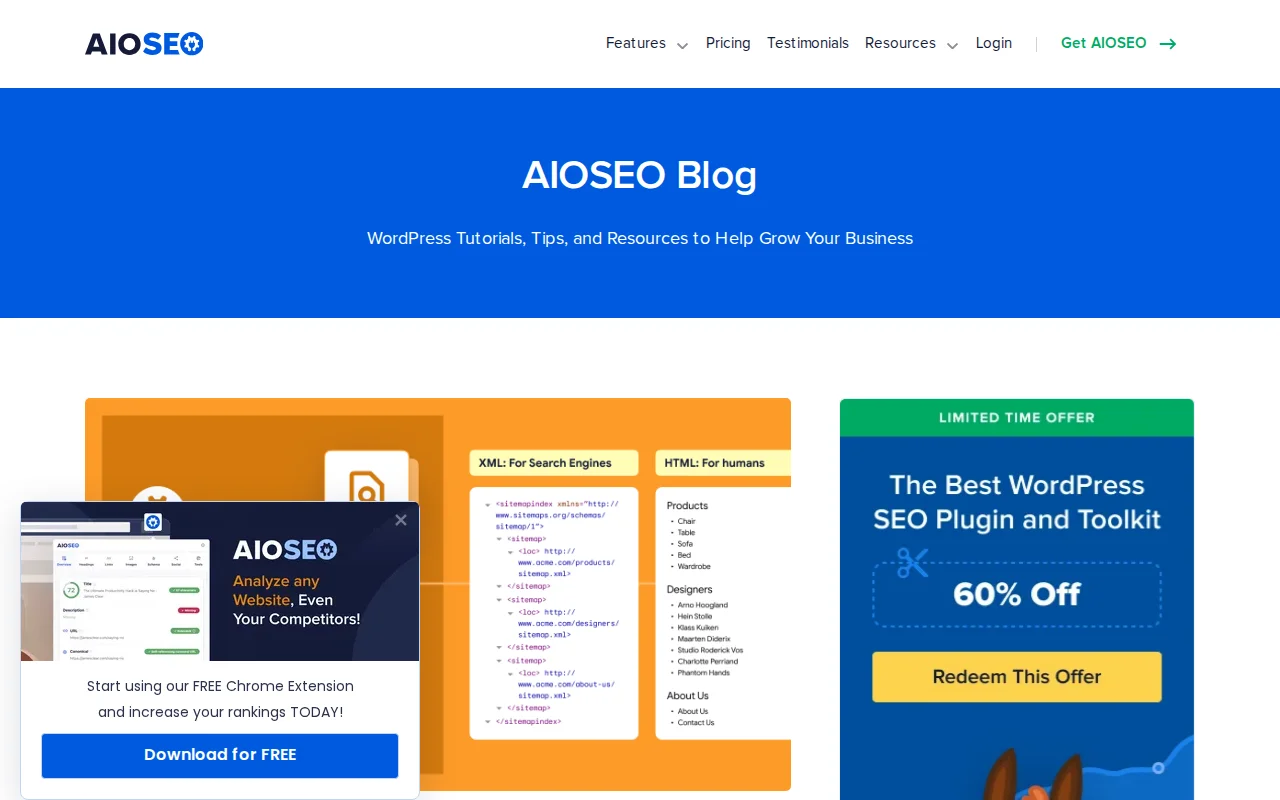
What Is a Sitemap?
A sitemap is a map of your website — a structured list of every page, post, and piece of content you want to be discoverable. There are two types, and they serve completely different audiences:
- XML Sitemap — A machine-readable file (usually at
/sitemap.xml) designed for search engine bots like Googlebot. It lists every URL on your site along with metadata: when it was last updated, how important it is, and how often it changes. Search engines use this to efficiently discover and index your content. - HTML Sitemap — A human-readable page on your website (usually at
/sitemap-page) that lists all your pages and posts as clickable links organized by category. It helps visitors find content, especially on large sites with deep navigation.
WordPress has built-in XML sitemap support since version 5.5 — you can find it at yoursite.com/wp-sitemap.xml. However, most WordPress users use an SEO plugin like Yoast SEO or Rank Math for their sitemap because these plugins offer more control: you can exclude specific post types, categories, or individual pages, and they generate cleaner, more optimized sitemaps than the core WordPress version.
Your XML sitemap is submitted to search engines through Google Search Console (go to Sitemaps and enter your sitemap URL) and Bing Webmaster Tools. You also reference it in your robots.txt file so crawlers find it automatically.
Key things a good XML sitemap includes:
- All published posts, pages, and custom post types you want indexed
<lastmod>dates so search engines know when content was updated<priority>values indicating relative importance (homepage = 1.0, regular posts = 0.7, etc.)- Exclusion of thin or duplicate content (tag archives, author pages on single-author sites)
Sitemaps in Practice
For most WordPress sites, the XML sitemap is the only one that matters for SEO. Set it up once through your SEO plugin and it updates automatically when you publish or edit content. Submit it to Google Search Console and forget about it — unless you see indexing issues.
HTML sitemaps are optional but useful for very large sites (500+ pages) where visitors might struggle to find specific content through normal navigation. Plugins like AIOSEO and Yoast can generate HTML sitemaps automatically. Some sites also create a manual sitemap page that organizes key content by topic — useful for crawl budget optimization since it provides a direct link path to every important page from a single URL.
One important best practice: keep your sitemap clean. Do not include pages you have set to noindex, redirected URLs, or 404 pages. A sitemap with errors sends mixed signals to search engines and wastes crawl budget.
Why It Matters
A sitemap is the simplest way to tell search engines: "Here is everything on my site — please index it." Without one, search engines rely entirely on following links to discover your content, which means deep or poorly-linked pages may never get found. For new WordPress sites especially, submitting a sitemap to Google Search Console is one of the first things you should do after launching.