
Order
Quick Definition
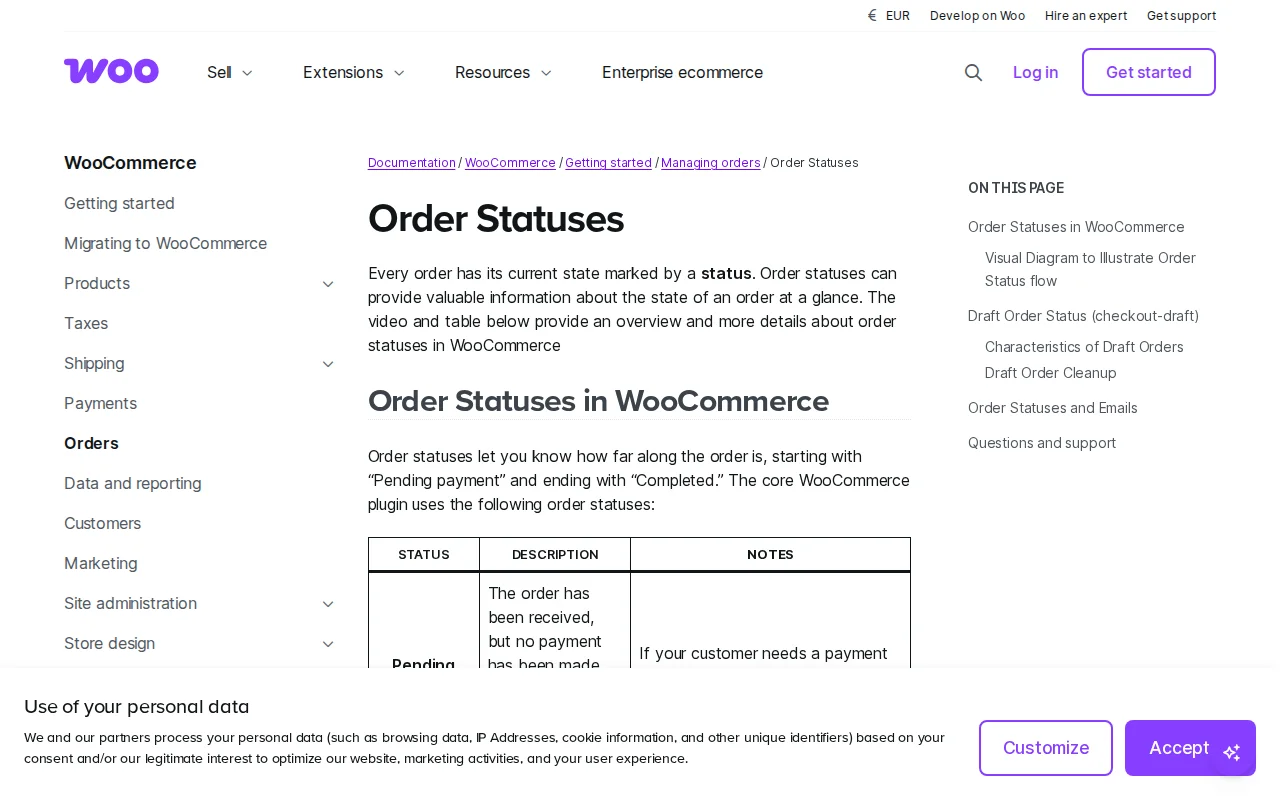
An order in WooCommerce is a record of a customer purchase containing product details, shipping address, payment information, and a status that tracks fulfillment progress — from Pending Payment through Processing to Completed.
What Is an Order?
In WooCommerce, an order is created when a customer completes checkout. It records products, quantities, addresses, payment method, coupons, tax, and fulfillment status.
Order Status Lifecycle
| Status | Meaning | Next Step |
|---|---|---|
| Pending Payment | Created, no payment yet | Customer pays |
| On Hold | Stock reduced, awaiting manual payment confirmation | Confirm payment |
| Failed | Payment declined | Retry or cancel |
| Processing | Paid, awaiting shipment | Ship, then mark Completed |
| Completed | Fulfilled and delivered | Done |
| Cancelled | Cancelled before fulfillment | Stock restored |
| Refunded | Refund issued | Funds returned |
WooCommerce does NOT auto-complete orders. You must mark Completed after shipping. Digital products can auto-complete.
What an Order Contains
- Order number, products, quantities, prices
- Customer name, email, addresses
- Payment method, totals, tax, shipping, discounts
- Order notes and status timestamps
Managing Orders
- Auto emails on status changes
- Bulk status updates
- Search by name, email, order number
- Custom statuses via plugins
Why It Matters
Understanding statuses prevents mistakes — forgotten Completed marks, missed Failed payments. Good order management keeps customers informed and reduces support load.
Sources: WooCommerce, WPDesk
Related Terms
CheckoutThe checkout page is where customers enter their shipping address, billing details, and payment information to complete a purchase. In WooCommerce, optimizing your checkout can increase conversions by 20-40%.Payment GatewayA payment gateway is the service that securely processes credit card and digital wallet payments on your WordPress store. Popular options for WooCommerce include Stripe (2.9% + 30 cents per transaction), PayPal, and WooPayments.WooCommerceWooCommerce is a free, open-source WordPress plugin that turns any WordPress site into a fully functional online store. It powers over 6.5 million stores worldwide and holds about 33% of the global e-commerce market share.WooCommerceWooCommerce is a free, open-source ecommerce plugin for WordPress that turns any WordPress site into a fully functional online store. It powers over 4 million stores and holds 33% of the global ecommerce market.
Related Articles
How to Set Up Email for Your WordPress Site (Stop Emails Going to Spam)Your WordPress emails are probably going to spam right now. I've fixed this on hundreds of sites, and it takes about 10 minutes. Here's exactly how to set up SMTP so your contact forms, password resets, and notifications actually reach the inbox.How to Create an Online Store with WordPress & WooCommerce (Step by Step)I've built dozens of online stores over the past decade, and WooCommerce remains my go-to recommendation for anyone serious about selling online. In this step-by-step tutorial, I'll walk you through every click — from installing WooCommerce to processing your first test order.WordPress Security Checklist: 12 Steps to Protect Your SiteWordPress doesn't get hacked because it's insecure — it gets hacked because people skip basic precautions. Here is the 12-step WordPress security checklist I follow on every site I build.