
oEmbed
Quick Definition
An open protocol that lets websites automatically display rich embedded content — videos, tweets, photos — by simply pasting a URL, with no manual iframe code required.
What Is oEmbed?
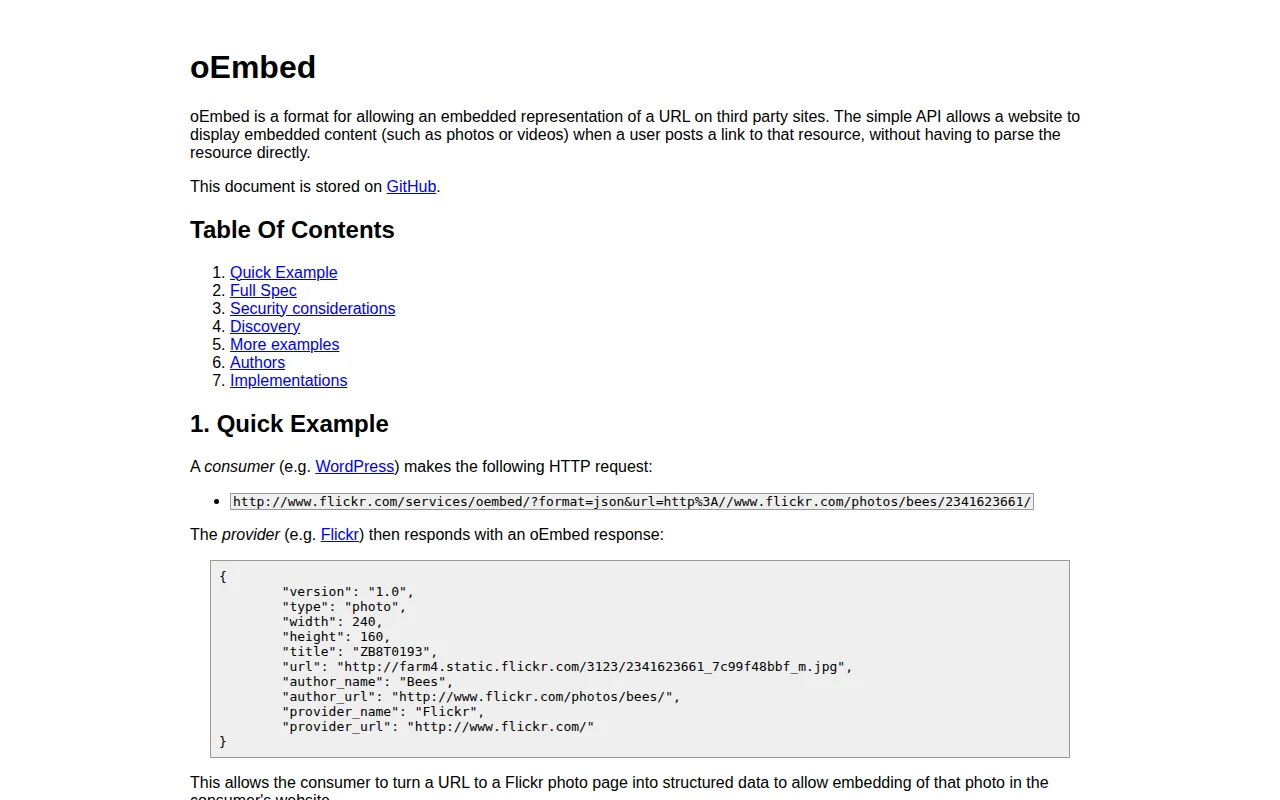
oEmbed is an open protocol for embedding rich content from one website inside another. Instead of copying and pasting raw iframe code, a site that supports oEmbed can turn a plain URL into a fully rendered video player, photo, tweet, or interactive widget automatically.
The protocol defines two roles: a consumer (a site that wants to display embedded content) and a provider (a service that supplies it). When the consumer encounters a URL it recognises, it sends an HTTP request to the provider's oEmbed endpoint. The provider returns a small JSON response — the embed HTML, dimensions, title, author — and the consumer renders it. The spec was first published in 2008 and has been widely adopted ever since.
How WordPress Uses oEmbed
WordPress became an oEmbed consumer in version 2.9. The way it works is elegantly simple: paste a bare URL on its own line in the block editor or classic editor, and WordPress does the rest.
Under the hood, WordPress checks the URL against an internal whitelist of trusted providers. If there's a match, it calls the provider's endpoint, retrieves the embed HTML, caches the response in wp_postmeta, and outputs the final markup. The cache means the external API is hit only once per URL — subsequent page loads serve from the database.
WordPress ships with a whitelist of over 30 built-in providers, including YouTube, Vimeo, Spotify, SoundCloud, TikTok, Flickr, and more. You can add custom providers via wp_oembed_add_provider() or modify the list with the oembed_providers filter.
WordPress as an oEmbed Provider
WordPress sites do not only consume oEmbed — they also provide it. Since WordPress 4.4, every WordPress site exposes its own oEmbed endpoint at /wp-json/oembed/1.0/embed. This means other sites (including other WordPress installs) can embed your posts simply by pasting your post URL. The embedded post appears as a styled card with the title, excerpt, and a link back to your site.
Security
The whitelist model is the core security mechanism. Only providers on the approved list can inject HTML into your site — arbitrary URLs are converted to plain hyperlinks instead. WordPress also runs all incoming embed HTML through wp_kses_post() to strip disallowed tags and attributes. There is an additional filter, oembed_dataparse, where you can further sanitize the response before it is saved or rendered.
Why It Matters
oEmbed is the reason dropping a YouTube link into the WordPress editor "just works." Without it, every embed would require manual iframe code, correct sizing, and regular maintenance as provider APIs change. The protocol keeps the editor clean and the embeds consistent — and because WordPress is also a provider, your content can travel outward just as easily as external content comes in.
Sources: oembed.com specification · WordPress Developer Reference: wp_oembed_get()