
GeneratePress vs Astra — Which Lightweight Theme Is Better?
I've been building WordPress sites since 2017, and if there's one decision I've seen trip up more developers and site owners than any other, it's this one: GeneratePress or Astra? Both are lightweight, both are fast, both are free to start with, and both have passionate communities that will argue to the death that their theme is better.
I've used both themes extensively — GeneratePress on performance-critical projects where every kilobyte matters, and Astra on client sites where I needed a quick, polished result with minimal customization time. After years of using both, I'm going to give you the most detailed, honest comparison you'll find anywhere.
Why These Two Themes Dominate WordPress
Before we get into the weeds, let's understand why GeneratePress and Astra are in a league of their own. In a world with over 14,000 free themes on WordPress.org and thousands more on marketplaces like ThemeForest, these two have emerged as the go-to choices for developers and site owners who care about performance.
Astra is the most popular non-default WordPress theme in existence. With over 2 million active installations, it's the theme that more people choose — by a wide margin — when they're not using one of WordPress's built-in Twenty-Something themes. It's also consistently rated 5 stars with thousands of reviews.
GeneratePress is the developer's darling. With over 600,000 active installations and more than 1,000 five-star reviews, it doesn't have Astra's numbers, but it has something arguably more valuable: an almost fanatical developer community that considers it the gold standard for clean, lightweight WordPress code.
Both themes share a philosophy: give WordPress site owners a fast, lightweight foundation that works with any page builder and doesn't get in the way. But they execute on that philosophy differently, and those differences matter.
GeneratePress: The Developer's Choice
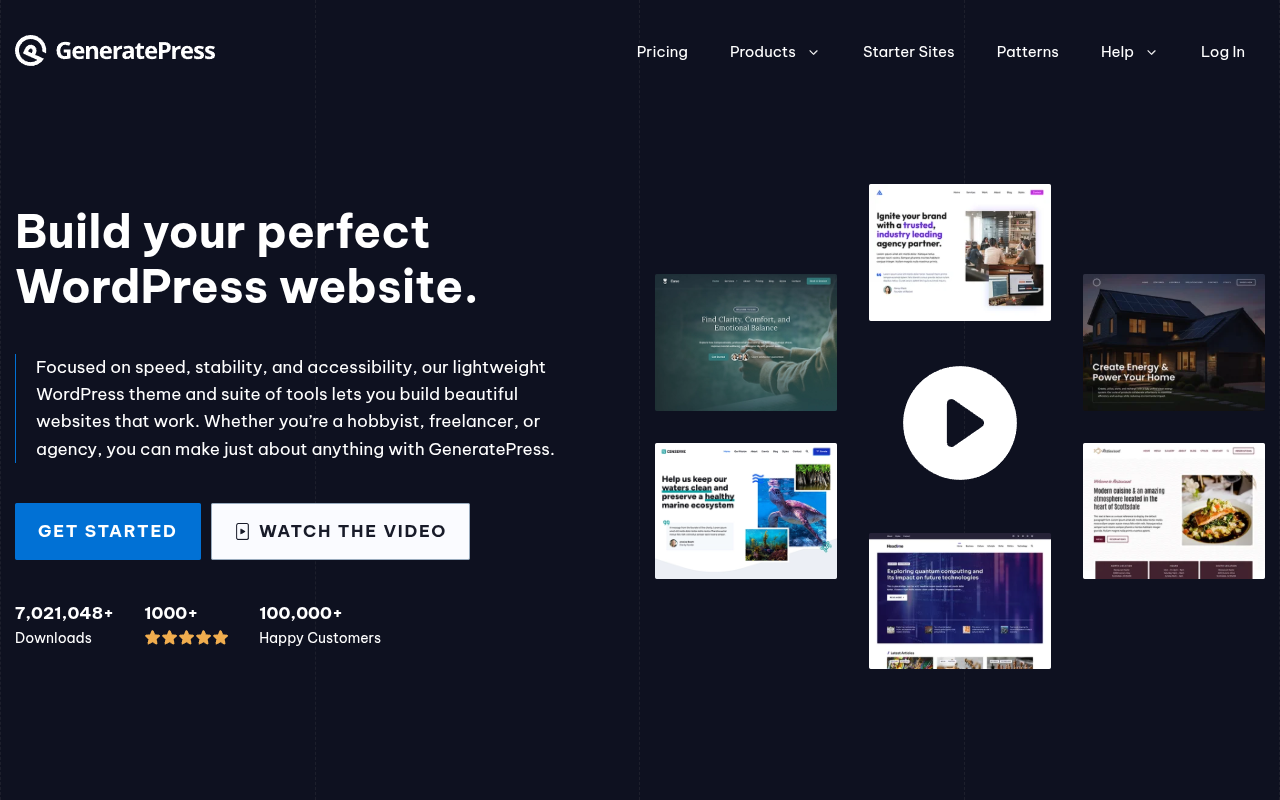
GeneratePress was created by Tom Usborne, a Canadian developer who built it with one obsession: performance. The free version of GeneratePress generates a page that's under 10KB of CSS and zero JavaScript (unless you add modules that require it). The total page size of a fresh GeneratePress install is roughly 30KB. That's not a typo — thirty kilobytes.
To put that in perspective, some popular WordPress themes generate 300-500KB on their homepage before you've even added any content. GeneratePress is an order of magnitude lighter.
What You Get with GeneratePress Free
- A fully functional, accessible WordPress theme
- Basic Customizer options for colors, typography, and layout
- 7 widget areas
- 5 sidebar layouts
- Responsive design
- Translation-ready and RTL support
- Clean, well-documented code that follows WordPress coding standards to the letter
It's minimal by design. GeneratePress Free isn't trying to be everything to everyone — it's trying to be the best foundation for people who want to build on top of it.
What You Get with GP Premium ($59/year)
GeneratePress Premium (now called GP Premium) is where the theme really opens up. At $59/year for unlimited sites, it adds a collection of modules that extend the free theme:
- Site Library: One-click importable starter sites (fewer than Astra's library, but high quality)
- Colors: Granular color controls for every element on your site
- Typography: Full control over fonts, sizes, line heights, and letter spacing for every text element
- Spacing: Control padding and margins for containers, content areas, and sidebars
- Blog: Advanced blog layout options including masonry, columns, and infinite scroll
- Elements: The killer feature — add custom hooks, layouts, and dynamic content anywhere on your site using PHP and conditions
- WooCommerce: Enhanced WooCommerce styling and layout options
- Menu Plus: Sticky navigation, mobile header customization, and off-canvas panel
- Backgrounds: Advanced background options for any section
- Secondary Nav: A second navigation menu above or below your primary menu
- Copyright: Customize your footer copyright text
- Disable Elements: Turn off page elements (title, header, footer, etc.) on specific pages
The "Elements" module deserves special attention. It lets you insert custom content — HTML, PHP, hooks — at any location in your theme, with conditional display logic. This is extraordinarily powerful for developers. Need a custom CTA below every blog post? An announcement bar only on the homepage? A custom sidebar for WooCommerce product categories? Elements handles all of this without writing a child theme.
GeneratePress + GenerateBlocks
GeneratePress also has a companion block plugin called GenerateBlocks. It adds four blocks — Container, Headline, Button, and Image — that give you layout-building capabilities within the native WordPress Block Editor. It's not a page builder in the traditional sense, but it lets you create sophisticated layouts without the overhead of Elementor or Divi. I've increasingly been using GeneratePress + GenerateBlocks instead of page builders, and the performance results are outstanding.
Astra: The Everyone's Choice
Astra was created by Brainstorm Force, the same company behind popular plugins like Ultimate Addons for Elementor and Schema Pro. They built Astra to be the perfect companion for page builders, especially Elementor, and it shows.
The free version of Astra generates a page that's roughly 50KB — larger than GeneratePress, but still impressively small. It loads in under half a second on a decent host, and it's fully compatible with all major page builders.
What You Get with Astra Free
- A fully functional, accessible WordPress theme
- Extensive Customizer options (significantly more than GeneratePress Free)
- Multiple header layouts
- Multiple blog layouts
- Page-level meta box controls (disable title, sidebar, etc. on individual pages)
- Transparent header option
- Responsive design
- Translation-ready and RTL support
- WooCommerce integration out of the box
- Compatibility with all major page builders (Elementor, Beaver Builder, Brizy, Gutenberg)
Astra Free is noticeably more feature-rich than GeneratePress Free. You can build a genuinely attractive site with Astra Free alone — something that's harder to do with the more minimal GeneratePress Free.
What You Get with Astra Pro ($47/year)
Astra Pro starts at $47/year and adds a significant amount of functionality:
- Starter Templates: A massive library of 240+ importable starter sites for Elementor, Beaver Builder, Brizy, and the Block Editor — this is Astra's single biggest advantage
- Advanced Header Builder: A visual header/footer builder that lets you drag-and-drop elements into rows and columns
- Advanced Colors & Typography: Granular control over every color and font on your site
- Blog Pro: Advanced blog layouts, grid view, infinite loading
- WooCommerce Pro: Enhanced WooCommerce features including quick view, off-canvas sidebar, checkout customization
- Mega Menu: Full-width dropdown menus with custom content
- Sticky Header: Fixed header that stays visible while scrolling
- White Label: Rebrand Astra with your own logo and text (great for agencies)
- Custom Layouts: Similar to GeneratePress Elements — add custom content using hooks and conditions
- Nav Menu: Advanced navigation features
- Site Layouts: Full-width, boxed, and other layout options
- Spacing: Control margins and padding for containers
- Scroll to Top: A simple but frequently needed feature
Head-to-Head Comparison
Speed and Performance
This is the category that everyone cares about, and it's where GeneratePress has a measurable edge.
In my testing across multiple sites on the same hosting environment, GeneratePress consistently produces smaller page sizes, fewer HTTP requests, and faster load times than Astra. The difference isn't dramatic — we're talking milliseconds and a few kilobytes — but it's real and reproducible.
GeneratePress Fresh Install:
- Page size: ~30KB
- HTTP requests: 2-3
- Load time: ~0.3 seconds
- PageSpeed score: 99-100
Astra Fresh Install:
- Page size: ~50KB
- HTTP requests: 4-6
- Load time: ~0.5 seconds
- PageSpeed score: 96-100
On a fully built-out site with content, images, and plugins, the gap narrows because other factors (images, plugins, hosting) dominate the performance equation. But GeneratePress's lighter codebase means you're starting from a better baseline.
My verdict: GeneratePress is faster. Not dramatically, but measurably and consistently. If raw performance is your top priority, GeneratePress wins.
Customization Options
Astra gives you more customization options out of the box, especially in the free version. The header builder alone — which lets you visually arrange header elements in rows and columns — is more advanced than anything GeneratePress Free offers. Astra's Customizer experience feels more modern and visual.
GeneratePress takes a more modular approach. The free version is intentionally minimal, and you unlock features by activating modules in GP Premium. This is a double-edged sword: you only load what you need (better performance), but it means the free version feels spartan compared to Astra Free.
My verdict: Astra for the free version and for non-technical users. GeneratePress for users who want maximum control with minimum bloat.
Template Library
This isn't even close. Astra's Starter Templates library has over 240 professionally designed templates for multiple page builders. GeneratePress's Site Library has around 80-100 templates, and they're mostly designed for the Block Editor and GenerateBlocks.
Astra's templates are also more diverse — you'll find designs for restaurants, fitness studios, law firms, SaaS companies, online courses, and dozens of other niches. GeneratePress's templates are high quality but fewer in number and less varied.
My verdict: Astra wins decisively on template quantity and variety. If you want to start with a pre-built design and customize it, Astra is the clear choice.
Page Builder Compatibility
Both themes work with all major page builders, but Astra was essentially built for page builders. The Brainstorm Force team (creators of Astra) also makes Ultimate Addons for Elementor and Ultimate Addons for Beaver Builder. Their page builder integration is deeper and more refined.
GeneratePress works perfectly well with Elementor, Beaver Builder, and other page builders, but it's increasingly pushing users toward GenerateBlocks and the native Block Editor. Tom Usborne has been vocal about the performance costs of traditional page builders, and GeneratePress's development direction reflects that philosophy.
My verdict: Astra if you're committed to Elementor or Beaver Builder. GeneratePress if you're leaning toward the Block Editor.
Code Quality
This is where GeneratePress truly shines, and it's something that most comparison articles gloss over because it's not a "sexy" feature.
GeneratePress generates some of the cleanest HTML/CSS output of any WordPress theme. The markup is semantic, the CSS is minimal, and there are virtually no inline styles cluttering your page source. For developers who care about code quality — and who inspect page source code as a matter of habit — GeneratePress is a joy to work with.
Astra's code quality is good — better than most themes — but it's not quite at GeneratePress's level. Astra's HTML output is slightly more verbose, and the CSS is a bit heavier. For most users, this difference is invisible and irrelevant. For developers who care about clean markup and minimal overhead, it matters.
My verdict: GeneratePress for code quality. It's the cleanest lightweight theme I've used.
Pricing
| Plan | GeneratePress | Astra |
|---|---|---|
| Free Version | Yes (minimal) | Yes (feature-rich) |
| Premium (Annual) | $59/year (unlimited sites) | $47/year (unlimited sites) |
| Lifetime Option | $249 one-time | $227 one-time |
| Starter Templates | ~80-100 | 240+ |
| Active Installs | 600,000+ | 2,000,000+ |
| WordPress.org Rating | 5/5 (1,000+ reviews) | 5/5 (5,000+ reviews) |
Astra is slightly cheaper on the annual plan ($47 vs $59), and its lifetime pricing is also lower. Both offer unlimited sites, which is great for agencies and freelancers. The pricing difference is small enough that it shouldn't be a deciding factor.
My verdict: Astra is slightly cheaper, but both offer excellent value. Don't choose based on a $12/year difference.
Support
Both themes offer ticket-based support for premium users. GeneratePress support is handled by a smaller, more focused team — and Tom Usborne himself still answers support questions regularly. Response times are typically fast, and the quality of support is excellent.
Astra's support team is larger (Brainstorm Force is a bigger company), and they also provide support through their extensive documentation and community forums. Response quality is good, though occasionally you'll get a canned response before a human actually looks at your issue.
My verdict: Tie. Both provide good premium support. GeneratePress feels more personal; Astra has more documentation resources.
Updates and Long-Term Stability
Both themes have excellent track records for long-term stability and regular updates, but they approach updates differently.
GeneratePress takes a careful, deliberate approach to updates. Tom Usborne runs month-long public beta testing periods before releasing major updates, which means updates are less frequent but extremely stable. I've never had a GeneratePress update break a site. Not once. In a WordPress ecosystem where theme updates occasionally cause havoc, that's remarkable. The downside is that new features take longer to arrive — but when they do, they're polished and reliable.
Astra releases updates more frequently — sometimes weekly — with new features, bug fixes, and WordPress compatibility patches. The faster release cycle means you get new features sooner, but there's occasionally a rough edge that needs a follow-up patch. Brainstorm Force has a larger development team, which enables this faster pace. In practice, I've seen maybe two or three Astra updates over the years that caused minor issues, all of which were resolved within days.
My verdict: GeneratePress for stability. Astra for feature velocity. Both are reliable choices you can trust long-term.
Accessibility
Web accessibility is increasingly important — not just ethically, but legally. Both themes take accessibility seriously, but it's worth noting the specifics.
GeneratePress has been WCAG 2.1 compliant since its early days. The theme generates semantic HTML, includes proper ARIA labels, supports keyboard navigation, and uses accessible color contrast ratios by default. GeneratePress was one of the first WordPress themes to pass the WordPress accessibility-ready tag requirements, and Tom Usborne has been vocal about maintaining accessibility standards.
Astra is also accessibility-ready and meets WCAG 2.1 guidelines. The header builder includes accessible navigation patterns, and the theme generates proper heading hierarchies. Astra's larger feature set does mean there are more potential accessibility pitfalls — for example, some of the more decorative design options could potentially create contrast issues if misconfigured. But the defaults are accessible.
My verdict: Both are genuinely accessible themes. GeneratePress's simpler codebase makes it slightly easier to maintain accessibility standards, but Astra meets the bar as well.
WooCommerce Integration
If you're building an online store with WooCommerce, the quality of your theme's WooCommerce integration matters a lot. Both themes support WooCommerce, but the depth of that support varies.
GeneratePress + WooCommerce
GeneratePress provides solid WooCommerce styling out of the box with the GP Premium WooCommerce module. You get clean product pages, properly styled cart and checkout pages, and the ability to customize the shop layout (columns, sidebar placement, etc.). The Elements module lets you add custom content to WooCommerce pages using hooks, which is powerful for developers who want to add things like trust badges below the add-to-cart button or custom product notices.
The WooCommerce support is competent and reliable, but it's not the most visually exciting. If you want a stunning, highly customized shop design, you'll need to do more custom work or pair GeneratePress with a page builder or GenerateBlocks.
Astra + WooCommerce
Astra's WooCommerce integration is deeper and more polished. The free version already includes WooCommerce-specific options, and Astra Pro adds:
- Quick View: Let customers preview products without leaving the shop page
- Product Gallery Styles: Multiple gallery layouts for product images
- Off-Canvas Sidebar: A slide-out filter panel for shop pages
- Checkout Customization: Modern two-column checkout, distraction-free checkout
- Sale Bubble Style: Customize the sale badge design
- Add to Cart Button Options: Customize the button text, style, and position
- Shop Layout Options: List view, grid view, column controls
For WooCommerce stores, Astra provides a significantly more feature-rich experience without needing additional plugins.
My verdict: Astra wins for WooCommerce. The built-in WooCommerce features in Astra Pro save you from needing additional plugins or custom development.
Community and Ecosystem
The community surrounding a theme matters more than most people realize. A strong community means more tutorials, more third-party integrations, more template libraries, and more people who can help when you're stuck.
Astra has a massive community. With 2M+ active installs, you'll find thousands of YouTube tutorials, blog posts, and forum threads about every aspect of using the theme. The Brainstorm Force team is also active on social media and maintains an extensive blog. If you Google an Astra question, you'll almost always find an answer.
GeneratePress has a smaller but incredibly dedicated community. The WordPress.org support forum is active, and Tom Usborne (the developer) still personally answers questions there regularly. There's also an unofficial Facebook group with thousands of enthusiastic members. The community is more technically oriented — you're more likely to find code-level solutions and developer-focused discussions.
My verdict: Astra for community size and resource availability. GeneratePress for community quality and developer-focused help.
Migration and Switching
What happens if you start with one theme and want to switch to the other later? This is less painful than switching page builders, but it's still not trivial.
Both themes use the WordPress Customizer for their settings, so switching from GeneratePress to Astra (or vice versa) means you'll lose all your Customizer settings — colors, typography, header layout, footer design, spacing, and any other theme-specific customizations. Your content (posts and pages) will be preserved, but the overall look and feel of your site will change dramatically.
If you've used the theme-specific features like GeneratePress Elements or Astra Custom Layouts, those won't transfer either. Any custom code that relies on theme-specific hooks will need to be rewritten.
My advice: Don't choose a theme thinking you'll "try it and switch later." Pick the one that aligns with your priorities now and commit to it. The switching cost isn't catastrophic, but it's enough that you don't want to do it twice.
Real-World Use Cases
When I Use GeneratePress
I reach for GeneratePress when:
- I'm building a performance-critical affiliate or niche content site where Core Web Vitals matter for SEO
- The project requires custom PHP hooks and conditional content
- I want to use the Block Editor instead of a traditional page builder
- The client is a developer or technical user who appreciates clean code
- I need maximum control over markup output
When I Use Astra
I reach for Astra when:
- I need to build a client site quickly using a starter template
- The project uses Elementor (Astra's Elementor integration is seamless)
- The client needs a feature-rich free theme with room to grow
- I want a modern header builder with visual configuration
- I need white-labeling for an agency client
The Bottom Line
GeneratePress is the developer's choice. It's leaner, cleaner, and faster. If you're a developer who cares about code quality, or a site owner who wants the absolute lightest possible foundation, GeneratePress is the better theme. Its "Elements" module and GenerateBlocks companion plugin give you enormous power without the overhead of a traditional page builder.
Astra is the everyone's choice. It's easier to get started with, has more templates, better page builder integration, and a more intuitive free version. If you're a beginner building your first site, a freelancer who needs to spin up client sites quickly, or anyone who wants to start with a pre-built design and customize from there, Astra is the better choice.
Both are excellent themes. Both will serve you well for years. And honestly? You can't go wrong with either one. The WordPress community is lucky to have both.
Frequently Asked Questions
Can I switch from GeneratePress to Astra (or vice versa) later?
Yes, but expect to spend time reconfiguring your site's appearance. Your content (posts, pages) will transfer seamlessly because both are WordPress themes. However, all your Customizer settings — colors, typography, header layout, footer design, spacing — will need to be redone in the new theme. If you've used theme-specific features like GP Premium's Elements or Astra Pro's Custom Layouts, those won't transfer either. Budget at least a full day for the migration on a typical site.
Do these themes work with Gutenberg and Full Site Editing?
Both themes work well with the Gutenberg block editor for content editing. For Full Site Editing (FSE), GeneratePress has been moving strongly in this direction with its GenerateBlocks plugin and block-based workflow. Astra also supports blocks well and has been adding block theme compatibility features. However, neither is a pure block theme in the way that Twenty Twenty-Five or Ollie are. They're hybrid themes that support both the traditional Customizer workflow and newer block-based approaches.
Which theme is better for beginners?
Astra, without question. The free version is more feature-rich, the Customizer is more intuitive, and the starter template library gets you to a finished-looking site in minutes. GeneratePress Free can feel too minimal for beginners who don't have a clear vision of what they want their site to look like. That said, if a beginner is willing to spend $59/year on GP Premium and import a starter site, GeneratePress becomes equally beginner-friendly.
Which theme has better documentation?
Both have excellent documentation. GeneratePress documentation (docs.generatepress.com) is concise, well-organized, and covers every feature with clear instructions. Astra's documentation (wpastra.com/docs) is more extensive due to the theme's larger feature set and includes more tutorials and step-by-step guides. For self-service learning, Astra's documentation library is larger. For quickly finding a specific answer, GeneratePress's documentation is often more direct.
Can I use these themes without a page builder?
Absolutely — and increasingly, that's what both themes are designed for. GeneratePress paired with GenerateBlocks gives you powerful layout capabilities within the native Block Editor. Astra's built-in design options and starter templates for the Block Editor mean you can build a complete site without ever installing a page builder. I've moved increasingly toward this approach for content-focused sites, and the performance benefits are significant.
Which is better for multisite networks?
Both themes are compatible with WordPress multisite. The licensing models both allow unlimited sites, so cost isn't a differentiator. In practice, GeneratePress's lighter footprint gives it an edge on multisite networks where you're managing many sites on shared infrastructure — every kilobyte saved gets multiplied across all sites. But the difference is small enough that it shouldn't be your primary deciding factor.
What about Kadence and Blocksy? Should I consider those instead?
Great question. Kadence and Blocksy are newer lightweight themes that deserve consideration. Kadence has excellent block theme support and a generous free version. Blocksy is visually polished and has been growing rapidly. Both are good options. However, GeneratePress and Astra have longer track records, larger communities, and more battle-tested codebases. If you want a proven, safe choice with years of stability behind it, stick with GeneratePress or Astra. If you want something newer and are comfortable with a smaller community, Kadence and Blocksy are worth exploring.
For more theme recommendations, check out our guides to the best WordPress themes, the best free themes, and our in-depth Astra theme review.

Written by Marvin
Our team tests and reviews WordPress products to help beginners make confident choices.
Learn more about our team →You might also like
Best WordPress Themes in 2026 — My Top Picks for Every Type of Site
A hands-on comparison of the best WordPress themes in 2026 — including Astra, GeneratePress, Kadence, OceanWP, and more. Find the right theme for speed, design flexibility, eCommerce, blogging, or just getting started without spending a dime.
postAstra Theme Review 2026 — Is It Really the Best WordPress Theme?
An in-depth, hands-on review of the Astra WordPress theme in 2026. Covering performance benchmarks, Customizer options, Starter Templates, page builder compatibility, free vs Pro features, pricing, and an honest verdict on whether Astra deserves its reputation as the most popular WordPress theme.
postHow to Choose a WordPress Theme — A Beginner's Decision Framework
A practical, step-by-step guide for choosing a WordPress theme in 2026. Covers the WordPress theme directory, free vs premium themes, 7 must-check criteria, red flags to avoid, and how Full Site Editing changes the game.
postElementor vs Divi in 2026 — Which Page Builder Should You Choose?
An honest, in-depth comparison of Elementor and Divi — the two most popular WordPress page builders. Covers pricing, performance, ease of use, WooCommerce support, template libraries, and the Gutenberg question so you can pick the right builder for your project.