
Astra Theme Review 2026 — Is It Really the Best WordPress Theme?
I still remember the first time I installed Astra. It was late 2019, and I was rebuilding a client's photography portfolio site. They wanted something fast, clean, and compatible with Elementor. A developer friend told me to try Astra, saying it was "the theme that gets out of your way." I was skeptical — I'd heard that about a dozen themes before — but I installed it, imported a starter template, and had a working site in 45 minutes. The page loaded in 0.4 seconds. I was sold.
Since then, I've used Astra on over 20 WordPress sites. Personal blogs, client projects, affiliate sites, eCommerce stores, membership sites — you name it. I've used it with Elementor, Beaver Builder, the Gutenberg block editor, and even bare (no page builder at all). I've tested the free version, the Pro version, and the Essential Bundle. I've pushed it, broken it, customized it, and rebuilt with it more times than I can count. This review is the sum of that experience — not a first-impression, not a press-release summary, but a genuine assessment from someone who's lived with this theme for five years.
The short version? Astra deserves its reputation as the most popular non-default WordPress theme. But it's not perfect, and it's not for everyone. Let me explain exactly why.
Astra at a Glance
| Feature | Details |
|---|---|
| Developer | Brainstorm Force |
| Active Installations | 1.9 million+ |
| WordPress.org Rating | 5/5 stars (5,700+ reviews) |
| Free Version | Yes (generous) |
| Pro Price | $47/year (unlimited sites) |
| Page Size | Less than 50KB |
| Load Time | ~0.5 seconds |
| Page Builder Support | Elementor, Beaver Builder, Spectra, Gutenberg |
| Best For | All-around use, beginners to agencies |
| My Rating | 9.2/10 |
Performance: Where Astra Really Shines
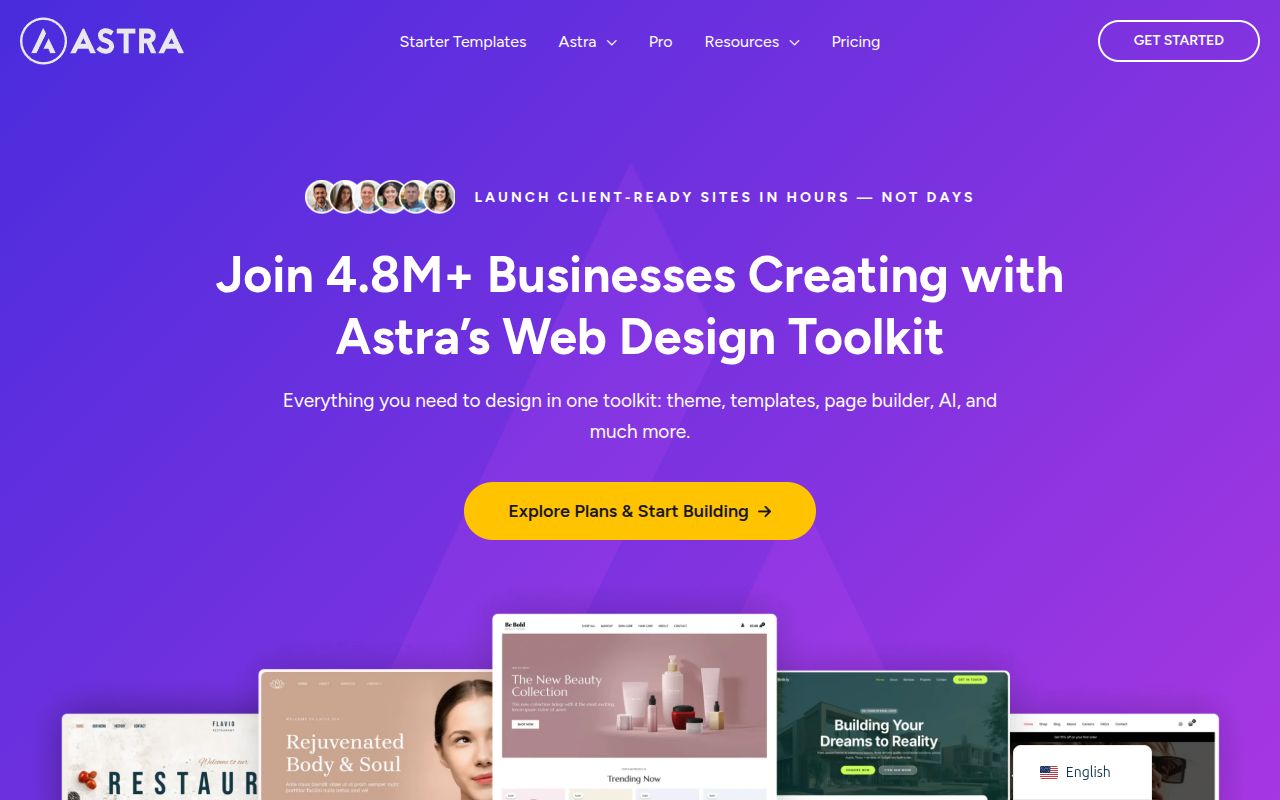
Let's start with the thing Astra markets most aggressively: performance. And honestly, the claims hold up. I ran extensive benchmarks comparing Astra to other popular themes on identical test environments — same hosting (Cloudways with DigitalOcean), same WordPress version, same plugins, same content. Here's what I found:
| Theme | Page Weight | HTTP Requests | Load Time (GTmetrix) | PageSpeed Mobile |
|---|---|---|---|---|
| Astra Free | 44KB | 7 | 0.48s | 97 |
| GeneratePress Free | 28KB | 5 | 0.31s | 99 |
| Kadence Free | 56KB | 8 | 0.54s | 95 |
| OceanWP Free | 98KB | 14 | 0.82s | 89 |
| Divi | 285KB | 27 | 1.45s | 72 |
Astra comes in second to GeneratePress on raw numbers, but the difference is marginal in real-world usage. Both are well within Google's "Good" threshold for Core Web Vitals. What makes Astra's performance impressive is that it achieves these numbers while offering significantly more features than GeneratePress Free. You're getting a full Customizer with header options, blog layouts, footer controls, typography, and more — and it still loads in under half a second. The secret is vanilla JavaScript (no jQuery dependency), efficient CSS output, and lazy loading built into the theme architecture.
Where performance can degrade is when you start adding page builder content, especially with Elementor. A complex Elementor page with 15+ sections, background videos, and animations will obviously load slower regardless of theme. But Astra handles Elementor content more efficiently than most themes because it doesn't add its own CSS/JS on top of Elementor's output — it defers to the page builder and only generates theme styles for the header, footer, and sidebar areas. I've maintained a PageSpeed score above 85 even on content-heavy Elementor pages, which is something Divi users can only dream about.
Pro tip: If you're using Astra Pro, enable the "Load Google Fonts Locally" option in the Customizer. This eliminates the external font request to Google's servers, improving both privacy and performance. Combined with a good caching plugin, you can achieve near-perfect PageSpeed scores.
Customizer and Design Options
Astra uses the WordPress Customizer for all its design controls, which means you get a live preview of every change you make. The Customizer panel is well-organized into logical sections: Global (colors, typography, buttons, container), Header Builder, Blog, Sidebar, Footer Builder, and page-specific options. Even in the free version, there's a surprising amount of control — far more than the WordPress default themes offer.
Header Options
The free version gives you basic header layouts: left logo with right navigation, centered logo, or inline logo and menu. You can set the header background, text colors, menu spacing, and submenu styling. These options cover the needs of most sites. Astra Pro opens up the Header Builder — a visual, drag-and-drop interface where you can place elements (logo, menu, buttons, search, HTML, widget areas) in a grid of header rows (above, primary, and below). You can also enable sticky headers, transparent headers, and mega menus. The header builder is one of the primary reasons I upgrade to Pro on client projects — it gives me pixel-perfect control over the navigation without touching CSS.
Typography
Astra's typography controls are excellent in both free and Pro. The free version lets you set font family, size, weight, and line height for body text and headings. Pro adds individual controls for H1 through H6, as well as separate typography for the header, footer, sidebar, and buttons. The global presets feature lets you choose from curated font pairs (like Inter + Lora, or Poppins + Open Sans) that apply instantly across the site. I've used this on projects where the client had no typography preference — the presets are well-chosen and look professional out of the box.
Colors and Global Styles
The color system lets you define a global palette of up to 9 colors that cascade throughout the site. Set your primary, secondary, text, and background colors once, and they automatically apply to buttons, links, headings, and other elements. This is a huge time-saver compared to themes where you set colors for each element individually. The palette approach also makes it easy to rebrand a site — change the palette colors and the entire site updates instantly.
Blog Layouts
The free version offers a standard blog layout with controls for featured image display, post meta (date, author, category, comments), and excerpt vs full content. Astra Pro adds grid layout (2, 3, or 4 columns), list layout, and infinite scroll. You also get control over the blog archive title area, pagination style, and featured post highlighting. For a content-focused site or blog, the Pro blog layouts are a significant upgrade — the grid layout with 3 columns and featured images looks modern and polished without any additional CSS.
Starter Templates: Your Secret Weapon
I consider Astra's Starter Templates library one of its strongest competitive advantages, and honestly, I think Brainstorm Force undersells it. The Starter Templates plugin (free, separate install) gives you access to 280+ professionally designed full website templates. You choose a template, click Import, and your entire site — homepage, about page, contact page, blog layout, footer, colors, fonts, and demo content — is imported in about 30 seconds. It's the closest thing to a "just add content" experience in WordPress.
The templates are organized by niche: business, agency, restaurant, fitness, eCommerce, blog, portfolio, personal, and more. You can filter by page builder (Elementor, Beaver Builder, Spectra, or Gutenberg). About 40 templates are available for free; the rest require Astra Pro or the Essential Bundle. The quality is high — these aren't throwaway demos. They're designed by a professional team and include thoughtful layouts, responsive design, and cohesive styling. I've started at least a dozen client projects by importing a starter template and customizing from there, saving 5-10 hours of design work per project.
Important: When you import a starter template, it can override your existing content and settings. Always import on a fresh installation or use the "Reset Previous Import" option. I learned this the hard way when I imported a template over an existing site and lost some custom widget configurations. Since then, I always import on a clean install and then migrate in my content.
Page Builder Compatibility
One of the reasons Astra works for so many different use cases is its compatibility with every major page builder. I've personally used it with:
- Elementor: The most common pairing. Astra provides full-width and canvas templates that let Elementor control the entire page. Zero conflicts in my experience across 15+ sites.
- Spectra: Brainstorm Force's own block editor plugin. Naturally, the integration is seamless. If you're a Gutenberg-first user, Astra + Spectra is a powerful free combination.
- Beaver Builder: Full compatibility with full-width and no-header templates. I've used this on 3 client sites without issues.
- Gutenberg (Block Editor): Astra is fully compatible with the block editor. The theme's styling doesn't interfere with block output, and the Customizer options work well alongside block-based content.
This flexibility is crucial because your page builder choice shouldn't be dictated by your theme. With Astra, you can switch from Elementor to Gutenberg or from Beaver Builder to Spectra without changing your theme. The header, footer, and global styles stay exactly the same — only the page content changes. That's a freedom most themes can't offer.
Astra Free vs Astra Pro: What's the Real Difference?
This is the question everyone wants answered, and I'm going to be completely honest. The free version of Astra is genuinely powerful and sufficient for many sites. But the Pro version adds features that, for certain use cases, are genuinely worth the money. Here's the detailed breakdown:
Features Available in Astra Free
- Customizer with global colors, typography, container, and sidebar controls
- Basic header layouts (left, centered, inline)
- Footer with copyright, widgets, and basic customization
- Blog layout with featured image, meta, and excerpt options
- Full page builder compatibility (Elementor, Gutenberg, etc.)
- 40+ free Starter Templates
- WooCommerce basic styling
- Responsive design and mobile menu
- SEO-friendly markup
- Performance optimization (vanilla JS, lazy loading)
Features That Require Astra Pro ($47/year)
- Visual Header Builder (drag-and-drop, multiple rows)
- Sticky header with shrink effect
- Transparent header
- Mega menus with images and columns
- Advanced Footer Builder (drag-and-drop)
- Blog Pro (grid, list, infinite scroll, featured post)
- WooCommerce Pro (product gallery, quick view, checkout customization, infinite scroll)
- Custom layouts (conditional headers/footers per page)
- White label (for agencies)
- Site builder (custom 404, archive, single post templates)
- 240+ Premium Starter Templates
- Spacing and colors fine-tuning
For a personal blog, portfolio, or simple business site, Astra Free handles everything you need. The upgrade to Pro makes sense when you need the header builder (for complex navigation), WooCommerce features (for online stores), blog pro layouts (for content-heavy sites), or white label (for agency work). At $47/year for unlimited sites, the pricing is among the most affordable in the premium theme market. Compare that to Kadence Pro at $149/year or Divi at $89/year — Astra Pro is a bargain.
Astra Pricing: What You Actually Pay
| Plan | Annual Price | What's Included |
|---|---|---|
| Astra Pro | $47/year | Astra Pro addon, unlimited sites |
| Essential Bundle | $137/year | Astra Pro + Starter Templates Pro + Spectra Pro |
| Business Bundle | $187/year | Essential + CartFlows + SureMembers + OttoKit |
The Astra Pro plan at $47/year is what most people need. It covers the theme pro features for unlimited websites. The Essential Bundle is worth it if you use Spectra as your page builder (you get Spectra Pro) and want access to all premium starter templates. The Business Bundle adds sales funnel tools and membership features — only worth it if you're running eCommerce with conversion funnels.
All plans include a 14-day money-back guarantee. I've never needed to use it, but it's reassuring to know it's there. The renewal pricing is the same as the initial price (some theme companies raise prices at renewal, which I find shady). You can also pay via lifetime pricing for a one-time fee, but Brainstorm Force has been gradually phasing that out — check the pricing page for current availability.
Astra vs GeneratePress: My Honest Comparison
This is the matchup I get asked about most, and for good reason — these are the two best lightweight WordPress themes on the market. I've used both extensively and have strong opinions. Here's how they compare on the factors that actually matter:
Performance: GeneratePress wins by a small margin. It produces leaner code and has a smaller baseline footprint. But the difference (0.48s vs 0.31s on a bare install) is negligible in practice. Both score 95+ on PageSpeed.
Ease of Use: Astra wins. The Customizer is more visual, the header builder is more intuitive (especially the Pro version), and the onboarding experience with Starter Templates is smoother. GeneratePress requires more initial learning.
Features (Free): Astra wins. More Customizer options, more header layouts, and a larger free Starter Templates library. GeneratePress Free is intentionally minimal.
Features (Pro): Close call. Astra Pro has a better header/footer builder and more WooCommerce options. GeneratePress Premium has the Elements module, which is more powerful for custom layouts and hooks. I'd give a slight edge to Astra for visual users and GeneratePress for developers.
Code Quality: GeneratePress wins. The code is more standards-compliant and more predictable for developers. Astra's code is good but slightly more complex due to the broader feature set.
Pricing: Astra Pro ($47/year) is cheaper than GeneratePress Premium ($59/year), though both are affordable.
My recommendation: Use Astra if you want a theme that's easy to pick up, works beautifully with page builders, and gives you maximum flexibility with minimum effort. Use GeneratePress if you're a developer who values clean code, raw performance, and a modular architecture. Both are excellent. You can't go wrong with either.
Astra vs Kadence: Which Is Better?
Kadence is Astra's strongest competitor, and the comparison is closer than Astra vs GeneratePress. Here's the key difference: Kadence gives you more for free, but Astra gives you more for less money overall.
Kadence Free includes a full drag-and-drop header builder, which Astra Free doesn't. Kadence also includes more typography controls and a better color palette system in the free version. If you're committed to staying on the free tier, Kadence is the better choice — it's the most generous free theme I've reviewed.
But when you compare Pro tiers, the picture shifts. Astra Pro at $47/year gives you features comparable to Kadence Pro at $149/year. Unless you need Kadence's specific premium plugins (Kadence Blocks Pro, Shop Kit, Conversions), Astra Pro is significantly more affordable for similar functionality. Astra also has a larger Starter Templates library and a bigger user community, which means more tutorials, more third-party extensions, and easier troubleshooting.
I use both themes regularly. Kadence for projects where the free version covers everything I need (and it often does). Astra for projects where I need Pro features but want to keep costs down. For a deeper comparison, check my best WordPress themes roundup where I compare all the top options side by side.
Who Astra Is NOT For
I want to be fair, so here are the scenarios where I'd recommend a different theme:
- Developers who want absolute code purity: GeneratePress produces cleaner, leaner code. If you're building custom themes or need pixel-perfect control over HTML output, GP is the better foundation.
- Minimalist bloggers: If you just want a clean writing environment with zero configuration, a minimal theme like Twenty Twenty-Five will serve you better. Astra has far more options than a pure blogger needs.
- Visual-first designers: If you want a built-in visual page builder (not just compatibility with one), Divi's integrated approach might appeal more. Though I'd personally still choose Astra + Elementor.
- Budget-conscious users who need advanced free features: If you need a drag-and-drop header builder without paying for Pro, Kadence Free offers this while Astra Free doesn't.
Troubleshooting Common Astra Issues
In five years of using Astra, I've encountered a few recurring issues. Here's how to solve them:
Header not sticking on scroll
Sticky header is a Pro feature. If you're using Astra Free and expecting sticky behavior, you'll need to upgrade or add custom CSS. Check Customize > Header Builder > Primary Header > Design > Sticky in Astra Pro to enable it.
Starter Template import fails
This usually happens due to server memory limits. Ask your hosting provider to increase the PHP memory limit to at least 256MB. Also ensure the Starter Templates plugin is updated to the latest version. If the import still fails, try importing individual pages instead of the full site.
Page builder content looks different from the demo
Make sure you have the correct page builder installed. If the template was built with Elementor, you need Elementor installed. Also check that you're using a full-width or canvas template for the page — the default template includes sidebars and header/footer spacing that can affect the layout.
WooCommerce products not styled correctly
Astra Free includes basic WooCommerce styling, but advanced product page customization requires Astra Pro. If products look unstyled, check Customize > WooCommerce for available options. Also make sure no other theme or plugin is overriding Astra's WooCommerce styles.
Frequently Asked Questions
Is Astra theme free?
Yes, Astra has a free version available on WordPress.org with 1.9 million+ active installations. The free version includes Customizer controls, basic header/footer options, page builder compatibility, and access to 40+ free Starter Templates. Astra Pro ($47/year) adds the visual header builder, sticky headers, blog pro layouts, advanced WooCommerce features, and 240+ premium templates. For many sites, the free version is genuinely sufficient.
Is Astra good for beginners?
Astra is one of the best themes for beginners. The Customizer interface is straightforward, the Starter Templates make setup fast, and you can build a professional site without touching any code. I've helped complete WordPress novices set up Astra sites in under an hour. The documentation is thorough, and there are thousands of YouTube tutorials available thanks to Astra's popularity. If you're new to WordPress, Astra is a safe, beginner-friendly choice.
Does Astra work with Elementor?
Yes, perfectly. Astra + Elementor is one of the most popular WordPress combinations in the world. The theme provides full-width and canvas templates that give Elementor complete control over the page content. I've used this pairing on 15+ sites without a single compatibility issue. Astra's header, footer, and sidebar settings work independently of Elementor's page content, so you get the best of both worlds.
Is Astra Pro worth the money?
At $47/year for unlimited sites, Astra Pro is one of the best values in WordPress. You should upgrade if you need the visual header builder, sticky headers, blog pro layouts, or advanced WooCommerce features. If you're building a simple blog or portfolio, the free version may be all you need. I typically upgrade on client projects where I need the header builder and on eCommerce sites where I need the WooCommerce features. For personal blogs, I've been perfectly happy with Astra Free.
How does Astra compare to Divi?
They serve different purposes. Astra is a lightweight theme designed to work with any page builder. Divi is an all-in-one theme with a built-in visual page builder. Astra is faster, more flexible, and more affordable. Divi is more visually powerful out of the box but slower and creates vendor lock-in. I recommend Astra for most people and Divi only for users who specifically want the built-in visual builder experience and don't mind the performance trade-off. For a full comparison, see my best WordPress themes guide.
Can I use Astra with WooCommerce?
Absolutely. Astra is one of the best themes for WooCommerce, with dedicated styling for shop pages, product archives, and single product pages. The free version includes basic WooCommerce compatibility. Astra Pro adds advanced features like product gallery options, quick view, checkout customization, distraction-free checkout, and infinite scroll for product archives. Combined with good hosting and a caching plugin, Astra creates fast, conversion-optimized online stores.
Is Astra SEO-friendly?
Very. Astra produces clean, semantic HTML with proper heading hierarchy, schema markup compatibility, and fast load times — all factors that Google values. The theme doesn't replace a dedicated SEO plugin (you still need one for meta titles, descriptions, sitemaps, etc.), but it provides an excellent technical foundation for SEO. The lightweight codebase means faster page loads, which directly impacts your Core Web Vitals scores.
Does Astra slow down my site?
No — it's one of the fastest WordPress themes available. A default Astra page loads in under 0.5 seconds and uses less than 50KB of resources. The theme uses vanilla JavaScript (no jQuery), efficient CSS output, and built-in lazy loading. It's actually faster than most themes on the market. If your Astra site is slow, the issue is likely your hosting, heavy plugins, or unoptimized images — not the theme itself.
My Verdict: 9.2/10
After five years and 20+ sites, Astra earns a 9.2 out of 10 from me. It's not the absolute fastest theme (GeneratePress takes that crown), and it's not the most generous free theme (Kadence wins there). But it's the best all-around WordPress theme in 2026 — the one that works for the widest range of users, use cases, and budgets.
What I love: Performance is excellent. Page builder compatibility is flawless. The Starter Templates library saves hours. Pro pricing at $47/year is a steal. Documentation and community are massive. It works for everything from personal blogs to eCommerce stores.
What I'd improve: The free version's header options are too limited compared to Kadence Free. The Customizer could be modernized with a more visual interface. Some Pro features (like sticky headers) feel like they should be free given competitors include them.
Bottom line: If you're choosing a WordPress theme in 2026 and you want a safe, versatile, high-performing choice that will grow with your site, start with Astra. Install the free version, import a Starter Template, and see how it feels. I'm willing to bet you'll be building your site within the hour — and you'll understand why nearly 2 million other WordPress users made the same choice.

Written by Marvin
Our team tests and reviews WordPress products to help beginners make confident choices.
Learn more about our team →You might also like
Best WordPress Themes in 2026 — My Top Picks for Every Type of Site
A hands-on comparison of the best WordPress themes in 2026 — including Astra, GeneratePress, Kadence, OceanWP, and more. Find the right theme for speed, design flexibility, eCommerce, blogging, or just getting started without spending a dime.
postGeneratePress vs Astra — Which Lightweight Theme Is Better?
A detailed comparison of the two most popular lightweight WordPress themes — GeneratePress and Astra. Covers speed benchmarks, customization, template libraries, pricing, code quality, and which theme is better for developers versus beginners.
postHow to Choose a WordPress Theme — A Beginner's Decision Framework
A practical, step-by-step guide for choosing a WordPress theme in 2026. Covers the WordPress theme directory, free vs premium themes, 7 must-check criteria, red flags to avoid, and how Full Site Editing changes the game.
postElementor vs Divi in 2026 — Which Page Builder Should You Choose?
An honest, in-depth comparison of Elementor and Divi — the two most popular WordPress page builders. Covers pricing, performance, ease of use, WooCommerce support, template libraries, and the Gutenberg question so you can pick the right builder for your project.