
Loco Translate Review: The Best Way to Translate WordPress Plugins and Themes
What Is Loco Translate?
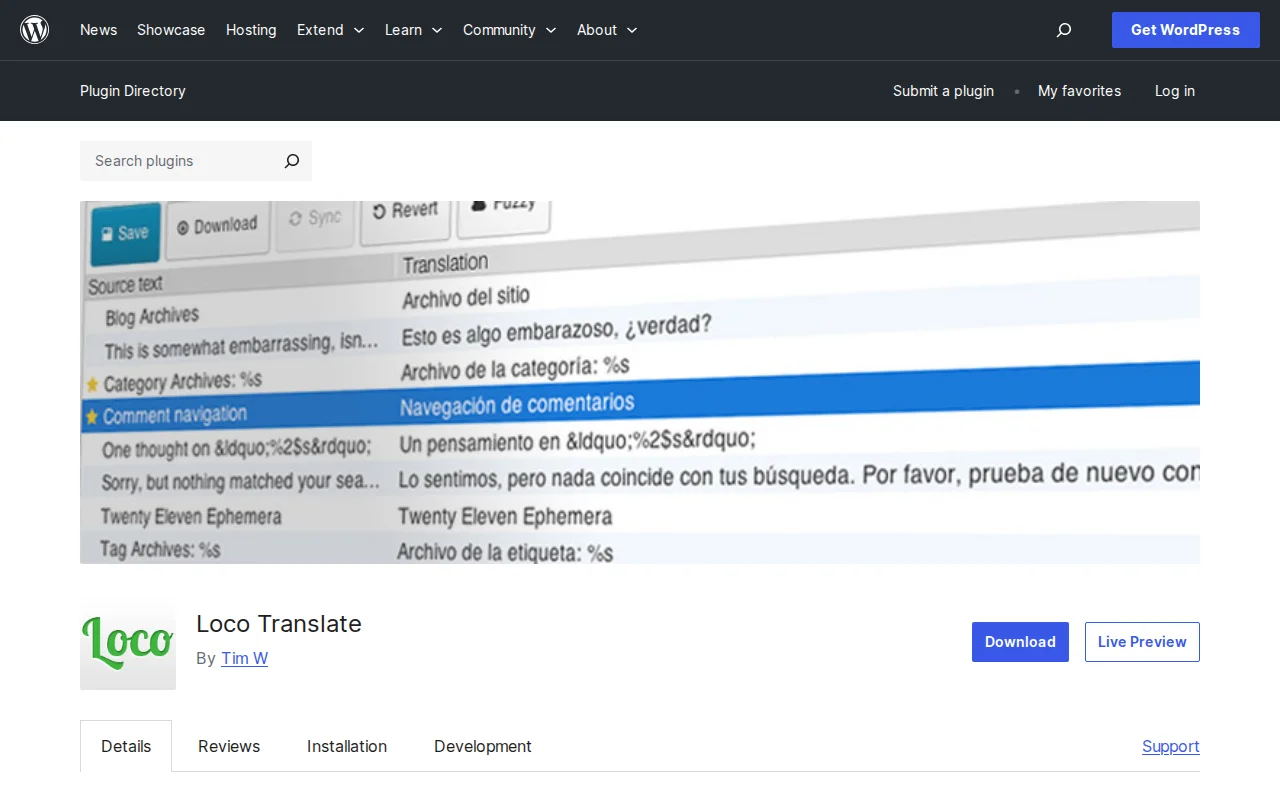
Loco Translate is a free WordPress plugin that lets you translate themes and plugins directly inside your WordPress admin — no FTP, no command line, no Gettext tools required. It has over 1 million active installs and a 4.8/5 star rating from 447 reviews. The plugin is maintained by Tim Whitlock and is the go-to solution for anyone running a multilingual WordPress site.
One thing to understand: Loco Translate is not a content translation plugin. It does not translate your posts or pages. It translates the interface strings baked into themes and plugins — things like button labels, error messages, and menu items — from English into your language.
Key Features
- In-browser PO editor — Edit translation files directly in WordPress admin without any external tools
- AI translation integration — Built-in support for DeepL, Google Translate, Microsoft Translator, OpenAI, and Lecto
- String extraction — Automatically finds translatable strings in theme or plugin source code
- MO and JSON compilation — Compiles translation files natively without requiring server-side Gettext
- Protected languages directory — Stores your translations in
wp-content/languages/loco/so they survive plugin/theme updates - Backup and restore — Configurable versioning with diff view so you can roll back changes
- Keyboard shortcuts — Move between strings, copy from source, toggle fuzzy flags — all without touching the mouse
Free vs Premium
Loco Translate itself is completely free with no premium version. All the core features — the editor, AI translation, file compilation, backups — are included at no cost.
If you want automated, one-click translation (rather than manually reviewing each string), there are third-party addons like LocoAI that layer on top of Loco Translate and offer paid plans. But for most users the free plugin is all you need.
Pros and Cons
Pros:
- Works entirely inside WordPress — no external tools needed
- Translations stored safely outside plugin/theme folders — survive updates
- AI translation suggestions speed up the work dramatically
- Handles plural forms, fuzzy strings, and comments properly
- Lightweight with no impact on front-end performance
Cons:
- Only translates plugin/theme strings, not post content — different job than WPML or Polylang
- The interface can feel technical if you have never worked with PO/MO files before
- AI translation requires setting up your own API keys (DeepL, Google, etc.) — not a one-click solution
Who Should Use Loco Translate?
Loco Translate is the right tool if your theme or a plugin ships in English but you need it in another language, or if you want to tweak existing translation strings (fixing a translation you disagree with, for example). It is especially useful for developers building sites for clients in non-English markets. If your goal is to publish the same content in multiple languages for different audiences, you want a content translation plugin like Polylang or WPML instead — Loco Translate will not help with that.
Alternatives
- Poedit — A desktop app for editing PO files. More powerful for professional translators but requires FTP workflow
- TranslatePress — Translates visible text on your site including content, not just plugin/theme strings
- WPML — Full multilingual suite covering content, theme strings, and more. Paid. Best for large multilingual sites
- Polylang — Free content translation plugin. Pairs well with Loco Translate (content via Polylang, strings via Loco)
Frequently Asked Questions
Will my translations disappear when I update a plugin or theme?
No — as long as Loco Translate stores the files in its protected directory (wp-content/languages/loco/), updates do not overwrite your translations. This is the default behavior when you create a new translation through Loco Translate.
Do I need an API key to use Loco Translate?
No. The manual editor works without any API keys. API keys are only needed if you want to use the AI translation suggestion feature (DeepL, Google, etc.). You can use Loco Translate fully for free without connecting any third-party service.
Can Loco Translate translate my blog posts?
No. Loco Translate translates plugin and theme interface strings only — not post or page content. For content translation, use a dedicated plugin like Polylang (free) or WPML (paid).
Does Loco Translate slow down my site?
No. Loco Translate only runs in the WordPress admin. It adds nothing to your front-end page load.

Written by Marvin
Our team tests and reviews WordPress products to help beginners make confident choices.
Learn more about our team →You might also like
GTranslate Review: Auto-Translate WordPress with Google Translate (2026)
GTranslate uses Google Translate for 103 languages. 500K+ installs, 4.9 stars. Instant setup but free has zero SEO value.
postPolylang Review: Best Free Multilingual Plugin for WordPress (2026)
Polylang lets you create a multilingual WordPress site for free. 700K+ installs, 4.7 stars. Most capable free translation plugin available.
postWP Multibyte Patch Review: Essential for Japanese WordPress Sites (2026)
WP Multibyte Patch fixes multibyte character handling in WordPress — essential for Japanese sites. 1M+ installs, perfect 5.0 rating, zero config.
postSlider Revolution Review: Is It Worth It? (2026)
Honest review of Slider Revolution — the premium WordPress slider and visual effects plugin powering 9 million sites. Hero sections, carousels, and animations.